Icon Cache - Rebuild

How to Rebuild the Icon Cache in Windows

   Information
If one or more of your icons are not displaying correctly, or that your icon cache is corrupted, then you might consider rebuilding the icon cache to reset and reload the icon images into the icon cache in Vista, Windows 7, and Windows 8.

   Note
This will not help with any of the following icon issues:
  • A shortcut's icon that is not displayed properly due to the source of the shortcut being moved or deleted. You may need to recreate a new shortcut directly from the source (ex: program's exe) file to replace it instead.
  • All icons for a specific file extension display the wrong icon. This may be due to setting the wrong association for what program to open the file extension instead. You can restore the default file extension's associations to fix this icon instead.


OPTION ONE

Automatically Rebuild the Icon Cache


1. Click/tap on the download button below to download the file below.
Rebuild_Icon_Cache.bat

Download


2. Save the file to your desktop, and run it.

3. Click/tap on Run when prompted.

4. Follow the instructions in the command prompt to rebuild the Icon Cache. (see screenshot below)
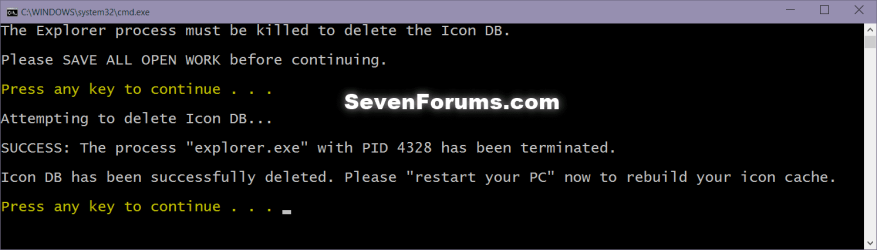
Icon_cache_command.png
5. Restart your computer to generate a new IconCache.db file.

6. If the icons are still not displaying properly, then download and merge the ICO option in this tutorial for Windows 7 or Windows 8 to restore the default associations of .ico (icon) files.


OPTION TWO

To Manually Rebuild the Icon Cache using the Command Prompt


1. Close and save anything that you are working on. This command will kill explorer and restart the computer when completed.

2. Open a command prompt in Windows 7 or Windows 8.

3. In the command prompt, Copy and paste each command line below exactly as is one at a time and press enter after each command.
:warn:WARNING: The last command will restart the computer, so be sure to close and save anything that you are working on first.
  • ie4uinit.exe -ClearIconCache
  • taskkill /IM explorer.exe /F
  • DEL "%localappdata%\IconCache.db" /A
  • DEL "%localappdata%\Microsoft\Windows\Explorer\iconcache*" /A
  • shutdown /r /f /t 00
4. The IconCache.db file has now been rebuilt.

5. If the icons are still not displaying properly, then download and merge the ICO option in this tutorial for Windows 7 or Windows 8 to restore the default associations of .ico (icon) files.

That's it,
Shawn


Attachments

Last edited:
Thanks Shawn. I read another tutorial that was incorrect in a few places. As always your tutorial is right on. I always like having automatic and manual options. I like to do it manually and I like to try to learn from opening up the automatic files.
 

My Computer

Computer Manufacturer/Model Number
Assembled by me
OS
Windows 7 Professional 64-bit
CPU
Intel Core i7-960 Bloomfield 3.2GHz 8MB L3 Cache Quad-Core
Motherboard
ASUS P6X58D Premium LGA 1366 Intel X58 SATA 6Gb/s USB 3.0
Memory
12 gb Corsair Dominator DDR3 1866 (PC3 15000) Triple Channel
Graphics Card(s)
XFX Radeon HD 5770 1GB 128-bit DDR5
Sound Card
Asus Essence STX Audiophile Heaven!
Monitor(s) Displays
ViewSonic VP201b
Screen Resolution
1600 x 1200
Hard Drives
(1) Crucial Real SSD C300
(2) WD Velociraptor 300gb
(1) Seagate DB35 750gb
PSU
Seasonic 750 Gold
Case
Lian Li 2100
Cooling
Noctua
Keyboard
Microsoft Wireless Comfort 5000
Mouse
Logitech USB Trackman Wheel
Internet Speed
1gp/s
You're most welcome Barefoot. :)
 

My Computer

Computer type
PC/Desktop
Computer Manufacturer/Model Number
Self built custom
OS
64-bit Windows 11 Pro for Workstations
CPU
Intel i7-8700K OC'd to 5 GHz
Motherboard
ASUS ROG Maximus XI Formula Z390
Memory
64 GB (4x16GB) G.SKILL TridentZ RGB DDR4 3600 MHz
Graphics Card(s)
ASUS ROG-STRIX-GTX1080TI-O11G-GAMING
Sound Card
Integrated
Monitor(s) Displays
2 x Samsung Odyssey G7 27"
Screen Resolution
2560x1440
Hard Drives
1TB Samsung 990 PRO M.2,
4TB Samsung 990 PRO PRO M.2,
TerraMaster F8 SSD Plus NAS
PSU
Seasonic Prime Titanium 850W
Case
Thermaltake Core P3
Cooling
Corsair Hydro H115i
Keyboard
Logitech wireless K800
Mouse
Logitech MX Master 4
Internet Speed
2 Gb/s Download and 100 Mb/s Upload
Antivirus
Malwarebyte Anti-Malware Premium
Browser
Google Chrome
Other Info
Logitech Z625 speaker system,
Logitech BRIO 4K Pro webcam,
HP Color LaserJet Pro MFP M477fdn,
APC SMART-UPS RT 1000 XL - SURT1000XLI,
Galaxy S23 Plus phone
icons are displaying strange

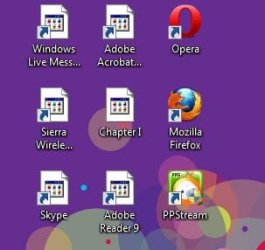
I don't know what went wrong, but suddenly, some icons in my laptop are displaying strange.
But, when you click on it, it still works and launch the program correctly.
I've tried all the steps above, but nothing seems works.
Do you have any idea what happened and how to solve it?
 

Attachments

  • Capture.JPG
    Capture.JPG
    23.9 KB · Views: 1,478,089

My Computer

Computer Manufacturer/Model Number
Dell Studio XPS 1340
OS
Windows 7 Ultimate 64-bit
CPU
Intel Core 2 Duo P8600
Motherboard
Dell A11
Memory
4096 MB
Graphics Card(s)
NVIDIA GeForce 9400M G
Sound Card
IDT High Definition
Monitor(s) Displays
sRGB Color Space
Screen Resolution
1280x800
Hello Lou, and welcome to Seven Forums.

You might see if changing the shortcut's icon back to the correct default one a few times may be able to restore it.

If not, then recreate the shortcut's directly from the program's EXE file to see if they display properly.

Hope this helps,
Shawn
 

My Computer

Computer type
PC/Desktop
Computer Manufacturer/Model Number
Self built custom
OS
64-bit Windows 11 Pro for Workstations
CPU
Intel i7-8700K OC'd to 5 GHz
Motherboard
ASUS ROG Maximus XI Formula Z390
Memory
64 GB (4x16GB) G.SKILL TridentZ RGB DDR4 3600 MHz
Graphics Card(s)
ASUS ROG-STRIX-GTX1080TI-O11G-GAMING
Sound Card
Integrated
Monitor(s) Displays
2 x Samsung Odyssey G7 27"
Screen Resolution
2560x1440
Hard Drives
1TB Samsung 990 PRO M.2,
4TB Samsung 990 PRO PRO M.2,
TerraMaster F8 SSD Plus NAS
PSU
Seasonic Prime Titanium 850W
Case
Thermaltake Core P3
Cooling
Corsair Hydro H115i
Keyboard
Logitech wireless K800
Mouse
Logitech MX Master 4
Internet Speed
2 Gb/s Download and 100 Mb/s Upload
Antivirus
Malwarebyte Anti-Malware Premium
Browser
Google Chrome
Other Info
Logitech Z625 speaker system,
Logitech BRIO 4K Pro webcam,
HP Color LaserJet Pro MFP M477fdn,
APC SMART-UPS RT 1000 XL - SURT1000XLI,
Galaxy S23 Plus phone
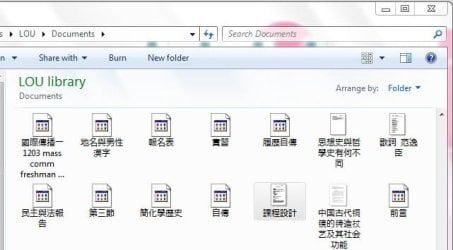
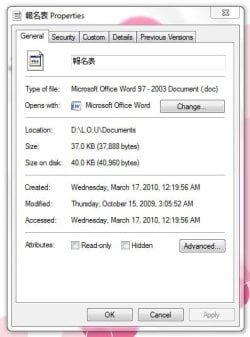
how about changing the files icon?
i can't find the change option in properties.
 

Attachments

  • 4.JPG
    4.JPG
    44.3 KB · Views: 972,035
  • 5.JPG
    5.JPG
    48.1 KB · Views: 970,280

My Computer

Computer Manufacturer/Model Number
Dell Studio XPS 1340
OS
Windows 7 Ultimate 64-bit
CPU
Intel Core 2 Duo P8600
Motherboard
Dell A11
Memory
4096 MB
Graphics Card(s)
NVIDIA GeForce 9400M G
Sound Card
IDT High Definition
Monitor(s) Displays
sRGB Color Space
Screen Resolution
1280x800
Lou,

If this it for Office, then you might see if uninstalling and reinstalling the program may restore all of them.
 

My Computer

Computer type
PC/Desktop
Computer Manufacturer/Model Number
Self built custom
OS
64-bit Windows 11 Pro for Workstations
CPU
Intel i7-8700K OC'd to 5 GHz
Motherboard
ASUS ROG Maximus XI Formula Z390
Memory
64 GB (4x16GB) G.SKILL TridentZ RGB DDR4 3600 MHz
Graphics Card(s)
ASUS ROG-STRIX-GTX1080TI-O11G-GAMING
Sound Card
Integrated
Monitor(s) Displays
2 x Samsung Odyssey G7 27"
Screen Resolution
2560x1440
Hard Drives
1TB Samsung 990 PRO M.2,
4TB Samsung 990 PRO PRO M.2,
TerraMaster F8 SSD Plus NAS
PSU
Seasonic Prime Titanium 850W
Case
Thermaltake Core P3
Cooling
Corsair Hydro H115i
Keyboard
Logitech wireless K800
Mouse
Logitech MX Master 4
Internet Speed
2 Gb/s Download and 100 Mb/s Upload
Antivirus
Malwarebyte Anti-Malware Premium
Browser
Google Chrome
Other Info
Logitech Z625 speaker system,
Logitech BRIO 4K Pro webcam,
HP Color LaserJet Pro MFP M477fdn,
APC SMART-UPS RT 1000 XL - SURT1000XLI,
Galaxy S23 Plus phone
Hi Brink,


I am having a problem with my msconfig.exe desktop shortcut icon, for some reason, it is the only one in my many icons giving me a problem. I am following your tutorial, but I had a problem when I tried to download your Rebuild_Icon_Cache.bat file.

I thought this kind of weird as it is a .bat file which I thought Windows should be able to process. I feel comfortable going one of the other two ways, but should I be concerned that Windows is doing this? Actually noticed it came up as Rebuild_Icon_Cache.download
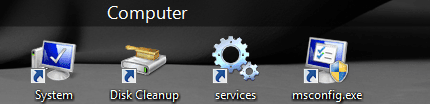
Capture.PNG


Maybe this is the problem. Just curious, as I am sure the other methods will work to get my icon back.


OK: now see if I can stump you on this one.

I got my MSCONFIG.EXE shortcut icon back, not with this tutorial but with this one:

http://www.sevenforums.com/tutorials/53402-shortcut-change-icon.html

OK? Following me so far.

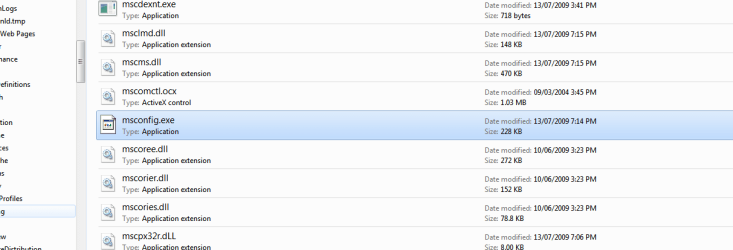
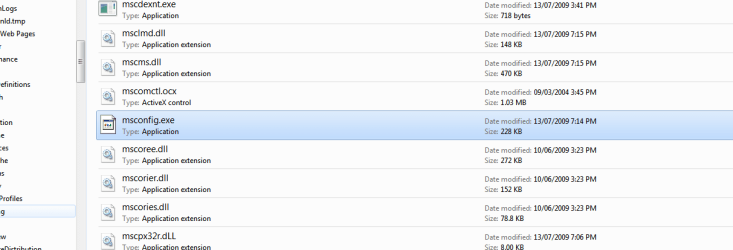
SO anyways, I go to the actual file location of the original msconfig.exe in the Windows>system32 folder, and the EXE file itself has a generic icon.

Capture3.PNG


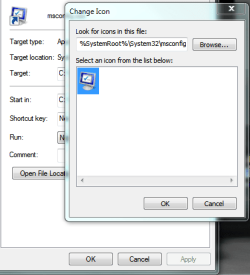
Funny thing is when I fixed the icon on the shortcut back using the change icon method, the original msconfig.exe file location was the source for the icon image itself. If it can be the source of the icon image for the shortcut repair, why can't it label itself (the .exe file )with the icon.

Capture2.PNG

You can see I have the icon repaired on the desktop now, but the .exe itself is missing the icon it had and is replaced with a generic one.

This defies all logic as it spawned a replacement image from its own filepath
but fails to even display the same image. Weird.

The location of the icon replacement that worked was here, like this
Capture4.PNG

Do you have any ideas?
:shock::huh:
 
Last edited:

My Computer

Computer Manufacturer/Model Number
Laptop Acer Aspire 6930
OS
Windows 7 Professional
CPU
Intel Core2 Duo CPU T6400 @ 2.00GHz
Memory
3 GB
Graphics Card(s)
lowly Intel Express Chipset WHOPPING 64 mb dedicated.LOL
Monitor(s) Displays
26" RCA and 40" Haier, and laptop 17" screen
Screen Resolution
26":1366X768 40":1920X1080 Laptop Screen: 1366X768
Hard Drives
Onboard HDD 300 GB/
Seagate 1TB External HDD/
Verbatim 500 GB External HDD/
Firelite 160 GB USB HDD
Keyboard
Microsoft Intellitype Wireless Multimedia Keyboard 1.1
Mouse
Microsoft Wireless Optical Mouse 2000
Other Info
Currently using Telus DSL. I currently have a 3.0 connection, but on wait list for 15.0 connection.

My Computer

Computer type
PC/Desktop
Computer Manufacturer/Model Number
Self built custom
OS
64-bit Windows 11 Pro for Workstations
CPU
Intel i7-8700K OC'd to 5 GHz
Motherboard
ASUS ROG Maximus XI Formula Z390
Memory
64 GB (4x16GB) G.SKILL TridentZ RGB DDR4 3600 MHz
Graphics Card(s)
ASUS ROG-STRIX-GTX1080TI-O11G-GAMING
Sound Card
Integrated
Monitor(s) Displays
2 x Samsung Odyssey G7 27"
Screen Resolution
2560x1440
Hard Drives
1TB Samsung 990 PRO M.2,
4TB Samsung 990 PRO PRO M.2,
TerraMaster F8 SSD Plus NAS
PSU
Seasonic Prime Titanium 850W
Case
Thermaltake Core P3
Cooling
Corsair Hydro H115i
Keyboard
Logitech wireless K800
Mouse
Logitech MX Master 4
Internet Speed
2 Gb/s Download and 100 Mb/s Upload
Antivirus
Malwarebyte Anti-Malware Premium
Browser
Google Chrome
Other Info
Logitech Z625 speaker system,
Logitech BRIO 4K Pro webcam,
HP Color LaserJet Pro MFP M477fdn,
APC SMART-UPS RT 1000 XL - SURT1000XLI,
Galaxy S23 Plus phone

My Computer

Computer Manufacturer/Model Number
Laptop Acer Aspire 6930
OS
Windows 7 Professional
CPU
Intel Core2 Duo CPU T6400 @ 2.00GHz
Memory
3 GB
Graphics Card(s)
lowly Intel Express Chipset WHOPPING 64 mb dedicated.LOL
Monitor(s) Displays
26" RCA and 40" Haier, and laptop 17" screen
Screen Resolution
26":1366X768 40":1920X1080 Laptop Screen: 1366X768
Hard Drives
Onboard HDD 300 GB/
Seagate 1TB External HDD/
Verbatim 500 GB External HDD/
Firelite 160 GB USB HDD
Keyboard
Microsoft Intellitype Wireless Multimedia Keyboard 1.1
Mouse
Microsoft Wireless Optical Mouse 2000
Other Info
Currently using Telus DSL. I currently have a 3.0 connection, but on wait list for 15.0 connection.
I tried the .bat file association fix.

It said the entry was successful.

I went to download the Rebuild_Icon_Cache.bat and it came back again as
Capture1.PNG


The sfc /scannow said it found and fixed some damaged files, but the msconfig.exe icon is still generic,

Capture3.PNG


so it fixed something, just don't know what.
I do not understand the log file so I have no idea. Plus it's late, and eyes crossing.

Here is the log if you are bored and really feel like strumming thru massive amounts of script, but I am lost when it come to this. ONLY IF YOU NEED A CHALLENGE. NOT IMPORTANT, it is a file I never see, and the desktop shortcut icon works and looks fine. I just find this one absolutely baffling.

Here is the zipped cbs log
View attachment Logzipped.zip


:shock:
 

My Computer

Computer Manufacturer/Model Number
Laptop Acer Aspire 6930
OS
Windows 7 Professional
CPU
Intel Core2 Duo CPU T6400 @ 2.00GHz
Memory
3 GB
Graphics Card(s)
lowly Intel Express Chipset WHOPPING 64 mb dedicated.LOL
Monitor(s) Displays
26" RCA and 40" Haier, and laptop 17" screen
Screen Resolution
26":1366X768 40":1920X1080 Laptop Screen: 1366X768
Hard Drives
Onboard HDD 300 GB/
Seagate 1TB External HDD/
Verbatim 500 GB External HDD/
Firelite 160 GB USB HDD
Keyboard
Microsoft Intellitype Wireless Multimedia Keyboard 1.1
Mouse
Microsoft Wireless Optical Mouse 2000
Other Info
Currently using Telus DSL. I currently have a 3.0 connection, but on wait list for 15.0 connection.
UPDATE.

Re-started from scratch, did elevated command prompt of the rebuild_icon_cache steps,

re-ran the sfc /scannow, and re-booted, and VOILA! All systems and icons seem to be back in place! You amaze me man!


It was such a trivial, unimportant thing, but it had me perplexed.

Thanks Brink, I guess I just can't pull one over on ya hey?
:shock:

I guess I missed a step first attempt or something.
 
Last edited:

My Computer

Computer Manufacturer/Model Number
Laptop Acer Aspire 6930
OS
Windows 7 Professional
CPU
Intel Core2 Duo CPU T6400 @ 2.00GHz
Memory
3 GB
Graphics Card(s)
lowly Intel Express Chipset WHOPPING 64 mb dedicated.LOL
Monitor(s) Displays
26" RCA and 40" Haier, and laptop 17" screen
Screen Resolution
26":1366X768 40":1920X1080 Laptop Screen: 1366X768
Hard Drives
Onboard HDD 300 GB/
Seagate 1TB External HDD/
Verbatim 500 GB External HDD/
Firelite 160 GB USB HDD
Keyboard
Microsoft Intellitype Wireless Multimedia Keyboard 1.1
Mouse
Microsoft Wireless Optical Mouse 2000
Other Info
Currently using Telus DSL. I currently have a 3.0 connection, but on wait list for 15.0 connection.
Al,

I'm happy to hear that you got the icon issue sorted. :party:

I just noticed from your screenshot on the BAT fiile issue that something is renaming the .bat at the end with .download instead. My guess would be your antivirus program, or some IE8 add-on toolbar.

We can start a new thread for the msconfig icon issue though to keep this one topic, and I'll try to help there. ;)
 

My Computer

Computer type
PC/Desktop
Computer Manufacturer/Model Number
Self built custom
OS
64-bit Windows 11 Pro for Workstations
CPU
Intel i7-8700K OC'd to 5 GHz
Motherboard
ASUS ROG Maximus XI Formula Z390
Memory
64 GB (4x16GB) G.SKILL TridentZ RGB DDR4 3600 MHz
Graphics Card(s)
ASUS ROG-STRIX-GTX1080TI-O11G-GAMING
Sound Card
Integrated
Monitor(s) Displays
2 x Samsung Odyssey G7 27"
Screen Resolution
2560x1440
Hard Drives
1TB Samsung 990 PRO M.2,
4TB Samsung 990 PRO PRO M.2,
TerraMaster F8 SSD Plus NAS
PSU
Seasonic Prime Titanium 850W
Case
Thermaltake Core P3
Cooling
Corsair Hydro H115i
Keyboard
Logitech wireless K800
Mouse
Logitech MX Master 4
Internet Speed
2 Gb/s Download and 100 Mb/s Upload
Antivirus
Malwarebyte Anti-Malware Premium
Browser
Google Chrome
Other Info
Logitech Z625 speaker system,
Logitech BRIO 4K Pro webcam,
HP Color LaserJet Pro MFP M477fdn,
APC SMART-UPS RT 1000 XL - SURT1000XLI,
Galaxy S23 Plus phone
thanks a LOT

but should i unhide the system files to run the script?

and i don't remember the page but yesterday i found a page with regkey tweak , doesn't somebody know thi page?
 

My Computer

Computer type
PC/Desktop
OS
windows 7 ultimate 64bit
Hello Drugo,

No need to, you can just run the BAT and click on RUN to approve running it after you download it. :)
 

My Computer

Computer type
PC/Desktop
Computer Manufacturer/Model Number
Self built custom
OS
64-bit Windows 11 Pro for Workstations
CPU
Intel i7-8700K OC'd to 5 GHz
Motherboard
ASUS ROG Maximus XI Formula Z390
Memory
64 GB (4x16GB) G.SKILL TridentZ RGB DDR4 3600 MHz
Graphics Card(s)
ASUS ROG-STRIX-GTX1080TI-O11G-GAMING
Sound Card
Integrated
Monitor(s) Displays
2 x Samsung Odyssey G7 27"
Screen Resolution
2560x1440
Hard Drives
1TB Samsung 990 PRO M.2,
4TB Samsung 990 PRO PRO M.2,
TerraMaster F8 SSD Plus NAS
PSU
Seasonic Prime Titanium 850W
Case
Thermaltake Core P3
Cooling
Corsair Hydro H115i
Keyboard
Logitech wireless K800
Mouse
Logitech MX Master 4
Internet Speed
2 Gb/s Download and 100 Mb/s Upload
Antivirus
Malwarebyte Anti-Malware Premium
Browser
Google Chrome
Other Info
Logitech Z625 speaker system,
Logitech BRIO 4K Pro webcam,
HP Color LaserJet Pro MFP M477fdn,
APC SMART-UPS RT 1000 XL - SURT1000XLI,
Galaxy S23 Plus phone
the dat file

CD /d %userprofile%\AppData\Local
DEL IconCache.db /a
EXIT

did NOT work on a 64bit.
nothing changed.
yes it flashed
 

My Computer

OS
7
Hello Anon,

It works in my 64-bit, and deletes the IconCache.db file. If you had the window open when you did the command, see if refreshing (F5) the window shows that the IconCache.db file has been deleted.
 

My Computer

Computer type
PC/Desktop
Computer Manufacturer/Model Number
Self built custom
OS
64-bit Windows 11 Pro for Workstations
CPU
Intel i7-8700K OC'd to 5 GHz
Motherboard
ASUS ROG Maximus XI Formula Z390
Memory
64 GB (4x16GB) G.SKILL TridentZ RGB DDR4 3600 MHz
Graphics Card(s)
ASUS ROG-STRIX-GTX1080TI-O11G-GAMING
Sound Card
Integrated
Monitor(s) Displays
2 x Samsung Odyssey G7 27"
Screen Resolution
2560x1440
Hard Drives
1TB Samsung 990 PRO M.2,
4TB Samsung 990 PRO PRO M.2,
TerraMaster F8 SSD Plus NAS
PSU
Seasonic Prime Titanium 850W
Case
Thermaltake Core P3
Cooling
Corsair Hydro H115i
Keyboard
Logitech wireless K800
Mouse
Logitech MX Master 4
Internet Speed
2 Gb/s Download and 100 Mb/s Upload
Antivirus
Malwarebyte Anti-Malware Premium
Browser
Google Chrome
Other Info
Logitech Z625 speaker system,
Logitech BRIO 4K Pro webcam,
HP Color LaserJet Pro MFP M477fdn,
APC SMART-UPS RT 1000 XL - SURT1000XLI,
Galaxy S23 Plus phone
Hello Anon,

It works in my 64-bit, and deletes the IconCache.db file. If you had the window open when you did the command, see if refreshing (F5) the window shows that the IconCache.db file has been deleted.
searched appdata - foun d file.
interesting when i just open app data - it is not there.
anyway run the tool and do a search and it is still there.
toshiba P500 4mb memory and 64 bit
can i safely just delete the thing and restart? - not keen on that!
thanks
 

My Computer

OS
7
Anon,

Yes, that would just be doing OPTION THREE to manually delete the file instead. Be sure to restart the computer afterwards. :)
 

My Computer

Computer type
PC/Desktop
Computer Manufacturer/Model Number
Self built custom
OS
64-bit Windows 11 Pro for Workstations
CPU
Intel i7-8700K OC'd to 5 GHz
Motherboard
ASUS ROG Maximus XI Formula Z390
Memory
64 GB (4x16GB) G.SKILL TridentZ RGB DDR4 3600 MHz
Graphics Card(s)
ASUS ROG-STRIX-GTX1080TI-O11G-GAMING
Sound Card
Integrated
Monitor(s) Displays
2 x Samsung Odyssey G7 27"
Screen Resolution
2560x1440
Hard Drives
1TB Samsung 990 PRO M.2,
4TB Samsung 990 PRO PRO M.2,
TerraMaster F8 SSD Plus NAS
PSU
Seasonic Prime Titanium 850W
Case
Thermaltake Core P3
Cooling
Corsair Hydro H115i
Keyboard
Logitech wireless K800
Mouse
Logitech MX Master 4
Internet Speed
2 Gb/s Download and 100 Mb/s Upload
Antivirus
Malwarebyte Anti-Malware Premium
Browser
Google Chrome
Other Info
Logitech Z625 speaker system,
Logitech BRIO 4K Pro webcam,
HP Color LaserJet Pro MFP M477fdn,
APC SMART-UPS RT 1000 XL - SURT1000XLI,
Galaxy S23 Plus phone
Anon,

Yes, that would just be doing OPTION THREE to manually delete the file instead. Be sure to restart the computer afterwards. :)
why cant i see the file?
yes it is there - search finds it
set up see all files.
thanks
 

My Computer

OS
7
Back
Top