I realize this is pretty trivial, but it may be an indication something else is messed up.
I've removed ie 8 and instead use palemoon for default browser.
I've done this on numerous w7 systems with no problem like I'm having now.
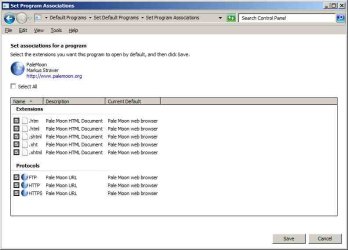
Please see screenshot. I can't get .htm or .html files to show the palemoon browser icon.
I came across this tutorial for vista64 dealing with how to change icons:
File Extension Type Icon - Change | Vista Forums
That tutorial is from this thread:
Can't change file type icons
But I'm not getting that it addresses my specific problem. I'm not trying to use a different icon,
but the one associated with palemoon. I have no problem associating palemoon with htm/html files.
The problem is the icon doesn't show.
It seems to show the icon that is used when windows doesn't know what it's associated with?
I tried setting a 'DefaultIcon' key in hkcr under 'htmlfile' but it didn't fix it.
While I await any suggestions from those much smarter than myself,
I'll check out the systems I've done this on that didn't give me this weirdness.
P.S. The attached screenshot shows .html files but it's the same for .htm files as well.
I've removed ie 8 and instead use palemoon for default browser.
I've done this on numerous w7 systems with no problem like I'm having now.
Please see screenshot. I can't get .htm or .html files to show the palemoon browser icon.
I came across this tutorial for vista64 dealing with how to change icons:
File Extension Type Icon - Change | Vista Forums
That tutorial is from this thread:
Can't change file type icons
But I'm not getting that it addresses my specific problem. I'm not trying to use a different icon,
but the one associated with palemoon. I have no problem associating palemoon with htm/html files.
The problem is the icon doesn't show.
It seems to show the icon that is used when windows doesn't know what it's associated with?
I tried setting a 'DefaultIcon' key in hkcr under 'htmlfile' but it didn't fix it.
While I await any suggestions from those much smarter than myself,
I'll check out the systems I've done this on that didn't give me this weirdness.
P.S. The attached screenshot shows .html files but it's the same for .htm files as well.
Attachments

My Computer
At a glance
Win 7 Pro 32bit - XP & W2K3 Server - Linuxi716 GBRadeon HD 7800 Series
- Computer type
- PC/Desktop
- Computer Manufacturer/Model Number
- ASUS - Home Built
- OS
- Win 7 Pro 32bit - XP & W2K3 Server - Linux
- CPU
- i7
- Motherboard
- Intel
- Memory
- 16 GB
- Graphics Card(s)
- Radeon HD 7800 Series
- Sound Card
- Asus Xonar
- Monitor(s) Displays
- Asus
- Hard Drives
- SSD - Samsung EVO 1 TB + WD 2 TB x 4
- PSU
- EVGA G3 1000
- Case
- Thermaltake Level 10 GT
- Cooling
- Lots
- Keyboard
- Logitech
- Mouse
- MX Master 3
- Internet Speed
- 1GB
- Antivirus
- Never
- Browser
- Pale Moon & Ungoogled Chromium, Brave etc.
- Other Info
- I thank you for this impressive forum