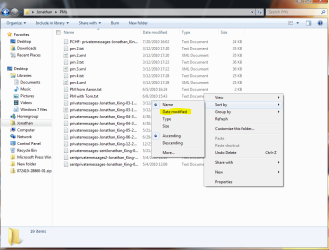
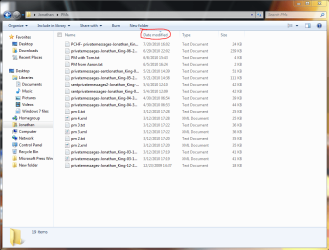
I'm trying to get the handle of all the new icons and photos arrangement in Windows 7, but I'm really confused by all the new options. All I wanna do is arrange all my icons in a chronological order, by who I downloaded or added to a certain folder first on the top of the folder, and the last one I downloaded or added in the bottom. Also, I've read that there is this little triangle on the top of the heading I click that tells which way a list is being sorted, in an ascending or descending order, and for the life of me I couldn't find it.
Can anyone please tell me how to arrange my icons in a simple, chronological order, or is there a similar new thing in Windows 7? And what is this little triangle?
TIA
Can anyone please tell me how to arrange my icons in a simple, chronological order, or is there a similar new thing in Windows 7? And what is this little triangle?
TIA
My Computer
At a glance
Windows 7 Home Premium 64 bitIntel core i5 2400 quad 6mb 3.1 GHzKVR Kingston 4GB DDR3 1333MHZATI Radeon R7 200
- Computer type
- PC/Desktop
- OS
- Windows 7 Home Premium 64 bit
- CPU
- Intel core i5 2400 quad 6mb 3.1 GHz
- Motherboard
- Gigabyte H67M-D2-B3
- Memory
- KVR Kingston 4GB DDR3 1333MHZ
- Graphics Card(s)
- ATI Radeon R7 200
- Sound Card
- 5.1 on-board
- Monitor(s) Displays
- Dell U2410
- Screen Resolution
- 1900 x 1200
- Hard Drives
- Internal HD Western Digital 1 terabyte 7200 SATA3
Samsung SSD 850 EVO 250 GB
- PSU
- INWIN power man 450W A.PFC
- Internet Speed
- 100 mb