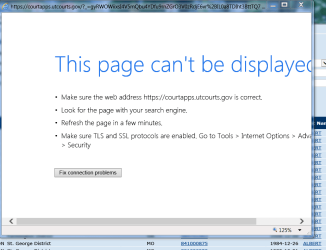
IE 10 says "This page can’t be displayed" Chrome, Safari can.
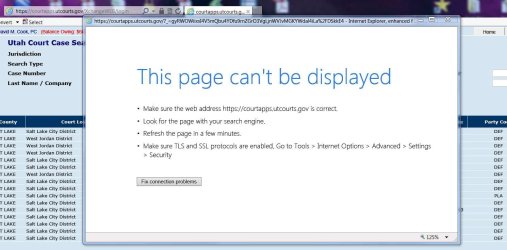
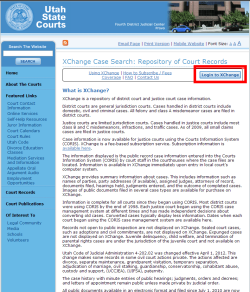
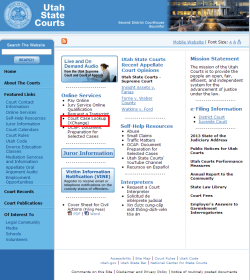
I go to a court site, click on a link and a new window pops up. It is supposed to display a PDF but IE gives this messsage:
“This page can’t be displayed.” It mentions TLS and SSL should be enabled.
I have them ALL enabled.
I set them to default values.
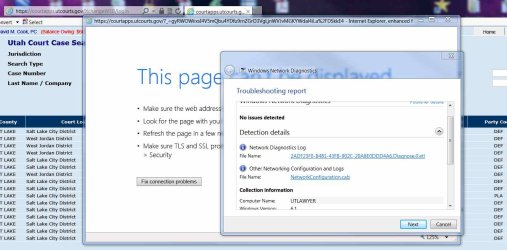
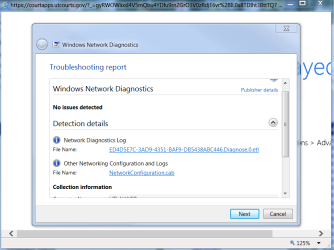
“Fix connection problems” results in “Troubleshooting couldn't identify the problem.”
Chrome and Safari work just fine displaying the PDF correctly.
I set everything back to default values. No joy.
I’ve “repaired” IE 10. No joy
I re-installed IE 10. No joy.
What’s a good next step to diagnose this?
I go to a court site, click on a link and a new window pops up. It is supposed to display a PDF but IE gives this messsage:
“This page can’t be displayed.” It mentions TLS and SSL should be enabled.
I have them ALL enabled.
I set them to default values.
“Fix connection problems” results in “Troubleshooting couldn't identify the problem.”
Chrome and Safari work just fine displaying the PDF correctly.
I set everything back to default values. No joy.
I’ve “repaired” IE 10. No joy
I re-installed IE 10. No joy.
What’s a good next step to diagnose this?
My Computer
At a glance
Windows 7 Ultimate x642.67 gigahertz Intel Core i7 9206136 Megabytes Usable Installed MemoryNVIDIA GeForce 9800 GT
- Computer type
- PC/Desktop
- Computer Manufacturer/Model Number
- custom
- OS
- Windows 7 Ultimate x64
- CPU
- 2.67 gigahertz Intel Core i7 920
- Motherboard
- ASUSTeK Computer INC. P6T Rev 1.xx
- Memory
- 6136 Megabytes Usable Installed Memory
- Graphics Card(s)
- NVIDIA GeForce 9800 GT
- Hard Drives
- ST3000DM001-1CH166 [Hard drive] (3000.59 GB) -- drive 0, s/n W1F1HPS6, rev CC43, SMART Status: Healthy
ST3500320NS [Hard drive] (500.11 GB) -- drive 2, s/n 9QMC1VN3, rev SN06, SMART Status: Healthy
ST3500320NS [Hard drive] (500.11 GB) -- drive 1, s
- Antivirus
- Essentials
- Browser
- Chrome, IE 10