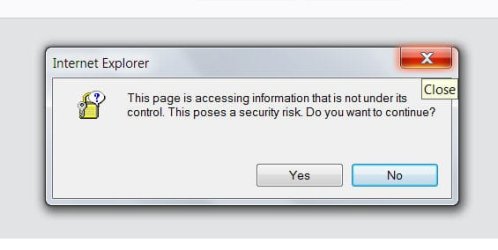
Hi, I am a member of some groups and everytime I visit them I get an IE popup telling me that the page is accessing info that is not under its control. How do I stop this popup? I have attached a copy of the popup. Thank you!
2nd ASUS X299 Apex/Intel i9-9940x with Custom water loop/7H-Prem-x64/Corsair 450D case/Ram Trident-z 3600C16 4x8gb / Samsung970Evo plus 500gb SSD/Dual ssd EZ swap evo/PSU EVGA SuperNova 1200w-P2 80+Platinum/GPU Titan Xp /8-ML-140 on push-pull on 2-280GTX rads
Welcome to Seven Forums Cleo44. Is this your personal computer, or a work computer part of a domain?
The explanation for why you get this prompt is rather technical:
Basically the site is trying to load something that is from another site. See if your settings are set to prompt, if so, set it to disable
Open IE> Tools icon upper right (looks like a gear)> Internet Options> Security tab> Security level for this zone (Usually set to Medium-High by default)> Click on Custom level> In the Settings list, scroll down to the Miscellaneous section and see what the setting is for Access data sources across domains> If it is set to Prompt or Enable, click on Disable> If it is already disable, we can look further.
Setting it to enable will stop the prompts, but is insecure and not advised.
Thank you very much "A Guy". My setting for Access Data Sources Across Domains was set for "Prompt" and I changed it to "Disable" and that worked. I am no longer getting that IE pop-up. Your help is truly appreciated.