Controlling How Sites and Apps use IndexedDB
In addition to updates to match changes in the W3C specification, the Windows 8 Consumer Preview includes improvements that allow users to remain in control of how sites and apps use IndexedDB on their devices:
- Introduced an uninstall handler for Metro style apps that use indexedDB. This handler ensures that any time end-users remove an application, the related data in the app’s IndexedDB database will be automatically deleted during the uninstall process.
- Implemented a quotas (storage limits) to prevent sites from exhausting disk space. Quota limits can be updated by IT Admins via group policy settings or by users with administrative access to the Registry. However, quotas don’t apply to Metro style apps.
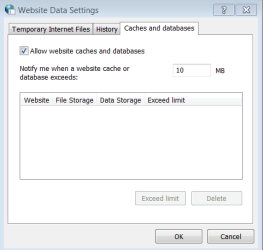
- Added a new browser interface for end-users to manage their databases and manage quotas. Users can use the Caches and databases dialog to remove individual databases. Alternatively, you can remove all databases using the Delete Browsing History dialog to select the “Cookies and Web site data” checkbox.