IE9 lower left url on mouseover, how to stop

usernamed

New member
Local time
1:23 AM
Messages
20
It is very annoying. Every link mouseover displays the link's URL in the lower left corner of IE9. I know it is to replace the Status Bar, but is there way to hide them like hiding the Status Bar?

Thanks in advance.
 

My Computer My Computer

At a glance

win7 64bit
OS
win7 64bit
This should remove the URL from the lower left corner.

Right click in the Tab area of IE9.
Untick Status Bar.
 

My Computer My Computer

At a glance

Win 7 Ultimate 64-bit. SP1.Intel i7 -720QM.[1.6GHz Turbo Boost 2.8GHz. 6...8 DDR 3 RAM. 1066MHZATI 1024 MB. DDR3. Radeon HD5650
Computer Manufacturer/Model Number
LAPTOP. HP Pavilion dv7-4010TX .
OS
Win 7 Ultimate 64-bit. SP1.
CPU
Intel i7 -720QM.[1.6GHz Turbo Boost 2.8GHz. 6MB Cache.]
Memory
8 DDR 3 RAM. 1066MHZ
Graphics Card(s)
ATI 1024 MB. DDR3. Radeon HD5650
Monitor(s) Displays
17.3" High Definition Brightview LCD. LED Backlit.
Screen Resolution
1600 x 900.
Hard Drives
640GB
Case
Laptop / notebook.
Mouse
Logitech Anywhere mouse. MX.
Internet Speed
ADSL [ but too slow ]
Does not work

If Status Bar is checked, mouse over URL targets are displayed on the Status Bar.

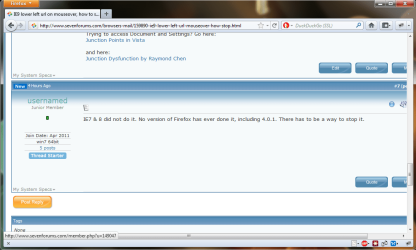
If Status Bar is unchecked, mouse over URL targets are displayed as popups in the lower left corner. As a page is navigated, the popup produce an annoying strobe effect. Want to stop the popups. And no, they are impervious to popup blockers.
 

My Computer My Computer

At a glance

win7 64bit
OS
win7 64bit
I would like to know this as well...the popups in the lower left corner are starting to bug me!
 

My Computer My Computer

At a glance

Windows 7 Home Premium 64bit SP1AMD Athlon™ Neo MV-40 Processor Technology 1....4 GBATI Radeon HD3200
Computer type
PC/Desktop
Computer Manufacturer/Model Number
Micro Stars Int. / U230 Light-087US
OS
Windows 7 Home Premium 64bit SP1
CPU
AMD Athlon™ Neo MV-40 Processor Technology 1.60 GHz
Motherboard
AMD RS-880MN+SB710
Memory
4 GB
Graphics Card(s)
ATI Radeon HD3200
Monitor(s) Displays
LCD 11.6" HD
Screen Resolution
1366 x 768
Hard Drives
250GB SATA
Internet Speed
Gigabit LAN 10/100/1000
Other Info
3.3 lbs (with 4hour 6 cell battery)
1.3 MP Webcam
USB2.0 X 3
HDMI out
Searched the Registry yesterday and could not find the switch.
 

My Computer My Computer

At a glance

win7 64bit
OS
win7 64bit
You won't find a way to turn it off.
Every browser does it, and will continue to do it.
 

My Computer My Computer

At a glance

Windows 10 Pro (x64)Intel Core i7-3930K (3.2GHz - 4.5GHz)4x Samsung 4GB PC3-12800 DDR3 (16GB 1600MHz)Nvidia Geforce GTX 690
Computer type
PC/Desktop
Computer Manufacturer/Model Number
Alienware Aurora ALX R4
OS
Windows 10 Pro (x64)
CPU
Intel Core i7-3930K (3.2GHz - 4.5GHz)
Motherboard
Alienware Aurora-R4 x79
Memory
4x Samsung 4GB PC3-12800 DDR3 (16GB 1600MHz)
Graphics Card(s)
Nvidia Geforce GTX 690
Sound Card
SteelSeries Siberia Elite
Monitor(s) Displays
Dell UltraSharp U3011
Screen Resolution
2560x1600
Hard Drives
Samsung 850 Pro 256 GB, Seagate 1TB Desktop Hybrid HDD, 2x Western Digital 4TB Green HDD
PSU
875W Some Dell PSU <.<
Case
Alienware Aurora ALX
Cooling
Custom Liquid Cooling (EK CPU & GPU blocks) dual EK 480RAD
Keyboard
Logitech G710+ Mechanical
Mouse
Logitech G700s
Internet Speed
Verizon Fios (50 mbps average)
Other Info
Server: Intel NUC D54250WYK: i5-4250U, 16GB, 256 GB mSATA, Windows Server 2012 R2
IE7 & 8 did not do it. No version of Firefox has ever done it, including 4.0.1. There has to be a way to stop it.
 

My Computer My Computer

At a glance

win7 64bit
OS
win7 64bit
Duh IE 7 and 8 are not, ARE NOT IE 9. And Firefox 4 does indeed do it.
You won't find a way to stop it. IT is done as a security enhancement.
 

Attachments

  • Untitled.png
    Untitled.png
    40.5 KB · Views: 60

My Computer My Computer

At a glance

Windows 10 Pro (x64)Intel Core i7-3930K (3.2GHz - 4.5GHz)4x Samsung 4GB PC3-12800 DDR3 (16GB 1600MHz)Nvidia Geforce GTX 690
Computer type
PC/Desktop
Computer Manufacturer/Model Number
Alienware Aurora ALX R4
OS
Windows 10 Pro (x64)
CPU
Intel Core i7-3930K (3.2GHz - 4.5GHz)
Motherboard
Alienware Aurora-R4 x79
Memory
4x Samsung 4GB PC3-12800 DDR3 (16GB 1600MHz)
Graphics Card(s)
Nvidia Geforce GTX 690
Sound Card
SteelSeries Siberia Elite
Monitor(s) Displays
Dell UltraSharp U3011
Screen Resolution
2560x1600
Hard Drives
Samsung 850 Pro 256 GB, Seagate 1TB Desktop Hybrid HDD, 2x Western Digital 4TB Green HDD
PSU
875W Some Dell PSU <.<
Case
Alienware Aurora ALX
Cooling
Custom Liquid Cooling (EK CPU & GPU blocks) dual EK 480RAD
Keyboard
Logitech G710+ Mechanical
Mouse
Logitech G700s
Internet Speed
Verizon Fios (50 mbps average)
Other Info
Server: Intel NUC D54250WYK: i5-4250U, 16GB, 256 GB mSATA, Windows Server 2012 R2

Attachments

  • Untitled.jpg
    Untitled.jpg
    127.9 KB · Views: 38

My Computer My Computer

At a glance

Win 7 Pro x64 / Win 10 ProIntel(R) Core(TM) i7-3630QM CPU @ 2.40GHz12 GB(1) Intel(R) HD Graphics 4000 (2) NVIDIA GeFo...
Computer type
Laptop
Computer Manufacturer/Model Number
Sager NP9170
OS
Win 7 Pro x64 / Win 10 Pro
CPU
Intel(R) Core(TM) i7-3630QM CPU @ 2.40GHz
Motherboard
CLEVO P170EM
Memory
12 GB
Graphics Card(s)
(1) Intel(R) HD Graphics 4000 (2) NVIDIA GeForce GTX 675M
Sound Card
(1) Realtek High Definition Audio (2) Intel(R) Display Aud
Monitor(s) Displays
17.3
Screen Resolution
1920x1080
Hard Drives
(1) Samsung 860 EVO 500GB(OS) (1) Samsung 860 EVO 500GB(Data)
Keyboard
Backlite
Antivirus
MSE, Malwarebytes Pro
Browser
Firefox
Other Info
DESKTOP: Custom-built.
OS: Win 10 Pro x64.
CASE: Rosewill R5.
CPU: Intel I5 4670K CPU @ 3.40GHz.
CPU COOLER: Cool Master Hyper 212 EVO.
MOTHERBOARD: Asus Z87-A.
MEMORY: Kingston HyperX 2x4 GB.
GPU: Nvidia Geforce 650 TI.
PSU: Corsair TX750.
DRIVES: (1) Samsung 840 120 GB SSD (2) Western Digital blue 500 GB 7200 RPM.
Bongo, forgot about Status-4-evar. Did install that add on in FF4 to get rid of the annoying popups. Is there such an add on for IE9?
 

My Computer My Computer

At a glance

win7 64bit
OS
win7 64bit
Bongo, forgot about Status-4-evar. Did install that add on in FF4 to get rid of the annoying popups. Is there such an add on for IE9?
I do not know I do not use IE9
Jerry
 

My Computer My Computer

At a glance

Win 7 Pro x64 / Win 10 ProIntel(R) Core(TM) i7-3630QM CPU @ 2.40GHz12 GB(1) Intel(R) HD Graphics 4000 (2) NVIDIA GeFo...
Computer type
Laptop
Computer Manufacturer/Model Number
Sager NP9170
OS
Win 7 Pro x64 / Win 10 Pro
CPU
Intel(R) Core(TM) i7-3630QM CPU @ 2.40GHz
Motherboard
CLEVO P170EM
Memory
12 GB
Graphics Card(s)
(1) Intel(R) HD Graphics 4000 (2) NVIDIA GeForce GTX 675M
Sound Card
(1) Realtek High Definition Audio (2) Intel(R) Display Aud
Monitor(s) Displays
17.3
Screen Resolution
1920x1080
Hard Drives
(1) Samsung 860 EVO 500GB(OS) (1) Samsung 860 EVO 500GB(Data)
Keyboard
Backlite
Antivirus
MSE, Malwarebytes Pro
Browser
Firefox
Other Info
DESKTOP: Custom-built.
OS: Win 10 Pro x64.
CASE: Rosewill R5.
CPU: Intel I5 4670K CPU @ 3.40GHz.
CPU COOLER: Cool Master Hyper 212 EVO.
MOTHERBOARD: Asus Z87-A.
MEMORY: Kingston HyperX 2x4 GB.
GPU: Nvidia Geforce 650 TI.
PSU: Corsair TX750.
DRIVES: (1) Samsung 840 120 GB SSD (2) Western Digital blue 500 GB 7200 RPM.
Bongo, forgot about Status-4-evar. Did install that add on in FF4 to get rid of the annoying popups. Is there such an add on for IE9?
I do not know I do not use IE9
Jerry
Darn, you were getting somewhere. I use both on two machines. IE 64 bit!!! for biz. FF4 for play. IE9 64bit is faster than greased owl poop, but not attractive. It has way too many useless appearances of security. The URL popups are just the zit on the nose of it. I have firewalls, antivirus and proxy servers for security. Do need Microsoft nag screens to appear secure. I know I am secure.

Oh well. Hopefully a solution is out there.

 

My Computer My Computer

At a glance

win7 64bit
OS
win7 64bit
Bongo, forgot about Status-4-evar. Did install that add on in FF4 to get rid of the annoying popups. Is there such an add on for IE9?
I do not know I do not use IE9
Jerry
Darn, you were getting somewhere. I use both on two machines. IE 64 bit!!! for biz. FF4 for play. IE9 64bit is faster than greased owl poop, but not attractive. It has way too many useless appearances of security. The URL popups are just the zit on the nose of it. I have firewalls, antivirus and proxy servers for security. Do need Microsoft nag screens to appear secure. I know I am secure.

Oh well. Hopefully a solution is out there.
I don't know if this will work but you could try it.
stop URL address popup when hovering over live link in IE9 - Microsoft Answers
You may right click anywhere in the empty area beside tabs or address bar and try to enable the status bar to have the links appear in the grey bar instead of a white pop-up box.
Jerry
 

My Computer My Computer

At a glance

Win 7 Pro x64 / Win 10 ProIntel(R) Core(TM) i7-3630QM CPU @ 2.40GHz12 GB(1) Intel(R) HD Graphics 4000 (2) NVIDIA GeFo...
Computer type
Laptop
Computer Manufacturer/Model Number
Sager NP9170
OS
Win 7 Pro x64 / Win 10 Pro
CPU
Intel(R) Core(TM) i7-3630QM CPU @ 2.40GHz
Motherboard
CLEVO P170EM
Memory
12 GB
Graphics Card(s)
(1) Intel(R) HD Graphics 4000 (2) NVIDIA GeForce GTX 675M
Sound Card
(1) Realtek High Definition Audio (2) Intel(R) Display Aud
Monitor(s) Displays
17.3
Screen Resolution
1920x1080
Hard Drives
(1) Samsung 860 EVO 500GB(OS) (1) Samsung 860 EVO 500GB(Data)
Keyboard
Backlite
Antivirus
MSE, Malwarebytes Pro
Browser
Firefox
Other Info
DESKTOP: Custom-built.
OS: Win 10 Pro x64.
CASE: Rosewill R5.
CPU: Intel I5 4670K CPU @ 3.40GHz.
CPU COOLER: Cool Master Hyper 212 EVO.
MOTHERBOARD: Asus Z87-A.
MEMORY: Kingston HyperX 2x4 GB.
GPU: Nvidia Geforce 650 TI.
PSU: Corsair TX750.
DRIVES: (1) Samsung 840 120 GB SSD (2) Western Digital blue 500 GB 7200 RPM.
First went to MS for solution and found same thread.

"This fix simply opens the status bar on the bottom of the screen (which I had disabled) and lets the URL appear there. That is definitely better than the pop up box, but I was hoping I could eliminate this all together. It's not information I care about and the status bar takes up screen space.

I hope you can provide a solution that eliminates the URL message completely."

AND

"Still waiting for an answer to this problem. A simple add-on solves it for FF, but no one seems to be able or willing to figure away to block this annoyance in IE9."

Sums it up nicely.

That is why I posted my question here. MS has not addressed the issue. Was hoping someone here would have figured it out.
 

My Computer My Computer

At a glance

win7 64bit
OS
win7 64bit
First went to MS for solution and found same thread.

"This fix simply opens the status bar on the bottom of the screen (which I had disabled) and lets the URL appear there. That is definitely better than the pop up box, but I was hoping I could eliminate this all together. It's not information I care about and the status bar takes up screen space.

I hope you can provide a solution that eliminates the URL message completely."

AND

"Still waiting for an answer to this problem. A simple add-on solves it for FF, but no one seems to be able or willing to figure away to block this annoyance in IE9."

Sums it up nicely.

That is why I posted my question here. MS has not addressed the issue. Was hoping someone here would have figured it out.
Sorry I don't know what else to do.
Jerry
 

My Computer My Computer

At a glance

Win 7 Pro x64 / Win 10 ProIntel(R) Core(TM) i7-3630QM CPU @ 2.40GHz12 GB(1) Intel(R) HD Graphics 4000 (2) NVIDIA GeFo...
Computer type
Laptop
Computer Manufacturer/Model Number
Sager NP9170
OS
Win 7 Pro x64 / Win 10 Pro
CPU
Intel(R) Core(TM) i7-3630QM CPU @ 2.40GHz
Motherboard
CLEVO P170EM
Memory
12 GB
Graphics Card(s)
(1) Intel(R) HD Graphics 4000 (2) NVIDIA GeForce GTX 675M
Sound Card
(1) Realtek High Definition Audio (2) Intel(R) Display Aud
Monitor(s) Displays
17.3
Screen Resolution
1920x1080
Hard Drives
(1) Samsung 860 EVO 500GB(OS) (1) Samsung 860 EVO 500GB(Data)
Keyboard
Backlite
Antivirus
MSE, Malwarebytes Pro
Browser
Firefox
Other Info
DESKTOP: Custom-built.
OS: Win 10 Pro x64.
CASE: Rosewill R5.
CPU: Intel I5 4670K CPU @ 3.40GHz.
CPU COOLER: Cool Master Hyper 212 EVO.
MOTHERBOARD: Asus Z87-A.
MEMORY: Kingston HyperX 2x4 GB.
GPU: Nvidia Geforce 650 TI.
PSU: Corsair TX750.
DRIVES: (1) Samsung 840 120 GB SSD (2) Western Digital blue 500 GB 7200 RPM.
It's not information I care about and the status bar takes up screen space.
I don't know about you, but it takes up a tiny fragment of the browser for me.
Untitled.png
 

My Computer My Computer

At a glance

10 Home x64Intel Core i5 4670KCorsair XMS3 8GB DDr3 1600MHzSapphire NITRO Radeon R9 Fury
Computer type
PC/Desktop
OS
10 Home x64
CPU
Intel Core i5 4670K
Motherboard
Gigabyte GA-Z87-D3HP
Memory
Corsair XMS3 8GB DDr3 1600MHz
Graphics Card(s)
Sapphire NITRO Radeon R9 Fury
Sound Card
Asus Xonar DX
Monitor(s) Displays
Acer H236HLbmjd
Screen Resolution
1920x1080
Hard Drives
Force GS 128GB - Seagate 320GB - WD Caviar Black 1TB - WD Caviar Blue 500GB
PSU
EVGA SuperNOVA 650 P2
Case
Silverstone Raven 3 RV03B-W
Keyboard
Topre Realforce 104UG-HiPro
Mouse
Mionix Naos 7000
Internet Speed
76/4 On a good day
Antivirus
SmartScreen
Browser
Internet Explorer 11
  • Like
Reactions: JMH
Bongo Jerry, apology not necessary. Thanks for trying. You hit the nail on the head with the FF solution. If it only worked on IE.

PS, there is another poster on this board looking for your FF solution, and if not for you, the poster may not have found the answer,
 

My Computer My Computer

At a glance

win7 64bit
OS
win7 64bit
Oh, now I understand.
What do you mean by strobe effect? The way it appears without a fade or anything?
 

My Computer My Computer

At a glance

10 Home x64Intel Core i5 4670KCorsair XMS3 8GB DDr3 1600MHzSapphire NITRO Radeon R9 Fury
Computer type
PC/Desktop
OS
10 Home x64
CPU
Intel Core i5 4670K
Motherboard
Gigabyte GA-Z87-D3HP
Memory
Corsair XMS3 8GB DDr3 1600MHz
Graphics Card(s)
Sapphire NITRO Radeon R9 Fury
Sound Card
Asus Xonar DX
Monitor(s) Displays
Acer H236HLbmjd
Screen Resolution
1920x1080
Hard Drives
Force GS 128GB - Seagate 320GB - WD Caviar Black 1TB - WD Caviar Blue 500GB
PSU
EVGA SuperNOVA 650 P2
Case
Silverstone Raven 3 RV03B-W
Keyboard
Topre Realforce 104UG-HiPro
Mouse
Mionix Naos 7000
Internet Speed
76/4 On a good day
Antivirus
SmartScreen
Browser
Internet Explorer 11
Oh, now I understand.
What do you mean by strobe effect? The way it appears without a fade or anything?
Strobe effect is the way it changes in size from URL to URL and blinks off in between.
 

My Computer My Computer

At a glance

win7 64bit
OS
win7 64bit
Back
Top