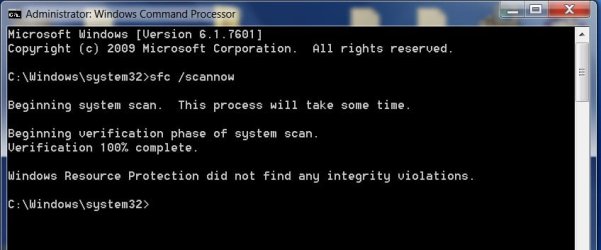
I tried to link a website's email, when my brouser (probably EDGE) froze. I had to shut Win7 down twice, before I gave up and emailed directly from one of my email accounts. Shortly thereafter I had a growing list of IExplore.exe events in the task manager highlighted in blue as "SUSPENDED".
I have tried several commands including: TASKKILL /F /IM IEXPLORE.EXE /T ....... that clears them as "SUCCESS..."
..... but the suspensions start accumulating again about every 15 - 20 minutes.... and does the same after a re-boot.
I tried two separate (a recent and earliest) restore points, that have been unsuccessful at eliminating the accumulating "SUSPENDED" events as I write.
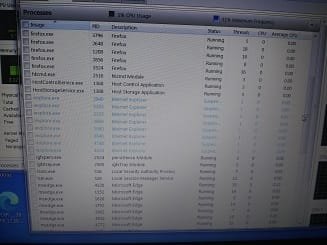
Can anyone help me clean this up ? Here's the latest accumulation :
I have tried several commands including: TASKKILL /F /IM IEXPLORE.EXE /T ....... that clears them as "SUCCESS..."
..... but the suspensions start accumulating again about every 15 - 20 minutes.... and does the same after a re-boot.
I tried two separate (a recent and earliest) restore points, that have been unsuccessful at eliminating the accumulating "SUSPENDED" events as I write.
Can anyone help me clean this up ? Here's the latest accumulation :
My Computers
-
At a glance
Windows 7 professional x64 bitDual core4 Gb- Computer type
- Laptop
- Computer Manufacturer/Model Number
- Dell Latitude E6400
- OS
- Windows 7 professional x64 bit
- CPU
- Dual core
- Memory
- 4 Gb
- Hard Drives
- WD Scopio black 320 Gb
- Antivirus
- none
- Browser
- Chrome; Edge; Fox
-
- Computer type
- PC/Desktop