I realize I'm one of the last folks using 7, as I've had a rock-solid W7 on my 2012 Toshi for 11 years. It's on its third keyboard, third HD, doing okay but starting to have problems. SO...saw a Gateway with 500 GB SSD, 16 GB RAM for under $300. Took a chance. Nice laptop...but I really hate W10 (as a lot of folks reportedly do).
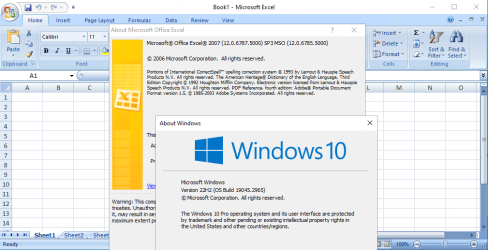
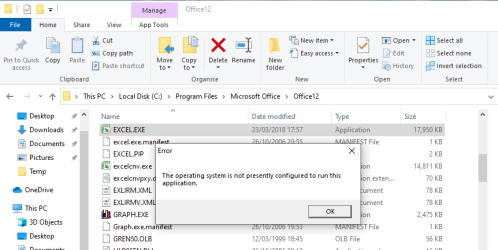
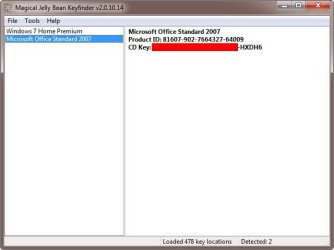
In prior computer moves I've been able to move old pgms to the new device, and some pgms work on the new GW. But my Office12 (2007) doesn't, and Micro$oft confirms that 2007 won't work under W10.
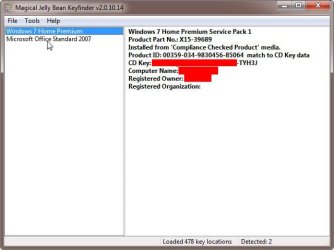
Obviously I could just "subscribe" to "365" or whatever MSoft calls it, but it irritates me that M$oft obsoleted my paid-for programs! So I wondered if I could move my W7 to the new Gateway, making it a dual-boot system.
I've used Macrium Reflect free edition to clone drives in the past, but not sure how to move the entire OS. Some net folks say Windoze hates dual-boot drives. Anyone tried this? Thanks!
In prior computer moves I've been able to move old pgms to the new device, and some pgms work on the new GW. But my Office12 (2007) doesn't, and Micro$oft confirms that 2007 won't work under W10.
Obviously I could just "subscribe" to "365" or whatever MSoft calls it, but it irritates me that M$oft obsoleted my paid-for programs! So I wondered if I could move my W7 to the new Gateway, making it a dual-boot system.
I've used Macrium Reflect free edition to clone drives in the past, but not sure how to move the entire OS. Some net folks say Windoze hates dual-boot drives. Anyone tried this? Thanks!
My Computers
-
At a glance
W7 home premium 64-bitAMD A-6 3420M6 GBunknown- Computer type
- Laptop
- Computer Manufacturer/Model Number
- Toshiba L755
- OS
- W7 home premium 64-bit
- CPU
- AMD A-6 3420M
- Motherboard
- unknown
- Memory
- 6 GB
- Graphics Card(s)
- unknown
- Hard Drives
- Hitachi 500 GB
- Antivirus
- AVG
- Browser
- Firefox
-
- Computer type
- PC/Desktop