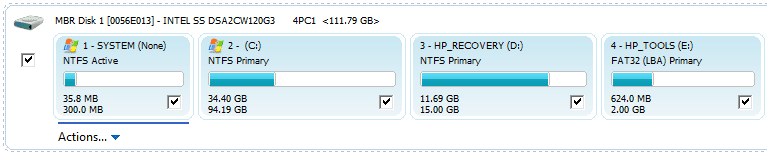
Solved Image your system with free Macrium

I also just keep full images. My problem is I probably keep too many of them. It's a bit like the junk that clutters up your house because "You may need it one day".
You can never have too many. I just was able to fix a problem on one of my laptops with an image from early 2013 - anything younger would not do.

I keep the original images I made when I first set up my computer for such situations which, fortunately, I have yet to encounter (knock on wood). Otherwise, I would have filled up a bit more than 2TB HDD by now. :confused:
 

My Computer My Computer

Computer type
PC/Desktop
Computer Manufacturer/Model Number
Custom Build
OS
Win 7 Ultimate 64 bit
CPU
Intel i7-3930K
Motherboard
ASUS P9X79 WS
Memory
Kingston HyperX Genesis 32GB Kit (8x4GB Modules) 1600MHz DDR
Graphics Card(s)
MSI R7850 Twin Frozr 2GD5/OC Radeon HD 7850 2GB 256-bit GDDR
Sound Card
Asus Xonar Essence STX
Monitor(s) Displays
3x Asus VG248QE 24", Vizio 32" TV
Screen Resolution
1920 x 1080, ?
Hard Drives
Samsung 128GB 840 Pro SSD (1),
Samsung 4TB 850 EVO SSDs (4)
Samsung 4TB 850 EVO SSDs (16) external backup drives used in 2.5" hot swap bays in the computer.
PSU
Corsair HX750w
Case
Antec Two Hundred v2 (modified)
Cooling
Cooler Master GeminII S524 120mm (fan replaced with a 140mm)
Keyboard
Logitech G510s
Mouse
Logitech M525 (two in use)
Internet Speed
=< 32Mbps down, 8Mbps up
Antivirus
AVAST!, MBAM, SAS, Spybot S&D (all but MBAM free) Glary Util
Browser
IE11
Other Info
LSI 9211-8i HBA card (8 SATA III ports), 2.5" & 3.5" Hot Swap Bays, HooToo HT-CR001 PCI-E to USB 3.0 Internal Hub + 6 Slot Card Reader, and LG Model CH12LS28 BD-ROM Optical Drive. Also, ScanSnap S1500 ADF duplexing scanner, Canon 9000F flat bed scanner, Corsair SP2500 2.1 speakers, Samsung CLP 415nw laser color printer, Cyberpower PP2200SW UPS
Initial Install

I keep the original images I made when I first set up my computer for such situations which, fortunately, I have yet to encounter (knock on wood). Otherwise, I would have filled up a bit more than 2TB HDD by now. :confused:
I always create an initial install image (OS, Updates and Macrium).
Then I install an AV and other programs and then I create another image.

The other day I had to uninstall Avast (so that I could use an installer to do a clean install, since the in-place upgrade seemed to be corrupted).

Whilst my PC had no AV I took the opportunity to create an image, so that if I decide to replace Avast, I can use that image and install a different AV. :)
 

My Computer My Computer

Computer type
PC/Desktop
Computer Manufacturer/Model Number
n/a
OS
W7 Ultimate SP1, LM19.2 MATE, W10 Home 1703, W10 Pro 1703 VM, #All 64 bit
CPU
AMD Phenom II x6 1100T, 3.3 GHz
Motherboard
ASUS M4A88T-M/USB3 (AM3)
Memory
12GB DDR3 1333 G-Skill (4GB x 2), G-Skill (2GB x 2)
Graphics Card(s)
NVIDIA GeForce GTX 660
Sound Card
Realtek?
Monitor(s) Displays
Samsung S23B350
Screen Resolution
1920x1080
Hard Drives
WD Green 2TB (SATA), WD Green 3TB (SATA), WD Blue 4TB (SATA), WD Blue 6TB (SATA)
PSU
Cooler Master
Case
Antec GX300 Tower
Cooling
3x Antec TRICOOL 120mm Fans
Mouse
Wired Optical
Internet Speed
DSL
Antivirus
Avast
Browser
Pale Moon (64 bit)
Other Info
2018-12-27 Upgraded HDDs
2015-12-10 Upgraded case, graphics card, storage
2015-08-15 Upgraded motherboard & RAM
2015-07-15 Upgraded LM17.1 to LM17.2
well my images will soon get bigger. As now I will be keeping games on my new C: drive. I dont want multiple backups of the games, and games are getting big now days, e.g. FF13 is 60 gig alone. I will definitely think about differential tho.
I think what seems most likely is every time I install a new big game, I do a new full backup and wipe the older full backup but otherwise do differential's in between which then should be small files.
 

My Computer My Computer

Computer type
PC/Desktop
Computer Manufacturer/Model Number
home built
OS
windows 8.1 Pro x64
CPU
intel i5 4670k @ 4.3ghz
Motherboard
asus z87-plus
Memory
16 gig ram ddr3 @ 1600 corsair vengeance
Graphics Card(s)
evga 970 GTX 4 GIG FTW ACX 2.0
Sound Card
asus xonar D2X
Monitor(s) Displays
benq gw2765ht
Screen Resolution
2560x1440
Hard Drives
Samsung 850 pro SSD 512gig - boot device wooosh
WD black cavalier 640gig WD6401AALS
Seagate 500gig ST3500630AS
WD 2TB Green WDC20EARS
2 x WD Red 3TB WD30EFRX
Samsung 750gig HD753LG - on asmedia controller
PSU
coolermaster silent pro 600watt modular
Case
fractal define R4
Cooling
artic freezer i30, 3 case fans
Keyboard
microsoft business ps2 keyboard
Mouse
microsoft optical black mouse
Internet Speed
80/20 FTTC SkyBB
Antivirus
Nod32 AV v8, HitmanProAlert, SRP, System Hardening
Browser
Chrome x64
Other Info
Intel controller is in AHCI mode currently using IaSTOR 12.8.0.1016 drivers
Between here and Tom's Hardware, I've been a big sponge lately; just asking constant questions and sopping up the knowledge. Both places have been very patient with me and I thank you for that.

So...
Is there any way to tell how big an image will be before creating it?
Edited to add a second question:
Can the image be put on a drive with other files?
In other words can I put on my external HD with regular files and videos on it?
Thanks.
 
Last edited:

My Computer My Computer

Computer type
PC/Desktop
OS
Windows 7 Ultimate 32 Bit
Don't know and can't check ATM but I think my images are about 70% of the total used space of all drives/partitions I select.

From a previously asked question at Macrium support:
[FONT=Trebuchet MS, Arial, Helvetic]It depends on the type of data on your disk, MP3's and video files don't compress much, if at all. Generally the image file size will be around 60-65% of the size of the used space on the partition.
Macrium Support Forum - I need a compression estimate

Additional info:
[/FONT]Advanced Settings - Compression

Question 2: Yes. The image will be one single (large) file.
 

My Computer My Computer

Computer type
Laptop
Computer Manufacturer/Model Number
HP Elitebook 8540p
OS
Windows 7 Pro 32
CPU
Intel(R) Core(TM) i5 CPU M 540 @ 2.53GHz
Motherboard
Hewlett-Packard 1521
Memory
4,00 GB (Usable 2,98)
Graphics Card(s)
NVIDIA NVS 5100M
Sound Card
NVIDIA High Definition Audio
Screen Resolution
1600x900
Hard Drives
INTEL SSDSA2CW120G3
Antivirus
F-Secure Internet Security
Browser
IE, Firefox, Opera
Other Info
Sandboxie,
SRP (Software Restriction Policy),
EMET (Enhanced Mitigation Experience Toolkit),
WFC (Windows Firewall Control by BiniSoft),
Malwarebytes Premium
Between here and Tom's Hardware, I've been a big sponge lately; just asking constant questions and sopping up the knowledge. Both places have been very patient with me and I thank you for that.

So...
Is there any way to tell how big an image will be before creating it?
Edited to add a second question:
Can the image be put on a drive with other files?
In other words can I put on my external HD with regular files and videos on it?
Thanks.

My Macrium images are about 40 to 45 percent of the size of the occupied space on the partition in question. That's using default settings---medium compression. I've never tried another setting.

An image file is just a file like any other. You can store it anywhere EXCEPT on the partition that it represents. Although you could store it on a separate partition on the same drive, it's a better practice to store it on a completely different drive.

I put mine in an "images" folder, but you don't even have to do that. You just have to be able to find it when you need it.
 

My Computer My Computer

Computer type
PC/Desktop
Computer Manufacturer/Model Number
Ignatz Special; 4 speed manual gearbox; factory air conditioning; one of one
OS
Windows 7 Home Premium SP1, 64-bit
CPU
Intel Skylake i5-6600K, not overclocked
Motherboard
AsRock Z170M Extreme 4, micro ATX
Memory
8 GB HyperX DDR4-2666 (2 x 4 GB)
Graphics Card(s)
none; graphics are integrated on CPU
Sound Card
onboard: Realtek ALC1150; external: USB Behringer UF0-202
Monitor(s) Displays
Dell S2340M 23 inch IPS
Screen Resolution
1600 x 900
Hard Drives
System: Crucial MX100 series SSD, 128 GB;
Data: Samsung Spinpoint 103SJ, 1 TB;
Backup: WD Caviar Green WD30EZRX-00D8PB0, 3 TB
PSU
Rosewill SilentNight 500 watt fanless, semi-modular
Case
Antec Solo II
Cooling
Noctua NH-U12S; Noctua F12 intake, Noctua S12A exhaust
Keyboard
Microsoft 200 6JH-00001 USB
Mouse
Dell or Microsoft optical wired; USB
Antivirus
Microsoft Security Essentials and Malwarebytes Premium
Browser
Pale Moon
Other Info
All fans PWM; speeds at idle: CPU circa 500 rpm; intake circa 600 rpm; exhaust circa 600 rpm; CPU temps 27 idle and 47 C load in a warm room (27 C/81 F) when running Intel Extreme Tuning Utility stress test.
Between here and Tom's Hardware, I've been a big sponge lately; just asking constant questions and sopping up the knowledge. Both places have been very patient with me and I thank you for that.

So...
Is there any way to tell how big an image will be before creating it?
Edited to add a second question:
Can the image be put on a drive with other files?
In other words can I put on my external HD with regular files and videos on it?
Thanks.
The size of an image of an OS partition (C partition) will be appr. 60% of the size of the data in that partition. The size of the total partition is not relevant.

Yes you can put the image on an external disk together with other files. I suggest you make a seperate folder e.g. called IMAGES and navigate to that folder in Macrium when you setup the image. Without the folder the image will get to the root of the disk and that may be a bit messy. Macrium images looke like this in the root of the disk or in the folder:
 

Attachments

  • 2014-11-20_1743.png
    2014-11-20_1743.png
    2.7 KB · Views: 0

My Computer My Computer

Computer Manufacturer/Model Number
HP, Dell, Gateway, Toshiba - 4 laptops and 2 desktops
OS
Vista, Windows7, Mint Mate, Zorin, Windows 8
CPU
from 1.6GHz Duo to i7
Monitor(s) Displays
2x HP w2207
Hard Drives
5x HDD, 7x SSD, 12x Externals
Keyboard
with trackball - no mices
Mouse
Trackball mice
Internet Speed
DSL 6000
Ok, caught my breath.
So, since there is no personal data on C,or anywhere for that matter, the 20GB of “used space” will be just the OS?
I’ve installed W7 and there is a hidden OEMpartition with a couple GB of, I’m guessing, old XP stuff. Will that be in theimage as well?

I guess where I’m headed here is, I want totry deleting the OEM leftovers but think maybe I should do an image first?
Makesense?

Playball..
 

My Computer My Computer

Computer type
PC/Desktop
OS
Windows 7 Ultimate 32 Bit
You can choose exactly what you want to include in the image:
macrium.png
 

My Computer My Computer

Computer type
Laptop
Computer Manufacturer/Model Number
HP Elitebook 8540p
OS
Windows 7 Pro 32
CPU
Intel(R) Core(TM) i5 CPU M 540 @ 2.53GHz
Motherboard
Hewlett-Packard 1521
Memory
4,00 GB (Usable 2,98)
Graphics Card(s)
NVIDIA NVS 5100M
Sound Card
NVIDIA High Definition Audio
Screen Resolution
1600x900
Hard Drives
INTEL SSDSA2CW120G3
Antivirus
F-Secure Internet Security
Browser
IE, Firefox, Opera
Other Info
Sandboxie,
SRP (Software Restriction Policy),
EMET (Enhanced Mitigation Experience Toolkit),
WFC (Windows Firewall Control by BiniSoft),
Malwarebytes Premium
Just make sure you also image and restore the 100MB system partition. That little partition contains your bootmgr which is needed for booting.

It may be useful if you posted a Disk Management picture so that we can make sure you get it right.

Bte - The image of your 20 GB will be appr. 12GB large.
 

My Computer My Computer

Computer Manufacturer/Model Number
HP, Dell, Gateway, Toshiba - 4 laptops and 2 desktops
OS
Vista, Windows7, Mint Mate, Zorin, Windows 8
CPU
from 1.6GHz Duo to i7
Monitor(s) Displays
2x HP w2207
Hard Drives
5x HDD, 7x SSD, 12x Externals
Keyboard
with trackball - no mices
Mouse
Trackball mice
Internet Speed
DSL 6000
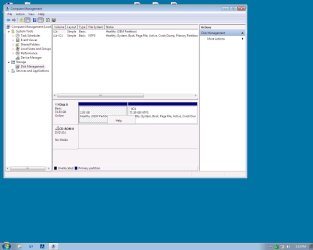
It may be useful if you posted a Disk Management picture so that we can make sure you get it right.

Ok, here's a screenie.
Keep in mind that it’s all about learning and this machine is my learning tool.
It it runs off in the ditch or catches fire and I have to lob it off my 16th floor balcony, hey, I’ve learned something.

You have all gone above and beyond here today, so you can go home now and I hope none of you are in Buffalo.
 

Attachments

  • Disk Manager.jpg
    Disk Manager.jpg
    68.9 KB · Views: 6

My Computer My Computer

Computer type
PC/Desktop
OS
Windows 7 Ultimate 32 Bit
Looks like all you have to include in the image is the C partition. It has the boot, active, and system flags.

20 GB of space occupied will result in a relatively small image file---somewhere near 10 GB, plus or minus.

That OEM partition is presumably related to factory restore and is not other wise needed. Do you have any interest in ever restoring to factory specs? Have you burned any "recovery disks" that are intended to restore to factory specs (duplicating the functionality of a recovery partititon)?

Or the OEM partition may contain tools of some type. What's the occupied space on it? OEMs can put some cuckoo stuff on OEM partitions, but it doesn't look like you need any of it. If worried, you could make a separate image of the OEM partition just in case.

The image of C would include everything on C, including Windows, installed applications, configuration info, licensing details, etc.
 

My Computer My Computer

Computer type
PC/Desktop
Computer Manufacturer/Model Number
Ignatz Special; 4 speed manual gearbox; factory air conditioning; one of one
OS
Windows 7 Home Premium SP1, 64-bit
CPU
Intel Skylake i5-6600K, not overclocked
Motherboard
AsRock Z170M Extreme 4, micro ATX
Memory
8 GB HyperX DDR4-2666 (2 x 4 GB)
Graphics Card(s)
none; graphics are integrated on CPU
Sound Card
onboard: Realtek ALC1150; external: USB Behringer UF0-202
Monitor(s) Displays
Dell S2340M 23 inch IPS
Screen Resolution
1600 x 900
Hard Drives
System: Crucial MX100 series SSD, 128 GB;
Data: Samsung Spinpoint 103SJ, 1 TB;
Backup: WD Caviar Green WD30EZRX-00D8PB0, 3 TB
PSU
Rosewill SilentNight 500 watt fanless, semi-modular
Case
Antec Solo II
Cooling
Noctua NH-U12S; Noctua F12 intake, Noctua S12A exhaust
Keyboard
Microsoft 200 6JH-00001 USB
Mouse
Dell or Microsoft optical wired; USB
Antivirus
Microsoft Security Essentials and Malwarebytes Premium
Browser
Pale Moon
Other Info
All fans PWM; speeds at idle: CPU circa 500 rpm; intake circa 600 rpm; exhaust circa 600 rpm; CPU temps 27 idle and 47 C load in a warm room (27 C/81 F) when running Intel Extreme Tuning Utility stress test.
You need to image/restore only C. It is the active partition and contains the bootmgr. You are all set to go.
 

My Computer My Computer

Computer Manufacturer/Model Number
HP, Dell, Gateway, Toshiba - 4 laptops and 2 desktops
OS
Vista, Windows7, Mint Mate, Zorin, Windows 8
CPU
from 1.6GHz Duo to i7
Monitor(s) Displays
2x HP w2207
Hard Drives
5x HDD, 7x SSD, 12x Externals
Keyboard
with trackball - no mices
Mouse
Trackball mice
Internet Speed
DSL 6000
Yes as others have stated C is the partition you want to make routine images of. But I don't know what tools etc live in the OEM partition so I would have at least one image of it so if your HDD dies you can fully recover to your current state. So if you need to replace your HDD you can reimage the small OEM partition along with the important C partition.
 

My Computer My Computer

Computer type
PC/Desktop
Computer Manufacturer/Model Number
Own build
OS
Windows 7x64 Home Premium SP1
CPU
Intel i7 2600k
Motherboard
ASUS P8Z68 Deluxe
Memory
G.Skill Ripjaws (DDR3-1600) 2x4GB
Graphics Card(s)
Nvidia GeForce GTS 450; Intel HD Graphics 3000(GT2+)
Monitor(s) Displays
Dell Ultrasharp IPS panel U2311H, Samsung SyncMaster P2350
Screen Resolution
1920x1080
Hard Drives
Samsung 850 Pro SSD 256GB, Samsung SSD 840 120GB, Seagates 1TB Barracuda ST31000528AS x2
PSU
Seasonic M12II 520W
Case
Lian Li Lancool PC-K60
Cooling
Case: 1x120mm, 3x140mm CPU: Hyper 212+
Keyboard
Logitech MK520 (wireless)
Mouse
Logitech MK520
Internet Speed
6-7 Mbps
Antivirus
Norton Security Premium, Malwarebytes on 2 (MSE on 3rd PC)
Browser
FireFox
Other Info
Audio: Logitech Z523 2.1
When I entered earlier in the day, my intent was, and I guess still is, to make a set of recovery disks and an image, just for fun.

I don't believe a return to factory specs is in the cards as I have jettisoned XP and stuffed W7 in it's place.
Funny thing about the OEM partition (Help is all that pops up on right click), previously it showed just under 2GB used space and now shows 100% free. I assume a "Clean Disk" operation I did, mopped up in there. Maybe Old Files?

Anyway, I guess I'll just go through the steps; recovery (is that the same as repair?) disk, image, delete OEM or expand C into it.

Now, can recovery and image be put on a USB flash drive?
I guess not, huh, cause USB is Fat, right?
 

My Computer My Computer

Computer type
PC/Desktop
OS
Windows 7 Ultimate 32 Bit
Anyway, I guess I'll just go through the steps; recovery (is that the same as repair?) disk, image, delete OEM or expand C into it.

Now, can recovery and image be put on a USB flash drive?
I guess not, huh, cause USB is Fat, right?

"Recovery disk"?? I assume you mean the "rescue media" as it is called in Macrium. This is what you must boot from to restore an image file. It can be a DVD burn or a USB flash drive. You walk through a Macrium menu and choose either Linux-based" DVD or WinPE based. The latter is much preferred.

I've used both DVD burns and USB flash drives for the rescue media without issues.

I've always stored images on hard drives due to reliability. USB drives are typically FAT32 and I think there is a file size limitation (4 GB??), which would mean an image of the typical C drive would be too large. Maybe you could use exFAT, which doesn't have that size limitation. Never tried it.
 

My Computer My Computer

Computer type
PC/Desktop
Computer Manufacturer/Model Number
Ignatz Special; 4 speed manual gearbox; factory air conditioning; one of one
OS
Windows 7 Home Premium SP1, 64-bit
CPU
Intel Skylake i5-6600K, not overclocked
Motherboard
AsRock Z170M Extreme 4, micro ATX
Memory
8 GB HyperX DDR4-2666 (2 x 4 GB)
Graphics Card(s)
none; graphics are integrated on CPU
Sound Card
onboard: Realtek ALC1150; external: USB Behringer UF0-202
Monitor(s) Displays
Dell S2340M 23 inch IPS
Screen Resolution
1600 x 900
Hard Drives
System: Crucial MX100 series SSD, 128 GB;
Data: Samsung Spinpoint 103SJ, 1 TB;
Backup: WD Caviar Green WD30EZRX-00D8PB0, 3 TB
PSU
Rosewill SilentNight 500 watt fanless, semi-modular
Case
Antec Solo II
Cooling
Noctua NH-U12S; Noctua F12 intake, Noctua S12A exhaust
Keyboard
Microsoft 200 6JH-00001 USB
Mouse
Dell or Microsoft optical wired; USB
Antivirus
Microsoft Security Essentials and Malwarebytes Premium
Browser
Pale Moon
Other Info
All fans PWM; speeds at idle: CPU circa 500 rpm; intake circa 600 rpm; exhaust circa 600 rpm; CPU temps 27 idle and 47 C load in a warm room (27 C/81 F) when running Intel Extreme Tuning Utility stress test.
Hey, don't confuse me now, after all this.
You said "recovery disks" back in post 1753 and now you're asking me what I mean???

So, without wearing out a keyboard, what's the difference between recovery, repair and now rescue.
L--O--L.
 

My Computer My Computer

Computer type
PC/Desktop
OS
Windows 7 Ultimate 32 Bit
Now, can recovery and image be put on a USB flash drive?
I guess not, huh, cause USB is Fat, right?

You can put an image on a flash drive provided it is big enough and formatted in NTFS.

The recovery disk can also be put on a flash drive (NTFS or Fat32). That takes less than 200MBs. But it should be on a different flash drive than the image. Use Rufus to burn the recovery image to the flash drive. Here is a precooked iso I made for the recovery disk. Right click and download.

Update: Rescue and recovery are the same. Sorry for the confusion.
 

My Computer My Computer

Computer Manufacturer/Model Number
HP, Dell, Gateway, Toshiba - 4 laptops and 2 desktops
OS
Vista, Windows7, Mint Mate, Zorin, Windows 8
CPU
from 1.6GHz Duo to i7
Monitor(s) Displays
2x HP w2207
Hard Drives
5x HDD, 7x SSD, 12x Externals
Keyboard
with trackball - no mices
Mouse
Trackball mice
Internet Speed
DSL 6000
Hey, don't confuse me now, after all this.
You said "recovery disks" back in post 1753 and now you're asking me what I mean???

So, without wearing out a keyboard, what's the difference between recovery, repair and now rescue.
L--O--L.

The terms "Recovery" and "Rescue" are often used synonymously. They're referring to the bootable media, CD/DVD or USB Drive, where the user can boot up the PC on the media and select recovery tools, such as restoring the HDD from a previously-processed Image file, or clone a Source HDD to a Target HDD.

You're getting great advice here about the topic :). I've been Imaging (and Cloning) for a while. They're great peace of mind PC tools.

Regarding Imaging partitions, I'm in agreement with mjf. Since the "factory-restore" partitions are small in comparison to the user ("C", etc) partitions, it's simpler for me to Image the complete HDD. That way, I have the entire contents for recovery if needed.

For example, my Toshiba Laptop has 2 "recovery" partitions, one is a boot partition and the other one contains the "factory restore" data, original Drivers, etc, that came with the new PC to be used if a factory-restore is needed later.

[edit] Saw whs's post after posting, explaining your question about the Recovery/Rescue terms.
 

My Computer My Computer

Computer type
PC/Desktop
Computer Manufacturer/Model Number
Built at Micro Center Richardson, TX
OS
Windows 7 Home Premium 64 bit
CPU
Intel i5 650 Dual Core 3.20 GHz Cache 4MB Threads: 4
Motherboard
ASUS PRO P7P55D-E
Memory
Corsair 16GB DDR3 1600MHz 9-9-9-24 P/N: CMZ8GX3M2A1600C
Graphics Card(s)
ZOTAC GeFORCE 9500 ZT-95TEK2M-FSL 1GB GDDR2
Sound Card
Mother Bd
Monitor(s) Displays
ASUS V228H 21.5” Diag
Screen Resolution
1440 x 900
Hard Drives
SEAGATE BARRACUDA (2ea) 3.5” INTERNAL 1Tb 16 MB SATA ST1000DM003-9YN162 7200RPM, 64MB, SATA 6Gb/s ** 2 Sata Hot-Swap Racks installed in Tower
PSU
Thermaltake Model TR2 RX 750W
Cooling
2 Tower Fans
Keyboard
Dell Quietkey PS/2 Windows 104 P/N 0463CD
Mouse
Kensington Mechanical Trackball USB Model 64217
Internet Speed
35/35
Antivirus
Norton 360 & MBAM Pro
Browser
IE10
Other Info
Printer: HP DeskJet 3520 USB 2.0 **
Speakers: ALTEC Model VS4621 2.1 28 W/Channel w/Sub-woofer **
IOGEAR HDMI Monitor Switcher Swx3 MODEL GHDSW3 ** Addonics ZDRWESU3 eSata/USB 3.0 external DVD Read/Write DVD Drive** SEAGATE GoFlex USB 2.0 Portable HD 500GB 5400 RPM P/N: 9ZF2A2-570
Back
Top