To answer your initial question - Macrium has never failed me.
Regardless of whether using Macrium or any other imaging software,
you are NOT able to restore an image to an unbootable system unless you can boot it

You really need to prepare in advance by having a Bootable Recover CD or Flash Drive holding software that can restore an image to the HDD/SSD.
This will ensure that if your HDD breaks down, you can instantly replace it with an new and totally empty HDD/SSD and restore your backup image and solve all your problems - ASSUMING you keep your images on a separate HDD, preferably an external HDD which may survive a small fire in the main computer case.
It is very advisable to ensure that your recovery device can actually boot into the system before you need to actually restore.
Test this whilst your computer still works,
because NOW is the time to use the internet and ask for help if your BIOS needs configuring.
I expected Macrium Reflect to restart into wPE or Linux so as to replace the partition but nothing like that happend.
I am disturbed by your uncertainty of "wPE or Linux"
When running under Windows there is NO WAY of Macrium using Linux.
Instead :-
If restoring the system partition C:\ you may a restart and then "Macrium-RAM" will delete C:\ and restore C:\ - where "Macrium-RAM" is my term for executables that Macrium places in RAM before the restart.
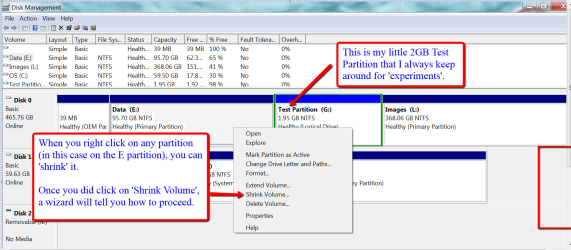
If restoring a non-system partition, such as D:\ or the 2 GB test suggested in post #699, there will probably not be any restart unless that partition holds a file which Windows considers to be "in use".
Your final test to prove readiness for disaster is the use of your Boot Recovery CD/Flash to actually restore your 2 GB test partition. This should prove that you have all the USB3 drivers and anything else which just possibly might be needed for your specific computer.
If you are using USB3 then Linux CD may well fail,
but the WinPE is much more likely to succeed on first attempt,
and if WinPE fails it is feasible to add the specific drivers that are needed - ASSUMING you do it now whilst the computer works.
All the above assumes that your images are valid.
It is advisable to consider your backup incomplete unless you have validated it upon creation,
and personally I prefer to precede restoration with a validate to be sure the backup file has not been over-written since creation, but I have never yet encountered this problem.