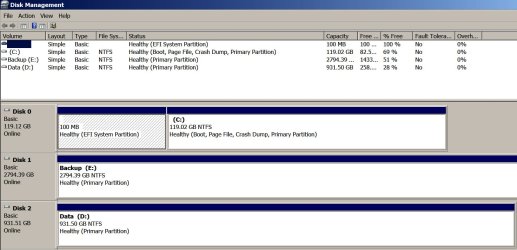
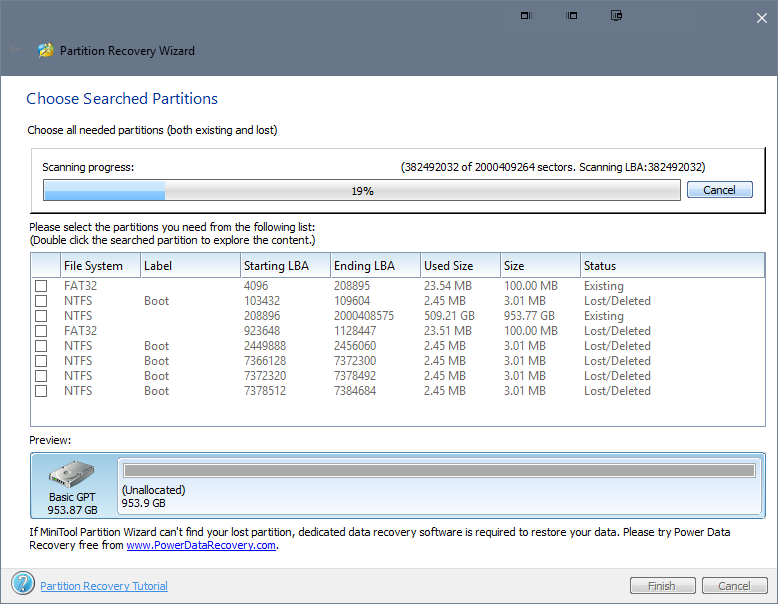
Thanks, I need all the help I can get and have been well taken care of so far.I don't really want to get in the way but I think I can help a little getting everybody on the same page.
Showing my experience level here, I had not noticed or even knew what it meant. This drive was populated as a test to make sure its worked. I will be wiping the drive.One thing that jumps out at me is, Why is Disk 2 marked Active ?
But learning an Active drive has a boot function I will unplug it first and restart to make sure I am not somehow booting from it. Heh!
I will be trying ignatzatsonic's suggestion this weekend in seeing if I can boot and run from an image recovery perhaps on the drive mentioned above.
How do you guys wipe. C:\ Format w: U/ My memory is faded. Its been a while.
My Computer
At a glance
Win 10 Pro 64xIntel-Core-i7-3770K16 GB DDR3
- Computer type
- PC/Desktop
- Computer Manufacturer/Model Number
- Home Build By Yours Truly
- OS
- Win 10 Pro 64x
- CPU
- Intel-Core-i7-3770K
- Motherboard
- GIGABYTE GA-Z77-UD5H
- Memory
- 16 GB DDR3
- Mouse
- Logitech VX Revolution