
hey guys,
I was seeing this folder in my appdata folder for long time and seems it contains updates to chrome.
here is the full path, \AppData\Local\Google\Chrome\Application.
it contains some other files and specifically two folders named, 17.0.963.56 and 17.0.963.79, which are named exactly as chrome versions.
and here is a snip of a inside that 17.0.963.79 folder,
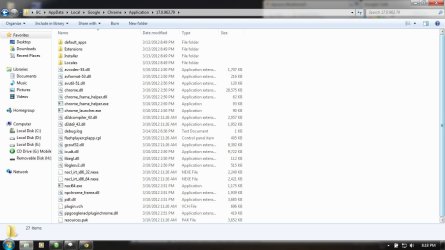
my question is, as you can see, it has a folder named as installer and it contains files named chrome.7z(84mb) and setup.exe(1.4mb), can I use these files as standalone installer for chrome in later time or in different machine? I know downloading chrome isnt much of weight, but just the curiosity.
(Note: chrome is updated to latest version above. I tried clicking and running this setup.exe in windows but nothing happened. and inside that 7z file, it contains every file on this path, \AppData\Local\Google\Chrome\Application\17.0.963.79 contains.)
thank you all.
I was seeing this folder in my appdata folder for long time and seems it contains updates to chrome.
here is the full path, \AppData\Local\Google\Chrome\Application.
it contains some other files and specifically two folders named, 17.0.963.56 and 17.0.963.79, which are named exactly as chrome versions.
and here is a snip of a inside that 17.0.963.79 folder,
my question is, as you can see, it has a folder named as installer and it contains files named chrome.7z(84mb) and setup.exe(1.4mb), can I use these files as standalone installer for chrome in later time or in different machine? I know downloading chrome isnt much of weight, but just the curiosity.
(Note: chrome is updated to latest version above. I tried clicking and running this setup.exe in windows but nothing happened. and inside that 7z file, it contains every file on this path, \AppData\Local\Google\Chrome\Application\17.0.963.79 contains.)
thank you all.
My Computer
- Computer Manufacturer/Model Number
- HP Pavilion G6
- OS
- Windows 7 Ultimate x64
- CPU
- Core I5 - 2430
- Memory
- 6GB DDR3 1333
- Graphics Card(s)
- Intel HD 3000 with ATI Radeon HD 6470
- Monitor(s) Displays
- HP BrightView LED
- Screen Resolution
- 1366x768
- Hard Drives
- Hitachi 5400RPM 640GB
- Cooling
- Sitting on custom made laptop cooler
- Internet Speed
- 21mbps downlink, 2mbps uplink

 thanks again


