Install help requested.

Rarrar

New member
Local time
6:49 PM
Messages
3
Hello all.

First for the specs

AMD Athlon 64 X2 5200
4gb Ram
500g HDD
Geforce 8600 GTS
Windows XP 32bit

Im attempting to install Windows 7 64bit (Will delete all existing partitions and then recreate).

I place the DVD into the drive (burned at 8x speed). HDD is first boot device. CD/DVD is second. I press F8 to get to boot menu. Select CD/DVD and then press any key.

I get the double loading bar.

The flashing Window orbs/logo. http://www.rtfm-ed.co.uk/images/Windows7/windows7-01.jpg

The computer sits at this screen for upwards of 5-10mins.

Next screen is a "light blue" screen with white lines and flower/leaf and a mouse cursor and proceeds to sit at this screen forever. http://lh4.ggpht.com/_fCXmCJsxhAE/S...k/i_z94yeP80c/win7_rc_install_14_thumb[4].jpg (IGNORE THE SETUP IS STARTING). I can move the cursor, but I get no DVD activity, message on the screen or any indication that the computer is doing anything.

Any thoughts?


**Thanks to the sites that are hosting those pictures to help explain my problem**
 

My Computer

OS
XP
First off welcome to the sevenforums here! It sounds like a possible bad burn unless your drive needs a good lens cleaner. Another thing that will stall any version of Windows from going on is any memory faults.
 

My Computers

System One System Two

  • Computer type
    PC/Desktop
    Computer Manufacturer/Model Number
    Custom builds = 2
    OS
    W7 Ultimate x64/W10 Pro x64/W11 Pro Triple Boot - Main PC W7 Remote PC Micro ATX W7 Pro x64/W11 Pro
    CPU
    AMD Phenom II X4 975 Deneb 3.6ghz - 965 2nd remote pc
    Motherboard
    Gigabyte GA-790XTA-UD4-Gigabyte GA-880GM-D2H remote pc
    Memory
    Kingston Hyper X DDR3 1600 1.5v 16gb - Hyper X Fury 8gb 2nd
    Graphics Card(s)
    MSI HD Radeon 5750 1gb - MSI HD Radeon 6450 on mini tower
    Sound Card
    Creative Labs X-Fi Xtreme Audio P - Realtek onooard 2nd case
    Monitor(s) Displays
    ASUS VW199T-P 19" HP 2082a Main-HP 2082a 20" remote pc
    Screen Resolution
    Asus 1440x900 - HP 1600x900
    Hard Drives
    WD Black 1TB HD per OS W7, W10, and pending W11 presently on 500gb OS Drive - Pending Triple 1TB HDs for Spanned Storage/backup volume
    Single 2TB external USB enclosure, single 1TB System 7 Host/Boot drive, Pending 8TB external HD for system image b
    PSU
    Corsair 750TX - primary / Corsair CX600 - second
    Case
    Antec 900-2 - SSD compatible / NZXT Vulcan mini tower
    Cooling
    Zalman CNPS9900A
    Keyboard
    AZIO L70 Backlit Letters Gaming - ONN Cordless/USB
    Mouse
    MSI DS200 Programmable, Logitech Cordless
    Internet Speed
    30mbps upgrade - primary hard wired - mini tower usb WiFi
    Antivirus
    GFI VIPRE Internet Security 2014 on W7 2016 beta on W10,
    Browser
    Cyberfox, WaterFox 64bit FF variants, FireFox x64, Pale Moon
    Other Info
    Accomdata fan cooled usb 2.0 PIDE/Sata II, III external enclosure.
    Sambient usb/eSata PATA/Sata II, III external enclosure.
  • Computer type
    PC/Desktop
    System Manufacturer/Model Number
    CUSTOM ASSEMBLY
    OS
    W7 Pro x64/W11 Pro
    CPU
    AMD Deneb 3.6ghz - 965
    Motherboard
    Gigabyte GA-880GM-D2H remote pc
    Memory
    Kingston Hyper X Fury 8gb
    Graphics Card(s)
    MSI HD Radeon 6450 DVI Output
    Sound Card
    Realtek onooard Creative or Other separate PENDING
    Monitor(s) Displays
    VIZIO 32" LCD TV Separate LCD Pending
    Screen Resolution
    1600x1080
    Hard Drives
    WD 500GB OS Host/Boot WD Green 1TB Storage/Backup
    PSU
    Corsair 600W - THERMALTAKE 600W spare case
    Case
    NZXT Vulcan mini tower
    Cooling
    Twin 120mm Top Fans - 240mm Side Cover
    Keyboard
    ONN Cordless/USB Logitech Cordless
    Mouse
    ONN USB/Cordless - Logitech Cordless
    Internet Speed
    DSL 5G
    Browser
    MS Edge, FireFox, WaterFox x64, FireFox Nightly
    Other Info
    OS Testing-Remote Access to Main TeamViewer
Leave it sit a while at the blue screen. Mine did the same thing and sat at blue screen
for quite a while, then took off.
 

My Computer

Computer Manufacturer/Model Number
Intel E8500
OS
Win7 build 7100, Win Bus 64bit, Mac OS X
Motherboard
Asus P5Q3 Deluxe WiFi
Memory
4gb DDR3 Gskill
Graphics Card(s)
EVGA Nvidia Geforce 9800GT
Sound Card
Onboard Soundmax
Monitor(s) Displays
8 yr old Princeton 17" LCD
Screen Resolution
1024 768
Hard Drives
3 Sata 2 Seagate 500gb
Case
Coolermaster
Keyboard
Microsoft USB
Mouse
Logitech USB
I ended up getting another error "such and such file is missing". Im going to redownload and reburn to DVD using a different ISO burning program
 

My Computer

OS
XP
Burn .iso @4x Using imgburn, Only have 2gb memory installed, remove unnecessary devices e.g. usb, bluetooth, camera's, secondary monitors etc.

Add devices one at a time after install.
 

My Computer

Computer type
PC/Desktop
Computer Manufacturer/Model Number
Self Build
OS
MS Windows 7 Professional 64-bit SP1
CPU
AMD FX(tm)-6100 Six-Core Processor Socket AM3+ (942)
Motherboard
ASUSTeK COMPUTER INC. SABERTOOTH 990FX (AM3r2)
Memory
8.00 GB Dual-Channel DDR3 @ 802MHz (11-11-11-36) 1.5Volts
Graphics Card(s)
NVIDIA GeForce GTX 560 Ti
Sound Card
Onboard Realtek HD
Monitor(s) Displays
shimian (1920x1080@60Hz)
Screen Resolution
1920*1080
Hard Drives
OCZ-AGIL ITY3 SATA Disk Device 120GB
PSU
Corsair TX 750
Case
Corsair
Cooling
WaterCooled
Keyboard
Microsoft Wired
Mouse
Logitech USB Optical TiltWheel Mouse
Internet Speed
Realtek PCIe GBE Family Controller 20MB*1MB
Antivirus
Avast
Browser
Firefox
Other Info
150GB Internal Hard Drive for Backing Up Important Files -
Hauppauge Nova-DT Dual DVB-T Tuner Device (+IR) -
USB PC Camera with Mic (SN9C105)
Hi Rarrar,

That would be the best option. Where did you download the ISO from? If you got it from Microsoft then it'll be fine. Just burn it at the slowest possible speed. The issue with burn speed is that the install.wim file is so large (over 2GB) that the possiblility of burn errors is greatly increased.

Hope this helps :)


Jeff
 

My Computer

Computer Manufacturer/Model Number
Compaq Desktop
OS
Windows 7 Ultimate x64
CPU
AMD Sempron Dual Core
Memory
3GB
Graphics Card(s)
NVIDIA GeForce 6150SE nForce 430
Screen Resolution
1024x768
Hard Drives
150GB Sata

My Computer

Computer Manufacturer/Model Number
Intel E8500
OS
Win7 build 7100, Win Bus 64bit, Mac OS X
Motherboard
Asus P5Q3 Deluxe WiFi
Memory
4gb DDR3 Gskill
Graphics Card(s)
EVGA Nvidia Geforce 9800GT
Sound Card
Onboard Soundmax
Monitor(s) Displays
8 yr old Princeton 17" LCD
Screen Resolution
1024 768
Hard Drives
3 Sata 2 Seagate 500gb
Case
Coolermaster
Keyboard
Microsoft USB
Mouse
Logitech USB
while I typed the original post, i reburned at 2.4 speed and got another "such and such file is missing".

I have just finished downloading Windows 7 again from Microsofts website.

I just downloaded imgburn and isobuster (going to burn it with each software at the slowest speed). Will report back to let everyone know of the progress.

Thanks for the help.


USB install isnt an option for me unfortunately. Thanks for the tip though.
 

My Computer

OS
XP
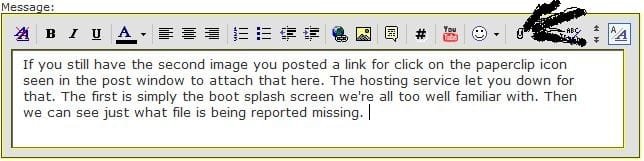
If you still have the second image you posted a link for click on the paperclip icon seen in the post window to attach that here. The hosting service let you down for that. The first is simply the boot splash screen we're all too well familiar with. Then we can see just what file is being reported missing.
 

Attachments

  • POST WINDOW.jpg
    POST WINDOW.jpg
    30.9 KB · Views: 12

My Computers

System One System Two

  • Computer type
    PC/Desktop
    Computer Manufacturer/Model Number
    Custom builds = 2
    OS
    W7 Ultimate x64/W10 Pro x64/W11 Pro Triple Boot - Main PC W7 Remote PC Micro ATX W7 Pro x64/W11 Pro
    CPU
    AMD Phenom II X4 975 Deneb 3.6ghz - 965 2nd remote pc
    Motherboard
    Gigabyte GA-790XTA-UD4-Gigabyte GA-880GM-D2H remote pc
    Memory
    Kingston Hyper X DDR3 1600 1.5v 16gb - Hyper X Fury 8gb 2nd
    Graphics Card(s)
    MSI HD Radeon 5750 1gb - MSI HD Radeon 6450 on mini tower
    Sound Card
    Creative Labs X-Fi Xtreme Audio P - Realtek onooard 2nd case
    Monitor(s) Displays
    ASUS VW199T-P 19" HP 2082a Main-HP 2082a 20" remote pc
    Screen Resolution
    Asus 1440x900 - HP 1600x900
    Hard Drives
    WD Black 1TB HD per OS W7, W10, and pending W11 presently on 500gb OS Drive - Pending Triple 1TB HDs for Spanned Storage/backup volume
    Single 2TB external USB enclosure, single 1TB System 7 Host/Boot drive, Pending 8TB external HD for system image b
    PSU
    Corsair 750TX - primary / Corsair CX600 - second
    Case
    Antec 900-2 - SSD compatible / NZXT Vulcan mini tower
    Cooling
    Zalman CNPS9900A
    Keyboard
    AZIO L70 Backlit Letters Gaming - ONN Cordless/USB
    Mouse
    MSI DS200 Programmable, Logitech Cordless
    Internet Speed
    30mbps upgrade - primary hard wired - mini tower usb WiFi
    Antivirus
    GFI VIPRE Internet Security 2014 on W7 2016 beta on W10,
    Browser
    Cyberfox, WaterFox 64bit FF variants, FireFox x64, Pale Moon
    Other Info
    Accomdata fan cooled usb 2.0 PIDE/Sata II, III external enclosure.
    Sambient usb/eSata PATA/Sata II, III external enclosure.
  • Computer type
    PC/Desktop
    System Manufacturer/Model Number
    CUSTOM ASSEMBLY
    OS
    W7 Pro x64/W11 Pro
    CPU
    AMD Deneb 3.6ghz - 965
    Motherboard
    Gigabyte GA-880GM-D2H remote pc
    Memory
    Kingston Hyper X Fury 8gb
    Graphics Card(s)
    MSI HD Radeon 6450 DVI Output
    Sound Card
    Realtek onooard Creative or Other separate PENDING
    Monitor(s) Displays
    VIZIO 32" LCD TV Separate LCD Pending
    Screen Resolution
    1600x1080
    Hard Drives
    WD 500GB OS Host/Boot WD Green 1TB Storage/Backup
    PSU
    Corsair 600W - THERMALTAKE 600W spare case
    Case
    NZXT Vulcan mini tower
    Cooling
    Twin 120mm Top Fans - 240mm Side Cover
    Keyboard
    ONN Cordless/USB Logitech Cordless
    Mouse
    ONN USB/Cordless - Logitech Cordless
    Internet Speed
    DSL 5G
    Browser
    MS Edge, FireFox, WaterFox x64, FireFox Nightly
    Other Info
    OS Testing-Remote Access to Main TeamViewer
Back
Top