
Solved Install windows problem

"Do yo have a DVD drive to burn the ISO to DVD using Windows 7 USB-DVD Download Tool ?"

Exactly what I asked him in post #13, but got no answer.
 

My Computer My Computer

Computer type
PC/Desktop
Computer Manufacturer/Model Number
Skylake Special #666
OS
Windows 10 Pro x64
CPU
Intel Core i7 6700K
Motherboard
Asus Sabertooth Z170 Mark 1
Memory
GSkill TridentZ RGB 16GB 3600 16-16-16-36
Graphics Card(s)
EVGA GTX 980 Ti SC x2
Sound Card
Realtek High Definition
Monitor(s) Displays
AOC G2460PG
Screen Resolution
1920 x 1080 144Hz
Hard Drives
Samsung 860 Pro 256GB, Seagate Barracuda 4TB x2
PSU
EVGA 1000 P2, EVGA White Custom Braided Cables
Case
Corsair Vengeance C70 Gunmetal Black
Cooling
Corsair H100i v2, Corsair ML120 x2, Thermal Grizzly Kryonaut
Keyboard
Logitech G910 Orion Spectrum
Mouse
Logitech G700s
Internet Speed
Verizon Fios Quantum Gateway 75/75
Antivirus
Windows Defender, Malwarebytes Free 3.8.3
Browser
Chrome
Other Info
Corsair SP120 x4, LG Blu-ray Drive, Durabrand HT-395 100 Watt Dolby Digital Amp, Corsair H2100 Wireless 7.1 Headset
I will answer your questions 1 by 1 .

Yes it's probably from the hard drive not the stick . I made a lot of formats with that usb stick so i think usb stick it's not the problem.
Nope i am pressing F11 to load the boot menu , i select usb stick then computer restarts >.< I don't even see the "press any key to boot ..blah blah blah.. "
From the tutorial "Windows 7 Installation Failure - Troubleshoot" I follow each step 1 by 1 . I didn't do step 3 because i didn't find something like that in bios. I wrote the commands from step 6 in the recovery command propmt and i restart the computer. After that nothing , several restarts again ...I format my laptop to windows 8.1 with that stick. I will see what i have, i need to buy a clean dvd then ok.
 

My Computer My Computer

Computer type
Laptop
Computer Manufacturer/Model Number
Acer
OS
Windows 7 Ultimate x64
CPU
Intel(R) Core(TM) i5-4200U CPU @ 1.60GHz 2.30GHz
Motherboard
Acer Aspire E1-572G
Memory
4,00GB RAM
Graphics Card(s)
AMD RADEON GRAPHICS HD 8750m
Hard Drives
TOSHIBA MQ01ABD075 (698 GB)
Antivirus
Avast
Browser
Google Chrome
You only get the words "Press any key to boot from dvd" when you boot from a dvd, not a usb stick.

That is why I asked you if you have access to a computer with a dvd burner, so you can create your own Windows 7 install dvd, but you refuse to answer.

If you have downloaded the proper version of Windows 7 SP1 you need, and still want to put it on the usb stick then use Wintobootic. It works perfectly, everytime.

WiNToBootic bootable usb drive windows vista/7/8 - Bootable USB | Bootable USB

If you want to burn the iso file to dvd then use this simple tool at the slowest possible burning speed.

Free ISO Burner

You seem to have installed Windows 8.1 with a usb stick no problem, I do not understand why you are having so much trouble installing Windows 7 ?
 

My Computer My Computer

Computer type
PC/Desktop
Computer Manufacturer/Model Number
Skylake Special #666
OS
Windows 10 Pro x64
CPU
Intel Core i7 6700K
Motherboard
Asus Sabertooth Z170 Mark 1
Memory
GSkill TridentZ RGB 16GB 3600 16-16-16-36
Graphics Card(s)
EVGA GTX 980 Ti SC x2
Sound Card
Realtek High Definition
Monitor(s) Displays
AOC G2460PG
Screen Resolution
1920 x 1080 144Hz
Hard Drives
Samsung 860 Pro 256GB, Seagate Barracuda 4TB x2
PSU
EVGA 1000 P2, EVGA White Custom Braided Cables
Case
Corsair Vengeance C70 Gunmetal Black
Cooling
Corsair H100i v2, Corsair ML120 x2, Thermal Grizzly Kryonaut
Keyboard
Logitech G910 Orion Spectrum
Mouse
Logitech G700s
Internet Speed
Verizon Fios Quantum Gateway 75/75
Antivirus
Windows Defender, Malwarebytes Free 3.8.3
Browser
Chrome
Other Info
Corsair SP120 x4, LG Blu-ray Drive, Durabrand HT-395 100 Watt Dolby Digital Amp, Corsair H2100 Wireless 7.1 Headset
Let me see wha dvds i have, to burn it
I don't refuse to answer questions. Anything you ask i will answer. I really don't know why these problems. Maybe something from motherboard or anything else...
 

My Computer My Computer

Computer type
Laptop
Computer Manufacturer/Model Number
Acer
OS
Windows 7 Ultimate x64
CPU
Intel(R) Core(TM) i5-4200U CPU @ 1.60GHz 2.30GHz
Motherboard
Acer Aspire E1-572G
Memory
4,00GB RAM
Graphics Card(s)
AMD RADEON GRAPHICS HD 8750m
Hard Drives
TOSHIBA MQ01ABD075 (698 GB)
Antivirus
Avast
Browser
Google Chrome
I had an old dvd with windows 7 x64 , i plug it and it works.
 

My Computer My Computer

Computer type
Laptop
Computer Manufacturer/Model Number
Acer
OS
Windows 7 Ultimate x64
CPU
Intel(R) Core(TM) i5-4200U CPU @ 1.60GHz 2.30GHz
Motherboard
Acer Aspire E1-572G
Memory
4,00GB RAM
Graphics Card(s)
AMD RADEON GRAPHICS HD 8750m
Hard Drives
TOSHIBA MQ01ABD075 (698 GB)
Antivirus
Avast
Browser
Google Chrome
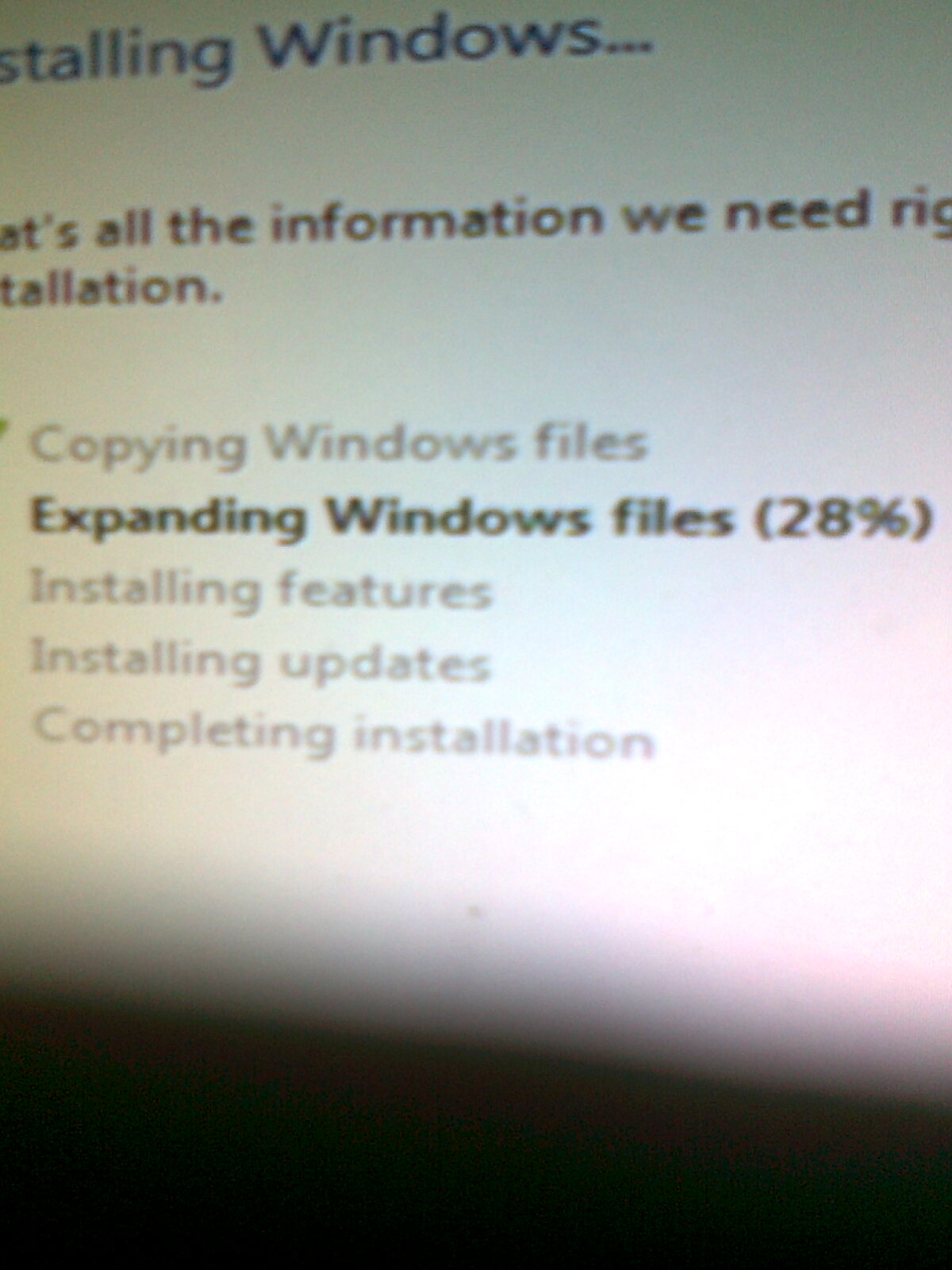
Balls.... didn't work... stuck at 28% i test the hard drive to another computer and format finished. I plug it back to the main computer anddddddddd nothing...
 

My Computer My Computer

Computer type
Laptop
Computer Manufacturer/Model Number
Acer
OS
Windows 7 Ultimate x64
CPU
Intel(R) Core(TM) i5-4200U CPU @ 1.60GHz 2.30GHz
Motherboard
Acer Aspire E1-572G
Memory
4,00GB RAM
Graphics Card(s)
AMD RADEON GRAPHICS HD 8750m
Hard Drives
TOSHIBA MQ01ABD075 (698 GB)
Antivirus
Avast
Browser
Google Chrome
Does it have SP1?

Be sure to Check for Updates to install all Important and Optional Updates, with reboots, going back to Check For Updates again until no more are offered. It may still be a few days before it offers SP1 if you don't have it in the disk.

Better to use the latest official ISO in Clean Reinstall Windows 7.

Be sure to stick with the other steps in that tutorial, too, to get and keep a perfect install.
 
Well greg, as i said i plug it back and nothing ...
 

My Computer My Computer

Computer type
Laptop
Computer Manufacturer/Model Number
Acer
OS
Windows 7 Ultimate x64
CPU
Intel(R) Core(TM) i5-4200U CPU @ 1.60GHz 2.30GHz
Motherboard
Acer Aspire E1-572G
Memory
4,00GB RAM
Graphics Card(s)
AMD RADEON GRAPHICS HD 8750m
Hard Drives
TOSHIBA MQ01ABD075 (698 GB)
Antivirus
Avast
Browser
Google Chrome
stuck at 28% again...
 

My Computer My Computer

Computer type
Laptop
Computer Manufacturer/Model Number
Acer
OS
Windows 7 Ultimate x64
CPU
Intel(R) Core(TM) i5-4200U CPU @ 1.60GHz 2.30GHz
Motherboard
Acer Aspire E1-572G
Memory
4,00GB RAM
Graphics Card(s)
AMD RADEON GRAPHICS HD 8750m
Hard Drives
TOSHIBA MQ01ABD075 (698 GB)
Antivirus
Avast
Browser
Google Chrome
I try to boot again with f11 to boot menu , i select usb and i took that error again . I see something at bios in the boot sector "VIA SATA Raid Utility , shoold i have it enabled or disabled?

Is this still appearing, after you said you completed the steps to Troubleshoot Windows 7 Installation Failures - Windows 7 Help Forums which say to reset BIOS to defaults and set SATA controller to AHCI?

If so then disable it.

Confirm you downloaded a new ISO http://msft.digitalrivercontent.net/win/X17-58997.isoWin7 Home Premium x86 SP1 English Official ISO download and wrote it to the flash stick using Windows 7 USB-DVD Download Tool

Try it again and if it fails again then try DVD burned with same tool.

Confirm you wiped the HD with Clean command and full formatted the partition from the steps.
 
Well , as i said , i complete the steps exept the 3 . I search everywhere , i can't find something like AHCI or SATA only something with the name RAID .. If i use USB stick it dosn't even boot, i use CD and it boots...And as i said before it stuck at 28% and the dots are moving..
 

My Computer My Computer

Computer type
Laptop
Computer Manufacturer/Model Number
Acer
OS
Windows 7 Ultimate x64
CPU
Intel(R) Core(TM) i5-4200U CPU @ 1.60GHz 2.30GHz
Motherboard
Acer Aspire E1-572G
Memory
4,00GB RAM
Graphics Card(s)
AMD RADEON GRAPHICS HD 8750m
Hard Drives
TOSHIBA MQ01ABD075 (698 GB)
Antivirus
Avast
Browser
Google Chrome
We need to see the setting you said only offers RAID. If RAID is present then there should be a way to change it to AHCI or SATA. Please take a camera snap of it and attach to your reply using the paper clip icon in reply box toolbar.

Win7 only fits on a DVD, not a CD.

Please answer all of my questions as I am not going to ask them again and they probably relate to the solution.

If it's stuck at 28% then try a fresh DVD or write the stick again. What always works for me is UltraISO Software To Create Bootable USB Flash Drive
 
I think the problem is the hard drive.There is a led in front of the computer this led is showing the hard drive probably. In the start you see the led becoming red not so much times, but when i am trying to boot the led is red and it doesn't leave.. Btw , how can i show you the bios ?
 

My Computer My Computer

Computer type
Laptop
Computer Manufacturer/Model Number
Acer
OS
Windows 7 Ultimate x64
CPU
Intel(R) Core(TM) i5-4200U CPU @ 1.60GHz 2.30GHz
Motherboard
Acer Aspire E1-572G
Memory
4,00GB RAM
Graphics Card(s)
AMD RADEON GRAPHICS HD 8750m
Hard Drives
TOSHIBA MQ01ABD075 (698 GB)
Antivirus
Avast
Browser
Google Chrome
You would have to take pictures then upload them.

Do you have a phone with a camera ?
 

My Computer My Computer

Computer type
PC/Desktop
Computer Manufacturer/Model Number
Skylake Special #666
OS
Windows 10 Pro x64
CPU
Intel Core i7 6700K
Motherboard
Asus Sabertooth Z170 Mark 1
Memory
GSkill TridentZ RGB 16GB 3600 16-16-16-36
Graphics Card(s)
EVGA GTX 980 Ti SC x2
Sound Card
Realtek High Definition
Monitor(s) Displays
AOC G2460PG
Screen Resolution
1920 x 1080 144Hz
Hard Drives
Samsung 860 Pro 256GB, Seagate Barracuda 4TB x2
PSU
EVGA 1000 P2, EVGA White Custom Braided Cables
Case
Corsair Vengeance C70 Gunmetal Black
Cooling
Corsair H100i v2, Corsair ML120 x2, Thermal Grizzly Kryonaut
Keyboard
Logitech G910 Orion Spectrum
Mouse
Logitech G700s
Internet Speed
Verizon Fios Quantum Gateway 75/75
Antivirus
Windows Defender, Malwarebytes Free 3.8.3
Browser
Chrome
Other Info
Corsair SP120 x4, LG Blu-ray Drive, Durabrand HT-395 100 Watt Dolby Digital Amp, Corsair H2100 Wireless 7.1 Headset
yes i could do that . what kind of pictures you want me to upload?
 

My Computer My Computer

Computer type
Laptop
Computer Manufacturer/Model Number
Acer
OS
Windows 7 Ultimate x64
CPU
Intel(R) Core(TM) i5-4200U CPU @ 1.60GHz 2.30GHz
Motherboard
Acer Aspire E1-572G
Memory
4,00GB RAM
Graphics Card(s)
AMD RADEON GRAPHICS HD 8750m
Hard Drives
TOSHIBA MQ01ABD075 (698 GB)
Antivirus
Avast
Browser
Google Chrome
yes i read it , but you are not still answering in my questions. What kind of pictures you want me to upload? the full bios stuff, the "raid" part only ? if you don't tell me exaclty i will upload whatever i will find. Maybe you want a video to upload? What i am doing to check if it's ok ?
 

My Computer My Computer

Computer type
Laptop
Computer Manufacturer/Model Number
Acer
OS
Windows 7 Ultimate x64
CPU
Intel(R) Core(TM) i5-4200U CPU @ 1.60GHz 2.30GHz
Motherboard
Acer Aspire E1-572G
Memory
4,00GB RAM
Graphics Card(s)
AMD RADEON GRAPHICS HD 8750m
Hard Drives
TOSHIBA MQ01ABD075 (698 GB)
Antivirus
Avast
Browser
Google Chrome
The problem is here , probably the red led is for the hard drive..When it reach 28% it's always on..

2Idum3f.jpg


fGeskTT.jpg
 

My Computer My Computer

Computer type
Laptop
Computer Manufacturer/Model Number
Acer
OS
Windows 7 Ultimate x64
CPU
Intel(R) Core(TM) i5-4200U CPU @ 1.60GHz 2.30GHz
Motherboard
Acer Aspire E1-572G
Memory
4,00GB RAM
Graphics Card(s)
AMD RADEON GRAPHICS HD 8750m
Hard Drives
TOSHIBA MQ01ABD075 (698 GB)
Antivirus
Avast
Browser
Google Chrome
Can you post some specs for the PC ?
I assume it is not the PC you have in your SF specs.

If it's a pre-built, Post the PC make and model.
If it's some type of custom built, post the motherboard make and model.

If you post this, i'll see if i can find any documentation on your BIOS.
 

My Computer My Computer

Computer type
PC/Desktop
Computer Manufacturer/Model Number
home built
OS
Multi-Boot W7_Pro_x64 W8.1_Pro_x64 W10_Pro_x64 +Linux_VMs +Chromium_VM
CPU
AMD Athlon II x4 620
Motherboard
Gigabyte GA-MA785G-UD3H
Memory
6GB GSkill DDR2 800
Graphics Card(s)
AMD 4670 GPU + AMD 4200 IGP
Sound Card
on board Realtek ALC889A
Monitor(s) Displays
RCA 40" LCD TV, Insignia 32" LCD TV, HP 15" LCD monitor
Screen Resolution
1680 x 1050
Hard Drives
OCZ Vertex 3 120GB,
Samsung F3 1TB (3),
Several others - WD, Seagate, Hitachi, ...
PSU
Corsair 500 W
Case
Rosewill mid tower
Cooling
CM 90mm rifle
Keyboard
Gyration wireless, Logitech wireless, Dell USB wired
Mouse
Gyration wireless, Logitech wireless, V7 USB wired
Internet Speed
Spectrum - 100Mbps D / 10Mbps U
Antivirus
Avast, MBAM3, EMET, WinPatrol
Browser
Pale Moon, Firefox, IE
Other Info
2 multi-boot PC's
Mainly HTPC/Office/Gen purpose (no gaming).
Trendnet USB KVM.
LG DVD burner/Blue Ray Player.
Tray system for removable SATA backup drives.

Not currently OCd, under-volted.
I use Hybrid sleep, rarely re-boot or shutdown.

Hauppauge HD-PVR, Avermedia PCIe TV Tuner, Hauppauge PCI TV Tuner.
Back
Top