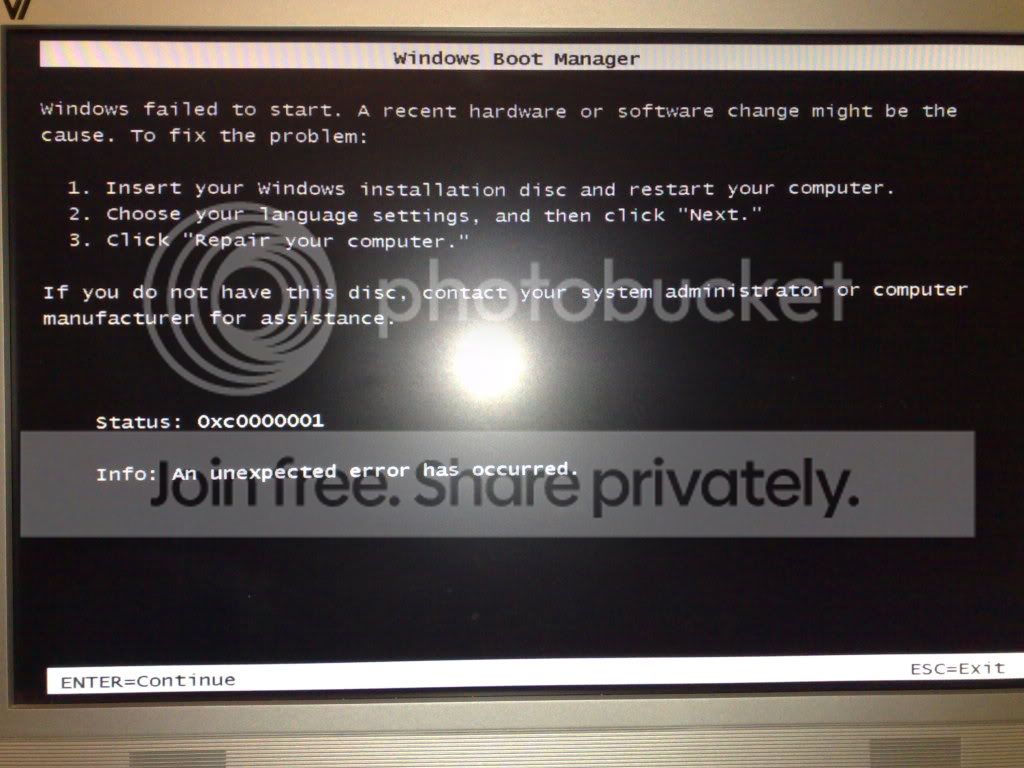
I've been trying to install Windows 7, and so far I've got right to the final stage of actually installing but I've faced some problems.
After waiting for the installation menu to actually appear, I went through the normal setup just like Vista, where I selected my new empty 320GB hard drive and it continued to install. After finally getting to the end, it then came back to the start of the setup, where it asked me what hard drive to install it onto, and there were now 2, from the same hard drive but one was only 195MB free space, but it was the size of the whole drive.
I didn't go through the setup again, so I tried to boot from the hard drive, but it said "no boot manager" or something along those lines. I booted into the DVD again, but it said the same thing, and told me to press Ctrl+Alt+Del to restart.
So basically, no Windows 7. Maybe there was something wrong with the ISO?
After waiting for the installation menu to actually appear, I went through the normal setup just like Vista, where I selected my new empty 320GB hard drive and it continued to install. After finally getting to the end, it then came back to the start of the setup, where it asked me what hard drive to install it onto, and there were now 2, from the same hard drive but one was only 195MB free space, but it was the size of the whole drive.
I didn't go through the setup again, so I tried to boot from the hard drive, but it said "no boot manager" or something along those lines. I booted into the DVD again, but it said the same thing, and told me to press Ctrl+Alt+Del to restart.
So basically, no Windows 7. Maybe there was something wrong with the ISO?
My Computer
- Computer Manufacturer/Model Number
- Custom
- OS
- Windows 7 Ultimate 64-bit
- CPU
- Intel Core 2 Quad 3.00GHz
- Motherboard
- ASUSTeK P5Q SE2
- Memory
- 4.00GB DDR2
- Graphics Card(s)
- ATI Radeon HD 4670
- Monitor(s) Displays
- 24"
- Screen Resolution
- 1920x1080
- Hard Drives
- 500GB internal
1TB external
1TB external
320GB external