Hi there
I've answered the question in two parts - first running as a Virtual Machine and then about Dual boot in a REAL machine (or HOST as the terminology is).
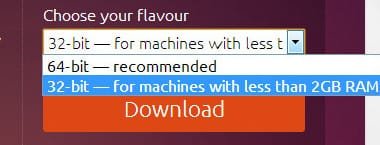
Provided your CPU has the Intel VT feature (or equivalent AMD feature) then you can of course run a 64 bit Virtual machine on a 32 bit Host - during the W7 trials (few years ago now) I used to run W7 X-64 VM's on a Windows XP Host.
What you have to do is either to ensure that both HOST and VM don't access more than 4GB RAM (Host 32 bit limitation) or if your virtualisation program can use PAE then by enabling that then your 64 bit VM can access more memory.
The PAE mode is how things like the good old W2003 Server - although a 32 bit OS could access more than 4GB pf memory on enabled CPU's.
For more details there's info on the Virtualisation forums.
(Incidentally even if you DON'T have the VT feature you can always run 32 bit VM's - although any modern hardware will certainly have all these features).
For running in REAL mode as a dual boot system --my take on Dual boot is that as virtualisation is SO good these days you really don't need dual boot any more - then if the CPU is 64 bit capable then it will run Ubuntu without difficulty.
Don't discard using VM's though -- far better in 99.9% of cases than dual boot and virtualisation systems are so good these days they'll run at almost native speed. 3D and graphics acceleration are usually available now so even some quite intensive games will run although if you are a serious gamer a dedicated Windows machine is probably the best bet. Modern VM's also will work well with almost any sort of hardware so unless you have some really special hardware using a VM shouldn't cause any problem whatsoever.
I'm currently running XP, W7, W8.1 AND W10 (I.e a total of 4 VM's !!) all concurrently under a Linux CENTOS 7 x-64 Host on an HP envy laptop with 8GB RAM and a decent SSD. Cpu is an i5 - performance is fine even with all 4 VM's running. All are x-64 except of course the XP system.
My Windows 10 VM is running MEZZMO (a Video Server streamer) and I haven't had ANY problems with response to watching the streamed movies on my remote TV / blu ray players.
I recommend forget dual boot and go the VM route. The VM's are portable too -- simply use them on another machine if you need to switch machines.
Cheers
jimbo