I have an Asus laptop and I am trying to install a clean version of Windows 7. The DVD that I am using is NOT SP1 so I am installing Windows 7 and then applying the updates. All of the drivers and updates have installed but every time I try to install anything related to the Windows Intel Graphics driver, the PC restarts and shows the BSOD. So I know it is the Intel driver. I am using the driver from the Asus website. I have not gone directly to Intel but I will and download the driver from the Intel site.
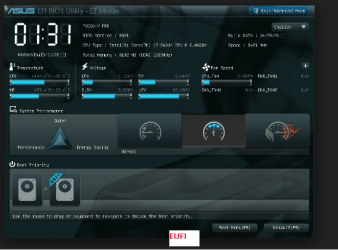
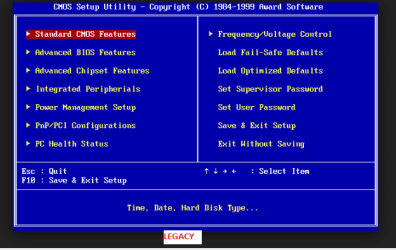
I have read in other forums that this may be related to UEFI and that I should have disabled UEFI when I installed Windows. I have also read that I should install SP1 first and then install the Intel Graphics driver. There are two updates left. One is SP1 and the other is Intel Graphics update. Should I try to install the SP1 first and then the Intel Graphics driver?
Thanks
I have read in other forums that this may be related to UEFI and that I should have disabled UEFI when I installed Windows. I have also read that I should install SP1 first and then install the Intel Graphics driver. There are two updates left. One is SP1 and the other is Intel Graphics update. Should I try to install the SP1 first and then the Intel Graphics driver?
Thanks
My Computer
- Computer type
- PC/Desktop
- Computer Manufacturer/Model Number
- ASRock Z97 Extreme6 LGA 1150
- OS
- Windows 7 64 bit
- CPU
- Intel Core i7-4790k Devil's Canyon Quad-Core
- Motherboard
- ASRock Z97 Extreme6 LGA 1150
- Memory
- 1 x G.Skill Sniper Series 8GB (2 x 4GB) 240 Pin SDRAM DDR3
- Graphics Card(s)
- Sapphire Radeon R7 260X 100366-2L 2Gb 128 Bit PCI Express
- Sound Card
- Built on Motherboard
- Monitor(s) Displays
- DELL FLAT SCREEN
- Hard Drives
- Western Digital Blue WD10EZEX 1TB 7200 RPM 64MB
- PSU
- Rosewill Stallion Series
- Cooling
- FANS: CPU, BACK, FRONT & TOP
- Keyboard
- STANDARD
- Mouse
- KENSINGTON
- Internet Speed
- U-VERSE