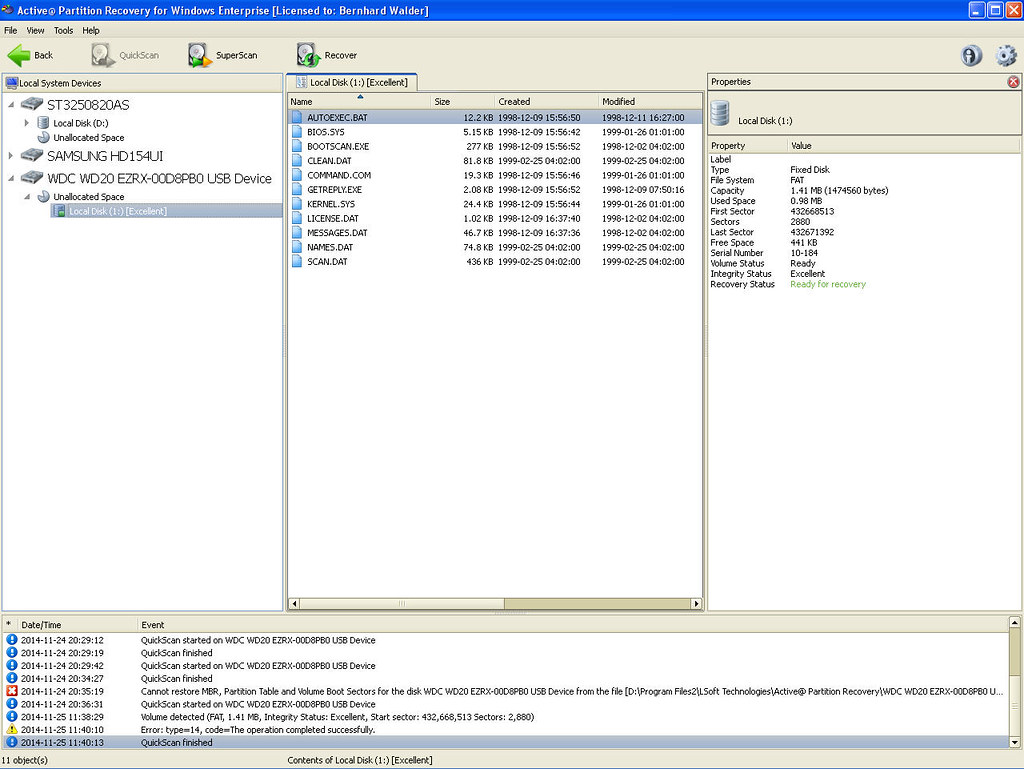
Hi, I probably have to explain past chain of events which might explain the cause/problem.
Prior to this, the 2TB internal SATA HDD was used for data storage via external USB toaster and it can be used for my windows XP pc and windows 7 notebook as external storage.
I hooked it into my pc via the SATA connectors (not usb toaster anymore) and also added another new 3TB HDD to the SATA connectors and booting pc via another USB drive with windows 7 installation. I wanted to install windows 7 to the new 3TB HDD but had issues because of the GPT area and my pc had old BIOS.
I did many things and googled many things but the following may be the only possible cause to my problem:
Shift and F10
type " diskpart.exe " hit return
then convert the disk to GPT with formatted partition as follows
type " list disk " hit return
type " Select disk 0" hit return ( this will select the 3tb hdd)
type " clean " hit return
type " convert GPT " hit return
type " create partition primary size=102400 " hit return
type " select partition 1 " hit return
type " format " hit return
exit
exit
Not sure the above was the reason, but above was meant to select the new 3tB HDD, it could have affected the connected 2TB HDD too.
I gave up trying to install windows 7 to the new 3TB HDD, disconnected it. Then I tried to install windows 7 to the 2TB HDD and this was when I noticed it could not be detected for installation (Windows installation error code:0xC0000005).
So I plugged it back into my external USB toaster and my pc/notebook can't detect the HDD anymore and requests to format it. I can see it on DISK MANAGEMENT though.
I've tried using TESTDISK7 but it couldn't recover anything, there was a FAT32 boot error during the full scan.
Tried WESTERN DIGITAL DATA LIFEGUARD DIAGNOSTICS but nothing recoverable.
Tried PARAGON HARD DISK MANAGER 11, I can see the volume and my data/folders etc. but can't see it as physical drive. I can't do anything eg. recreate MBR, recover partition, etc.
Please help.
Prior to this, the 2TB internal SATA HDD was used for data storage via external USB toaster and it can be used for my windows XP pc and windows 7 notebook as external storage.
I hooked it into my pc via the SATA connectors (not usb toaster anymore) and also added another new 3TB HDD to the SATA connectors and booting pc via another USB drive with windows 7 installation. I wanted to install windows 7 to the new 3TB HDD but had issues because of the GPT area and my pc had old BIOS.
I did many things and googled many things but the following may be the only possible cause to my problem:
Shift and F10
type " diskpart.exe " hit return
then convert the disk to GPT with formatted partition as follows
type " list disk " hit return
type " Select disk 0" hit return ( this will select the 3tb hdd)
type " clean " hit return
type " convert GPT " hit return
type " create partition primary size=102400 " hit return
type " select partition 1 " hit return
type " format " hit return
exit
exit
Not sure the above was the reason, but above was meant to select the new 3tB HDD, it could have affected the connected 2TB HDD too.
I gave up trying to install windows 7 to the new 3TB HDD, disconnected it. Then I tried to install windows 7 to the 2TB HDD and this was when I noticed it could not be detected for installation (Windows installation error code:0xC0000005).
So I plugged it back into my external USB toaster and my pc/notebook can't detect the HDD anymore and requests to format it. I can see it on DISK MANAGEMENT though.
I've tried using TESTDISK7 but it couldn't recover anything, there was a FAT32 boot error during the full scan.
Tried WESTERN DIGITAL DATA LIFEGUARD DIAGNOSTICS but nothing recoverable.
Tried PARAGON HARD DISK MANAGER 11, I can see the volume and my data/folders etc. but can't see it as physical drive. I can't do anything eg. recreate MBR, recover partition, etc.
Please help.
My Computer
At a glance
XP 32 bit
- Computer type
- PC/Desktop
- Computer Manufacturer/Model Number
- custom build
- OS
- XP 32 bit