- Local time
- 7:12 PM
- Messages
- 329
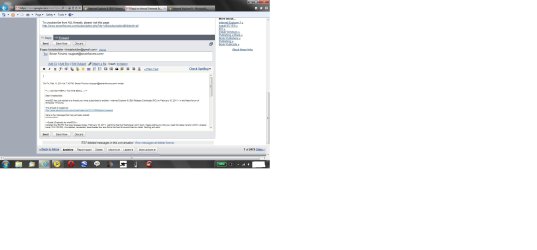
OK. Here is the problem. In Gmail, the first that that catches the eye is the "Archive" button" which is in Bold (always is by default). But in the RC is seems to be blurred a bit. Secondly, when I reply to a mail, the font setting is very small. I have to go to the Font button to reset it to "normal" size. But it reverts back to the very small size the next time.
The same thing used to happen with the Beta but I fixed that by going into the compatibility setting and checking the option to use MS generated web lists. But that fix does not work in Gmail.
I did reinstall the RC, but the problem remains.[/QUOTE]
The Archive is the same ..:

Yes the font is set small in default ,
can't find the way to set it either.
The same thing used to happen with the Beta but I fixed that by going into the compatibility setting and checking the option to use MS generated web lists. But that fix does not work in Gmail.
I did reinstall the RC, but the problem remains.[/QUOTE]
The Archive is the same ..:
Yes the font is set small in default ,
can't find the way to set it either.
My Computer
At a glance
WDS 7 Home Pre.x64Intel Core i5 2450M @ 2.50GHz8GB Kingston[2x4] Dual-Channel DDR3 @ 1333MHzAMD Radeon(TM) HD 6470M + Intel(R) HD Graph 3000
- Computer type
- Laptop
- Computer Manufacturer/Model Number
- Sony Vaio VPC-SE23FXS
- OS
- WDS 7 Home Pre.x64
- CPU
- Intel Core i5 2450M @ 2.50GHz
- Memory
- 8GB Kingston[2x4] Dual-Channel DDR3 @ 1333MHz
- Graphics Card(s)
- AMD Radeon(TM) HD 6470M + Intel(R) HD Graph 3000
- Hard Drives
- TOSHIBA MK6459GSXP 600GB x 5400RPM (SATA)


 Typo in the Russian version.