Internet Explorer 9 (IE9) Release Candidate (RC) on February 10, 2011

OK. Here is the problem. In Gmail, the first that that catches the eye is the "Archive" button" which is in Bold (always is by default). But in the RC is seems to be blurred a bit. Secondly, when I reply to a mail, the font setting is very small. I have to go to the Font button to reset it to "normal" size. But it reverts back to the very small size the next time.

The same thing used to happen with the Beta but I fixed that by going into the compatibility setting and checking the option to use MS generated web lists. But that fix does not work in Gmail.

I did reinstall the RC, but the problem remains.[/QUOTE]

The Archive is the same ..:

2-11-2011 12-07-12 AM.jpg

Yes the font is set small in default ,
can't find the way to set it either.
 

My Computer My Computer

At a glance

WDS 7 Home Pre.x64Intel Core i5 2450M @ 2.50GHz8GB Kingston[2x4] Dual-Channel DDR3 @ 1333MHzAMD Radeon(TM) HD 6470M + Intel(R) HD Graph 3000
Computer type
Laptop
Computer Manufacturer/Model Number
Sony Vaio VPC-SE23FXS
OS
WDS 7 Home Pre.x64
CPU
Intel Core i5 2450M @ 2.50GHz
Memory
8GB Kingston[2x4] Dual-Channel DDR3 @ 1333MHz
Graphics Card(s)
AMD Radeon(TM) HD 6470M + Intel(R) HD Graph 3000
Hard Drives
TOSHIBA MK6459GSXP 600GB x 5400RPM (SATA)
OK. Here is the problem. In Gmail, the first that that catches the eye is the "Archive" button" which is in Bold (always is by default). But in the RC is seems to be blurred a bit. Secondly, when I reply to a mail, the font setting is very small. I have to go to the Font button to reset it to "normal" size. But it reverts back to the very small size the next time.

The same thing used to happen with the Beta but I fixed that by going into the compatibility setting and checking the option to use MS generated web lists. But that fix does not work in Gmail.

I did reinstall the RC, but the problem remains.

The Archive is the same ..:

View attachment 137793

Yes the font is set small in default ,
can't find the way to set it either.[/QUOTE]


Thanks. But no, on my machine, the "Archive" button is not the same. You can make out the difference if you change the compatibility settings. If you do that you will see that the font size of the Archives button is regular bold and the messages have normal font size which gmail remembers.

No...I think there is a problem on the Gmail site. I asked a few of my colleagues and they seem to have the same problem.
 

My Computer My Computer

At a glance

Win 7 Professional 64bit
OS
Win 7 Professional 64bit
blimey, the hardware acceleration is amazing - great stuff, MS..:geek::geek:
 

My Computer My Computer

At a glance

Windows10 Pro - 64Bit vs.10547i7-965 Extreme Edition (8 Cores) at 3.3GHz (n...12G Corsair Dominator DDR3 - tripled2xAMD SapphireNITRO R9 380(4G) crossfire
Computer type
PC/Desktop
Computer Manufacturer/Model Number
benchtec, built to personal specs
OS
Windows10 Pro - 64Bit vs.10547
CPU
i7-965 Extreme Edition (8 Cores) at 3.3GHz (no OC)
Motherboard
BloodRageX58 (Socket1366)
Memory
12G Corsair Dominator DDR3 - tripled
Graphics Card(s)
2xAMD SapphireNITRO R9 380(4G) crossfire
Sound Card
Sonar(SB)X-Fi onboard
Monitor(s) Displays
SyncMaster P2050 20"
Screen Resolution
1600x900 (widescreen)
Hard Drives
480G\OCZSolid3SSD, 64G\OCZVertex3SSD,60G\OCZVertex2SSD, 1TB\spinpointF1SATAHDD
PSU
1200w Power Station Gold
Case
ANTEC 900/2 all blue lights, etc..
Cooling
Noctua SE1366 NH-U12P - a tight fit, but a monster cooler!!
Keyboard
Logitech G19 (wired)
Mouse
Logitech G9 Laser (wired)
Internet Speed
150mb unlimited
Browser
IE11(RP)
Other Info
Xbox One, Nokia735 Windows10 mobile, LG HD/DVD/Blu-Ray r/w, CyberlinkPowerDVD15, LogitechZ5500-SS(5.1), LogitechG35Phones-SS(7.1),MSOffice 2007,CorelDrawX7,Painter2016, Wacom Intuos Pro-SE
This RC build is quite good and my Flash player on 64-bit IE didn't pop up any errors:)
The ActiveX Filter is helpful when you go to some website that loads a lot a players,
prevent the browser crashes.

Searching in googles now is very smooth,no delays
Personally still place the tab on the same level as the address bar,
becasue it gives me the biggest browser's area(not count F11 Fullscreen Mode)

That's because the 64bit IE 8 is no longer opening. If you pinned a shortcut to the taskbar for example like I did here for both and now have the RC on or browse directly to the "Program Files\Internat Explorer" folder to double click on the main exe file the IE 9 RC will still be what you see.
 

My Computers My Computers

  • At a glance

    W7 Ultimate x64/W10 Pro x64/W11 Pro Triple Bo...AMD Phenom II X4 975 Deneb 3.6ghz - 965 2nd r...Kingston Hyper X DDR3 1600 1.5v 16gb - Hyper ...MSI HD Radeon 5750 1gb - MSI HD Radeon 6450 o...
    Computer type
    PC/Desktop
    Computer Manufacturer/Model Number
    Custom builds = 2
    OS
    W7 Ultimate x64/W10 Pro x64/W11 Pro Triple Boot - Main PC W7 Remote PC Micro ATX W7 Pro x64/W11 Pro
    CPU
    AMD Phenom II X4 975 Deneb 3.6ghz - 965 2nd remote pc
    Motherboard
    Gigabyte GA-790XTA-UD4-Gigabyte GA-880GM-D2H remote pc
    Memory
    Kingston Hyper X DDR3 1600 1.5v 16gb - Hyper X Fury 8gb 2nd
    Graphics Card(s)
    MSI HD Radeon 5750 1gb - MSI HD Radeon 6450 on mini tower
    Sound Card
    Creative Labs X-Fi Xtreme Audio P - Realtek onooard 2nd case
    Monitor(s) Displays
    ASUS VW199T-P 19" HP 2082a Main-HP 2082a 20" remote pc
    Screen Resolution
    Asus 1440x900 - HP 1600x900
    Hard Drives
    WD Black 1TB HD per OS W7, W10, and pending W11 presently on 500gb OS Drive - Pending Triple 1TB HDs for Spanned Storage/backup volume
    Single 2TB external USB enclosure, single 1TB System 7 Host/Boot drive, Pending 8TB external HD for system image b
    PSU
    Corsair 750TX - primary / Corsair CX600 - second
    Case
    Antec 900-2 - SSD compatible / NZXT Vulcan mini tower
    Cooling
    Zalman CNPS9900A
    Keyboard
    AZIO L70 Backlit Letters Gaming - ONN Cordless/USB
    Mouse
    MSI DS200 Programmable, Logitech Cordless
    Internet Speed
    30mbps upgrade - primary hard wired - mini tower usb WiFi
    Antivirus
    GFI VIPRE Internet Security 2014 on W7 2016 beta on W10,
    Browser
    Cyberfox, WaterFox 64bit FF variants, FireFox x64, Pale Moon
    Other Info
    Accomdata fan cooled usb 2.0 PIDE/Sata II, III external enclosure.
    Sambient usb/eSata PATA/Sata II, III external enclosure.
  • At a glance

    W7 Pro x64/W11 ProAMD Deneb 3.6ghz - 965Kingston Hyper X Fury 8gbMSI HD Radeon 6450 DVI Output
    Computer type
    PC/Desktop
    System Manufacturer/Model Number
    CUSTOM ASSEMBLY
    OS
    W7 Pro x64/W11 Pro
    CPU
    AMD Deneb 3.6ghz - 965
    Motherboard
    Gigabyte GA-880GM-D2H remote pc
    Memory
    Kingston Hyper X Fury 8gb
    Graphics Card(s)
    MSI HD Radeon 6450 DVI Output
    Sound Card
    Realtek onooard Creative or Other separate PENDING
    Monitor(s) Displays
    VIZIO 32" LCD TV Separate LCD Pending
    Screen Resolution
    1600x1080
    Hard Drives
    WD 500GB OS Host/Boot WD Green 1TB Storage/Backup
    PSU
    Corsair 600W - THERMALTAKE 600W spare case
    Case
    NZXT Vulcan mini tower
    Cooling
    Twin 120mm Top Fans - 240mm Side Cover
    Keyboard
    ONN Cordless/USB Logitech Cordless
    Mouse
    ONN USB/Cordless - Logitech Cordless
    Internet Speed
    DSL 5G
    Browser
    MS Edge, FireFox, WaterFox x64, FireFox Nightly
    Other Info
    OS Testing-Remote Access to Main TeamViewer
The Gmail issue disappears if I remove the Rich Text Formatting. As plain text it works fine - font sizes included. It's a shame that Rich Text Formatting does not seem to work on my set up.

Is there any way by which - as much as I don't want to - I can revert to the Beta version? The RC is disappointing in so far as Gmail is concerned and since I am on it all the time, this becomes an operational problem for me.

Additionally, I think there is also a problem with the DISQUS commenting system on various sites (the one I checked most recently is Wired (www.wired.com))

Oh Well...I guess it is back to Chrome for me (unfortunately).
 

My Computer My Computer

At a glance

Win 7 Professional 64bit
OS
Win 7 Professional 64bit
Can't find a good reason to use it instead of Chrome.

because some of us actually use a vast number of sites that are IE only and chrome can't handle, so having an upgraded IE thats pretty much as fast as Chrome that works so far on every site I throw at it with all features. I'll take it.

SharePoint for example, try it on Chrome, it's dumbed down. IE9 you get full features in an upgraded fast browser.

I'm loving the RC, they fixed so far all my complaints I hated about beta. Most all my older admin sites woudln't work, and they all have worked so far! 2 thumbs up!

Have yet to encounter one of those sites. And I could use the IE tab extension for that anyway. Also, on my machine it's noticeably slower than Chrome.
 

My Computer My Computer

At a glance

Windows 7 Ultimate x64
OS
Windows 7 Ultimate x64
I just got to getting the RC on here and right away it was noticably faster. I still have to get used to seeing the home page icon and favorites on the opposite side. Won't need the command bar displayed anymore however. :D
 

My Computers My Computers

  • At a glance

    W7 Ultimate x64/W10 Pro x64/W11 Pro Triple Bo...AMD Phenom II X4 975 Deneb 3.6ghz - 965 2nd r...Kingston Hyper X DDR3 1600 1.5v 16gb - Hyper ...MSI HD Radeon 5750 1gb - MSI HD Radeon 6450 o...
    Computer type
    PC/Desktop
    Computer Manufacturer/Model Number
    Custom builds = 2
    OS
    W7 Ultimate x64/W10 Pro x64/W11 Pro Triple Boot - Main PC W7 Remote PC Micro ATX W7 Pro x64/W11 Pro
    CPU
    AMD Phenom II X4 975 Deneb 3.6ghz - 965 2nd remote pc
    Motherboard
    Gigabyte GA-790XTA-UD4-Gigabyte GA-880GM-D2H remote pc
    Memory
    Kingston Hyper X DDR3 1600 1.5v 16gb - Hyper X Fury 8gb 2nd
    Graphics Card(s)
    MSI HD Radeon 5750 1gb - MSI HD Radeon 6450 on mini tower
    Sound Card
    Creative Labs X-Fi Xtreme Audio P - Realtek onooard 2nd case
    Monitor(s) Displays
    ASUS VW199T-P 19" HP 2082a Main-HP 2082a 20" remote pc
    Screen Resolution
    Asus 1440x900 - HP 1600x900
    Hard Drives
    WD Black 1TB HD per OS W7, W10, and pending W11 presently on 500gb OS Drive - Pending Triple 1TB HDs for Spanned Storage/backup volume
    Single 2TB external USB enclosure, single 1TB System 7 Host/Boot drive, Pending 8TB external HD for system image b
    PSU
    Corsair 750TX - primary / Corsair CX600 - second
    Case
    Antec 900-2 - SSD compatible / NZXT Vulcan mini tower
    Cooling
    Zalman CNPS9900A
    Keyboard
    AZIO L70 Backlit Letters Gaming - ONN Cordless/USB
    Mouse
    MSI DS200 Programmable, Logitech Cordless
    Internet Speed
    30mbps upgrade - primary hard wired - mini tower usb WiFi
    Antivirus
    GFI VIPRE Internet Security 2014 on W7 2016 beta on W10,
    Browser
    Cyberfox, WaterFox 64bit FF variants, FireFox x64, Pale Moon
    Other Info
    Accomdata fan cooled usb 2.0 PIDE/Sata II, III external enclosure.
    Sambient usb/eSata PATA/Sata II, III external enclosure.
  • At a glance

    W7 Pro x64/W11 ProAMD Deneb 3.6ghz - 965Kingston Hyper X Fury 8gbMSI HD Radeon 6450 DVI Output
    Computer type
    PC/Desktop
    System Manufacturer/Model Number
    CUSTOM ASSEMBLY
    OS
    W7 Pro x64/W11 Pro
    CPU
    AMD Deneb 3.6ghz - 965
    Motherboard
    Gigabyte GA-880GM-D2H remote pc
    Memory
    Kingston Hyper X Fury 8gb
    Graphics Card(s)
    MSI HD Radeon 6450 DVI Output
    Sound Card
    Realtek onooard Creative or Other separate PENDING
    Monitor(s) Displays
    VIZIO 32" LCD TV Separate LCD Pending
    Screen Resolution
    1600x1080
    Hard Drives
    WD 500GB OS Host/Boot WD Green 1TB Storage/Backup
    PSU
    Corsair 600W - THERMALTAKE 600W spare case
    Case
    NZXT Vulcan mini tower
    Cooling
    Twin 120mm Top Fans - 240mm Side Cover
    Keyboard
    ONN Cordless/USB Logitech Cordless
    Mouse
    ONN USB/Cordless - Logitech Cordless
    Internet Speed
    DSL 5G
    Browser
    MS Edge, FireFox, WaterFox x64, FireFox Nightly
    Other Info
    OS Testing-Remote Access to Main TeamViewer
This might help those of you with limited bandwidth that need to install IE9 on more than one computer.

Download Languages for Internet Explorer 9

The downloads given from this page appear to be the offline installers for Internet Explorer 9...
 

My Computer My Computer

At a glance

Windows 7 Professional 32-bit SP1AMD A4/A63.00GB EDOVMware SVGA 3D
Computer type
PC/Desktop
Computer Manufacturer/Model Number
Virtual Machine
OS
Windows 7 Professional 32-bit SP1
CPU
AMD A4/A6
Motherboard
Intel Corporation 440BX Desktop Reference Platform
Memory
3.00GB EDO
Graphics Card(s)
VMware SVGA 3D
Sound Card
High Definition Audio Device
Monitor(s) Displays
Generic Non-PnP Monitor on VMware SVGA 3D
Screen Resolution
1440x900
Hard Drives
1 x 60GB VMware Virtual SATA Hard Drive ATA Device
Antivirus
Kaspersky Total Security
OK...here is what I find after testing Gmail out on IE9 RC.

Apparently, there is a problem with rendering Rich Formatting on IE9 on my machine. Two things are noticeable: (1) The slight blurring of the fonts and (2) the default setting of font-size being set to "small". You can change it manually every time you compose a mail, but the next time it will revert back to the default status.

One place where the problem with the Rich Formatting is very noticeable is when you go to the settings page of Gmail. If you have a signature which you have saved in Rich Formatting, it will appear in a "small" font size and there is no way to change it. This is because you cannot (or, at least, I cannot on the RC install on my machine) select the contents of the text box provided for custom signatures. If you change to Plain Text only, then everything works - both on the Settings page AND when creating or replying to an email.

Since I don't have the problem in either Chrome (which is the most recent and stable version - 9.xxx something) or on Opera (also the most recent and updated version), I think the problem is with IE9 RC. I also don't have a problem with how things are rendered on other sites with IE9 like - my Hotmail account etc.

But then again, only a very few of you have reported this problem - though quite a few of my colleagues are reporting the same problem.

I did file a report on this with MS. Btw, the DISQUS problem also remains.
 

My Computer My Computer

At a glance

Win 7 Professional 64bit
OS
Win 7 Professional 64bit

My Computer My Computer

At a glance

Windows 7 Home Premium x64 SP1intel(R)core(TM)2 duo CPU T6600 @ 2.20GHz3 gb ddr3ati radeon hd4570/512mb
Computer Manufacturer/Model Number
acer aspire 5935g
OS
Windows 7 Home Premium x64 SP1
CPU
intel(R)core(TM)2 duo CPU T6600 @ 2.20GHz
Motherboard
intel gm45/gm47 revision 07
Memory
3 gb ddr3
Graphics Card(s)
ati radeon hd4570/512mb
Monitor(s) Displays
lop156wh2-tle1 15.3 flat
Screen Resolution
1366x768
Hard Drives
OCZ-Agility3 60gig ssd
320gig external hdd
500gig external hdd
Mouse
Optical
Internet Speed
30Mbps Down/30Mbps Up
:p Typo in the Russian version.
ie9v.jpg

Hopefully, the repetition of the word "who" in the RTM will not.
 

My Computer My Computer

At a glance

Windows 7 Enterprise SP1 64-bit.Intel Core 2 Duo E8500 3.16GHz 1333MHz 6Mb LG...DIMM DDR2 2048MB PC6400 800MHz Kingston -8GbATI Radeon HD4850 512MB 128bit DDR2
Computer Manufacturer/Model Number
Desctop
OS
Windows 7 Enterprise SP1 64-bit.
CPU
Intel Core 2 Duo E8500 3.16GHz 1333MHz 6Mb LGA775
Motherboard
Gigabyte LGA775 GA-EP45-UD3LR P45/ICH10R 4xDDR2-1366 P
Memory
DIMM DDR2 2048MB PC6400 800MHz Kingston -8Gb
Graphics Card(s)
ATI Radeon HD4850 512MB 128bit DDR2
Monitor(s) Displays
Acer LCD 23" H233H
Screen Resolution
1920x1080
Hard Drives
SATA-II 1Tb Hitachi Deskstar 7K1000.C 7200rpm [HDS721010CLA332] Cache 32MB - 2 Tb
sorry to ask this but why is RC so slow in opening website's compaire to BETA1 was so fast to open all kind of website's ?
hm :(
the RC seem slower then BETA
 

My Computer My Computer

At a glance

windows 7 32 ult
OS
windows 7 32 ult
sorry to ask this but why is RC so slow in opening website's compaire to BETA1 was so fast to open all kind of website's ?
hm :(
the RC seem slower then BETA

Speed depends on your PC performance :)
 

My Computer My Computer

At a glance

Windows 10 Pro x64, Arch LinuxIntel Core 2 Quad Q8200 OC'd 3.08GHz8GB DDR2 900MhzMSI GT730 2GB GDDR5 (Kepler)
Computer type
PC/Desktop
Computer Manufacturer/Model Number
Custom Build
OS
Windows 10 Pro x64, Arch Linux
CPU
Intel Core 2 Quad Q8200 OC'd 3.08GHz
Motherboard
Asus Rampage formula LGA775
Memory
8GB DDR2 900Mhz
Graphics Card(s)
MSI GT730 2GB GDDR5 (Kepler)
Sound Card
Supreme FX2
Monitor(s) Displays
Samsung LS22F350 LED
Screen Resolution
1080P
Hard Drives
Kingston SSDNow UV400 120GB, 500GB Hitachi, 2TB Samsung, 500GB Seagate FreeAgent, 640GB Samsung, 160GB Toshiba (Arch)
PSU
AeroCool 500W Bronze
Cooling
Cooler Master V6 + 3X fans
Keyboard
Prolink keyboard
Mouse
Logitech M705
Internet Speed
1MiB/s
Browser
Chrome Beta
Flash Player broken IE9 RC

Installed the IE9 RC that was released today, February 10, 2011. Lightning fast but flashplayer won't work. Keeps telling you that you need the latest version which I already have (10.2.152.26). Uninstalled, reinstalled, downloaded the .exe file to the hard drive and tried to install. Nothing will work.

Tried the adobe help forum and can't even get connected. I am sure they are getting swamped with people trying to get the flashplayer working. I confirmed the problem by installing IE9 on my netbook with the same results. Anybody receiving information on a fix please post.

Update:

Problem: Installed IE9 RC over a perfectly working IE8 and ended up with a non functioning Flash Player.

Fix: Reset all Internet Options to default. Open IE9. Click the "Tools" gear at the upper right > Select "Internet Options" > Select the "Advanced" tab at the top > Near the bottom of the screen you will see "Reset Internet Explorer's settings to their default condition" > Click the "Reset" button then click "Reset" again on the warning popup> Exit IE and then open again for the settings to take effect.

Theory: IE9 imports your existing Internet Options from your previous IE* installation. Some of those settings get corrupted or just plain old interfere with the new installs function. If you are having problems with IE9 not working as you expect, give this a try.
 

My Computer My Computer

At a glance

Win 7 Professional and Windows 8 Professional
OS
Win 7 Professional and Windows 8 Professional
Here are some pics depicting what happens in Gmail with the RC. Interestingly, I found that this forum also does not work as it should. For example, I am unable to attach files, links etc to posts. This does not happen in Chrome to which I am returning to till IE can get itself fixed.

While in terms of looks, IE9 RC looks great and it is indeed snappy, there are too many issues with it at the moment - so, I am going back to Chrome.

The first pic is with Gmail in compatibility mode and the second is not. Note the way the Archives button is rendered in both.

Edit: Btw, the Bug report tool was not working in my version of the RC. So I attempted to fix the problem but could not. See the image below for the error that I am getting. Any help would be greatly appreciated.
 

Attachments

  • Gmail1 in IE9RC.jpg
    Gmail1 in IE9RC.jpg
    30.7 KB · Views: 25
  • Gmail2 in IE9RC.jpg.png
    Gmail2 in IE9RC.jpg.png
    22.9 KB · Views: 26
  • Feedback tool install error.jpg
    Feedback tool install error.jpg
    128.9 KB · Views: 23

My Computer My Computer

At a glance

Win 7 Professional 64bit
OS
Win 7 Professional 64bit
Read my post #274 above and give it a go. I had a broken Flash Player and some pages not displaying properly that magically started displaying correctly after a reset.
 

My Computer My Computer

At a glance

Win 7 Professional and Windows 8 Professional
OS
Win 7 Professional and Windows 8 Professional
Read my post #274 above and give it a go. I had a broken Flash Player and some pages not displaying properly that magically started displaying correctly after a reset.

Thanks. I tried it but it does not help my situation. I really find this strange. Everything worked in the Beta but not in the RC. Very strange indeed!
 

My Computer My Computer

At a glance

Win 7 Professional 64bit
OS
Win 7 Professional 64bit
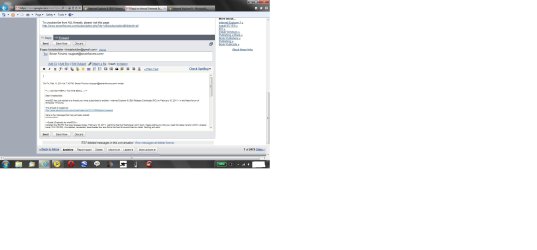
Here is what Gmail looks like in IE9 RC...take a look...notice the ultra small text. This cannot be enlarged. This only happens in the Rich Formatted version.
 

Attachments

  • Gmail on IE9RC.jpg
    Gmail on IE9RC.jpg
    107.5 KB · Views: 749

My Computer My Computer

At a glance

Win 7 Professional 64bit
OS
Win 7 Professional 64bit
That feature is ESSENTIAL for backing out of a LOT of webpages that "trap" you. I use it daily and it's not visible on the IE9 screen shots...

I appretiate minimalism but when it glaringly interferes with daily use of such an important tool... we may be heading into Mac territory here.

Thanks fseal. That's what I keep saying! By the way, I didn't see the Refresh icon on John's screenshot. Does anyone know where it is?
 

My Computer My Computer

At a glance

Vista 64 bit and 32 bit (SP2)Intel(R) Core(TM)2 Duo Processor T9400 (2.53 GHz4GB DDR2 System Memory (2 Dimm)512 MB NVIDIA GeForce 9600M GT
Computer Manufacturer/Model Number
HP Pavillion dv5t (generation 1)
OS
Vista 64 bit and 32 bit (SP2)
CPU
Intel(R) Core(TM)2 Duo Processor T9400 (2.53 GHz
Memory
4GB DDR2 System Memory (2 Dimm)
Graphics Card(s)
512 MB NVIDIA GeForce 9600M GT
Monitor(s) Displays
15.4" diagonal WSXGA+ High-Definition HP BrightView Widescre
Screen Resolution
1680 x 1050
Hard Drives
320GB 5400RPM SATA Hard Drive with HP ProtectSmart Hard Drive Protection
Keyboard
Built-in HP
Mouse
Built in - Synaptics TouchPad V6.5 on PS/2 Port
Internet Speed
Max
Other Info
~ Intel Next-Gen Wireless-N Mini-card w/Bluetooth ~ Blu-Ray ROM DVD+/-R/RW ~ Integ. HDTV Hybrid Tuner ~ 12 Cell Battery ~ MS Office (Home Premium) 2007 ~
thanks fseal. That's what i keep saying! By the way, i didn't see the refresh icon on john's screenshot. Does anyone know where it is?

Capture.JPG

or

Capture1.JPG
 

My Computer My Computer

At a glance

Windows 7 Ultimate (SP1)AMD Sempron 3600+ATI Radeon Xpress 1150
Computer Manufacturer/Model Number
Vostro
OS
Windows 7 Ultimate (SP1)
CPU
AMD Sempron 3600+
Graphics Card(s)
ATI Radeon Xpress 1150
Screen Resolution
1200 x 800
Hard Drives
WD Scorpio Blue 500 GB
Back
Top