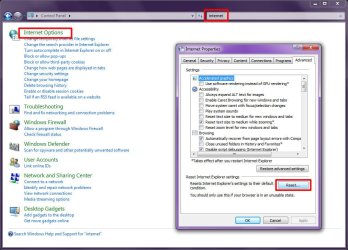
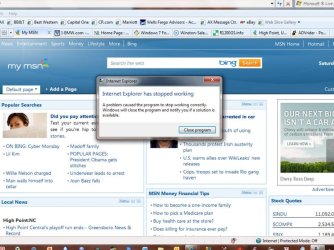
On my new Dell XPS, Windows keeps shutting down Internet Explorer. My older XP machines do not have this problem. Here's what the notices look like:

When I get this, I close the program, re-open IE and, usually, it loads fine. Today, I've gotten this message about a dozen time. It happens at my office, too. Any suggestions?
Mike
When I get this, I close the program, re-open IE and, usually, it loads fine. Today, I've gotten this message about a dozen time. It happens at my office, too. Any suggestions?
Mike
Attachments
My Computer
- Computer Manufacturer/Model Number
- Dell XPS
- OS
- Windows 7 Ultimate x64
- CPU
- Intel® Core™ i7-840QM (1.86GHz, 8 threads, turbo boost up to
- Memory
- 8 GB Shared Dual Channel DDR3 Memory
- Graphics Card(s)
- NVIDIA® GeForce® GT 435M 2GB graphics
- Hard Drives
- 640GB 7200 RPM SATA Hard Drive