internet shortcut

hashir

New member
Local time
12:37 AM
Messages
85
i had created internet shortcut by new->folder->web address my default browser is chrome please can someone help me i want to open it in new window instead of new tab???
 

My Computer My Computer

Computer type
PC/Desktop
Computer Manufacturer/Model Number
dell
OS
window 7 64 bits
Welcome to Seven Forums hashir. Try this:

Right click on your shortcut> Properties> You should find a field with an address like C:\Users\...\AppData\Local\Google\Chrome\Application\chrome.exe "http://(your web address)"> Add --new-window before the web address

You would now have

C:\Users\...\AppData\Local\Google\Chrome\Application\chrome.exe --new-window "http://(your web address)"

Save that and see if it opens a new window instead

A Guy
 

My Computer My Computer

Computer type
PC/Desktop
OS
Windows 10 Home x64
CPU
INTEL Core i5-750 Quad-Core 3.37GHz
Motherboard
ASUS P7P55D
Memory
HyperX Fury Black Series 8GB (2 x 4GB) 1866Mhz
Graphics Card(s)
EVGA GeForce GTX 750 Superclocked 1GB 128-Bit GDDR5
Monitor(s) Displays
LG 32MA68HY 32" IPS
Screen Resolution
1920 x 1080
Hard Drives
Samsung 840 Evo 120GB, SEAGATE 500GB Barracuda® 7200.12, SATA 3 Gb/s, 7200 RPM, 16MB cache
PSU
ANTEC TruePower New TP-550, 80 PLUS, 550W
Case
ANTEC Three Hundred Illusion
Cooling
COOLER MASTER Hyper 212 Plus, 4 x 120mm 1 x 140mm Noctua's
Internet Speed
85 + Mbps
Antivirus
Avast
Browser
Vivaldi
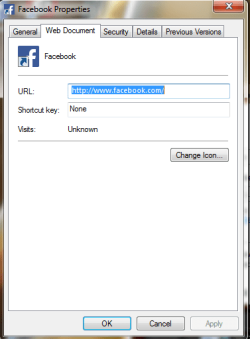
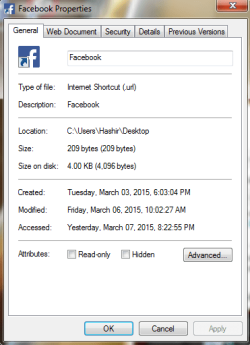
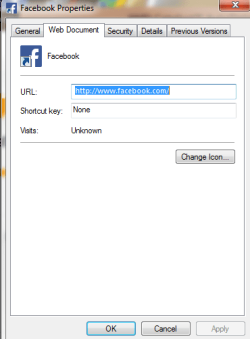
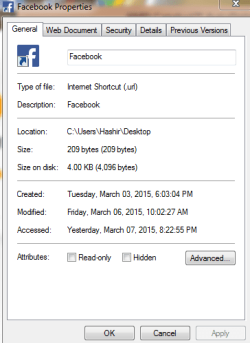
properties arenot showiing me any adress it does show me website url ????
 

My Computer My Computer

Computer type
PC/Desktop
Computer Manufacturer/Model Number
dell
OS
window 7 64 bits

My Computer My Computer

Computer type
PC/Desktop
OS
Windows 10 Home x64
CPU
INTEL Core i5-750 Quad-Core 3.37GHz
Motherboard
ASUS P7P55D
Memory
HyperX Fury Black Series 8GB (2 x 4GB) 1866Mhz
Graphics Card(s)
EVGA GeForce GTX 750 Superclocked 1GB 128-Bit GDDR5
Monitor(s) Displays
LG 32MA68HY 32" IPS
Screen Resolution
1920 x 1080
Hard Drives
Samsung 840 Evo 120GB, SEAGATE 500GB Barracuda® 7200.12, SATA 3 Gb/s, 7200 RPM, 16MB cache
PSU
ANTEC TruePower New TP-550, 80 PLUS, 550W
Case
ANTEC Three Hundred Illusion
Cooling
COOLER MASTER Hyper 212 Plus, 4 x 120mm 1 x 140mm Noctua's
Internet Speed
85 + Mbps
Antivirus
Avast
Browser
Vivaldi
yeah sure
hope u can help:)
 

Attachments

  • Capture.PNG
    Capture.PNG
    13.8 KB · Views: 26
  • Capture2.PNG
    Capture2.PNG
    15.4 KB · Views: 26

My Computer My Computer

Computer type
PC/Desktop
Computer Manufacturer/Model Number
dell
OS
window 7 64 bits
here
 

Attachments

  • Capture.PNG
    Capture.PNG
    10.2 KB · Views: 23
  • Capture1.PNG
    Capture1.PNG
    11.7 KB · Views: 23

My Computer My Computer

Computer type
PC/Desktop
Computer Manufacturer/Model Number
dell
OS
window 7 64 bits
Ahhh, ok, create a shortcut to chrome.exe and then modify that:

Navigate to C:\Users\(Your user name)\AppData\Local\Google\Chrome\Application\

Right click on chrome.exe and choose Create shortcut> Drag that shortcut to desktop, or wherever you want it> Right click on the shortcut and choose Rename> Name it whatever you want (Facebook)> Right click again and choose Properties> Shortcut tab> In Target field you'd want

C:\Users\(Your user name)\AppData\Local\Google\Chrome\Application\chrome.exe --new-window "http://www.facebook.com"

You can also change the icon below on same tab if you want. Sorry I can't test as I don't like/use chrome ;)

A Guy
 

My Computer My Computer

Computer type
PC/Desktop
OS
Windows 10 Home x64
CPU
INTEL Core i5-750 Quad-Core 3.37GHz
Motherboard
ASUS P7P55D
Memory
HyperX Fury Black Series 8GB (2 x 4GB) 1866Mhz
Graphics Card(s)
EVGA GeForce GTX 750 Superclocked 1GB 128-Bit GDDR5
Monitor(s) Displays
LG 32MA68HY 32" IPS
Screen Resolution
1920 x 1080
Hard Drives
Samsung 840 Evo 120GB, SEAGATE 500GB Barracuda® 7200.12, SATA 3 Gb/s, 7200 RPM, 16MB cache
PSU
ANTEC TruePower New TP-550, 80 PLUS, 550W
Case
ANTEC Three Hundred Illusion
Cooling
COOLER MASTER Hyper 212 Plus, 4 x 120mm 1 x 140mm Noctua's
Internet Speed
85 + Mbps
Antivirus
Avast
Browser
Vivaldi
thanks for the help is their any wat to open thr url shorcut to new tabs iit does open in new tab when using explorer as default browser?
and also the shorcut created by your help acting weird it open on botton left side of the screen
 

My Computer My Computer

Computer type
PC/Desktop
Computer Manufacturer/Model Number
dell
OS
window 7 64 bits
it opens new window on clicking the shortcut again is their any way wheen we click it again it open the same window if open???
 

My Computer My Computer

Computer type
PC/Desktop
Computer Manufacturer/Model Number
dell
OS
window 7 64 bits
Back
Top