
Hi does anyone know how to disable the pop ups that occur when you hover the cursor over the start button or the minimise - restore down - close or back - forward buttons in windows explorer. For instance when i hover the mouse cursor over the close window button in explorer after a short while a small box will pop up saying "Close" Duh!
Please no suggestions to untick, show pop-up description for folder and desktop items, its has no effect on this.
This has been around forever so i think maybe this cant be done. Please prove me wrong.
thanks.
Please no suggestions to untick, show pop-up description for folder and desktop items, its has no effect on this.
This has been around forever so i think maybe this cant be done. Please prove me wrong.
thanks.
My Computer
- OS
- windows 7 ulimate
- CPU
- QuadCore Intel Core 2 Quad Q6600, 3433 MHz
- Motherboard
- nVIDIA nForce 790i Ultra SLI
- Memory
- 4gb Crucial Ballistix BL12864BA1608.8SF DDR3-1066 DDR3 SDRAM
- Graphics Card(s)
- 2 x NVIDIA GeForce 8800 GTX (768 MB)
- Sound Card
- Realtek
- Monitor(s) Displays
- Samsung SyncMaster 2232BW
- Screen Resolution
- 1680 x 1050
- Hard Drives
- OCZ AGILITY SSD (59 GB
140gb WD Raptor
- PSU
- Coolermaster RealPower 1000W
- Case
- Coolermaster RC-1000 Cosmos
- Cooling
- Thermalright Ultra-120 Extreme


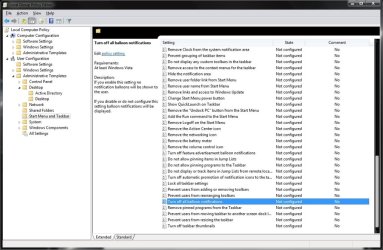
 I think sergiogarcia9 may be right, maybe it cant be done. Strange that microsoft removed the word START from the start button because it was confusing for some people new to computers, but left behind the stupid pop-up.

