Hi:
Registry cleaners = snake oil. Even MS does not recommend them:
https://support.microsoft.com/en-us/kb/2563254
Numerous other, reputable articles advise against the use of such "tweakers" and "optimizers" and "cleaners".
More likely to cause harm than good.
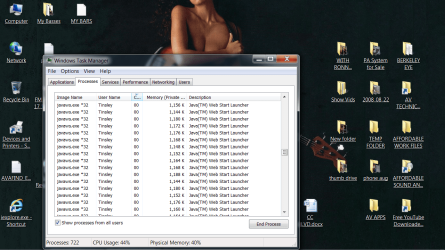
Aside from that, if you do not need Java (a.k.a. JRE, Java Runtime Environment), it would be best to fully and completely remove all traces from your system. Few programs or websites "require" it these days. And it is a significant security risk.
There are two removal tools:
JavaRa -- no longer being developed, but works fine for Win7; version 1.16 may be better than version 2
Oracle's own removal tool
As for the choice of AV, either free or paid, it's a common question with no "best" answer.
You'll need to find the one that best suits your personal taste, computing habits, system specs, budget, etc.
But most average users need ONE robust, up-to-date AV -- so you need to replace or update your expired AV.
Many users will supplement their AV with complementary protection from ONE real-time anti-malware (such as MBAM Premium or another product), and perhaps real-time anti-exploit protection (MBAE or HitmanPro Alert).
Spybot S&D is no longer held in high regard by most computer security experts. There are other, better, online and offline "second opinion" malware scanners.
I've never heard of "Startpage Gard" (or "Startpage Guard"), so I cannot comment. But there are well-established programs, such as WinPatrol that might provide the same feature.
NO software or combination of software can protect 100% of computers from 100% of malware 100% of the time. The most critical component is the part between the chair and the keyboard, through the practice of "safe hex". There are many authoritative resources at reputable computer help sites explaining home computer "best practices".
Cheers,
MM