
- Local time
- 6:53 PM
- Messages
- 38
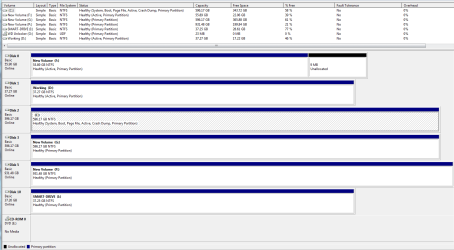
Just to clear my understanding: you mention that ' $Windows.~WS is probably the beginning of the Windows 10 upgrade download' then continue 'If you boot to the RE and look for that you can try using one of these commands until you find it...'
I do wish to stay with OS7 at present so should I still be looking at
DIR C:\$W*.*
DIR D:\$W*.*
DIR E:\$W*.*
etc.
and if so do I include the *
I just wish to understand how I search for the windows file in RE. This is all new to me, sorry if I'm slow on thee uptake.
I do wish to stay with OS7 at present so should I still be looking at
DIR C:\$W*.*
DIR D:\$W*.*
DIR E:\$W*.*
etc.
and if so do I include the *
I just wish to understand how I search for the windows file in RE. This is all new to me, sorry if I'm slow on thee uptake.
My Computer
At a glance
Windows 7 Home Premium 32bit service pack 12x Intel Pentium III Xeon 2500 mHz4 gb DDR2Video Adapter NVIDIA GeForce GTS 250
- Computer type
- PC/Desktop
- Computer Manufacturer/Model Number
- custom build
- OS
- Windows 7 Home Premium 32bit service pack 1
- CPU
- 2x Intel Pentium III Xeon 2500 mHz
- Motherboard
- ASUSTek P5KPL-AM IN/GB
- Memory
- 4 gb DDR2
- Graphics Card(s)
- Video Adapter NVIDIA GeForce GTS 250
- Sound Card
- ? Audio Adapter High Definition Audio Cointroller [NoDB]
- Monitor(s) Displays
- Philips 200WP 20" LCD
- Screen Resolution
- 1680x1050
- Hard Drives
- WDC WD6401AALS-00E8B0 (ATA) system 600 gb
WDC WD6402AAEX-0023A (SCSI) 600 gb
WD My Passport 0740 (USB) 1 tb
ST 340014A (ATA) 38 gb
ST 360014A (ATA)
- Keyboard
- Standard PS/2
- Mouse
- Microsft PS/2
- Internet Speed
- up to 100 mbs
- Antivirus
- Kaspersky Internet Security 2015
- Browser
- Firefox


 - now the question is whether that made any difference to your problems?

