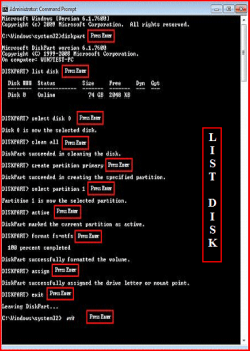
hello this is to who ever can help me.....
i have a laptop from some unknown company and it came with windows xp.
I later upgraded it to windows ultimate 32 bit . it installed perfectly fine and worked normally. i dual booted Ubuntu 11.04 with it . after a while i wiped the entire hdd. i tried to reinstall windows 7 again and it went on fine until it says setup will finish after restarting ( it usually gets stuck there ) or if it doesn't then it continues installing and it boots up into the screen where i type my name and password and all and then my mouse pad and keyboard will not work and not only that i acts all funny by not saving any settings not shutting down properly! this happens also with windows xp but not with Ubuntu 11.04 . One day i took a chance and did a clean install of win 7 and it worked perfectly fine again! stupid me dual booted Ubuntu again and it still worked fine! i accedenly formatted the windows partition and the win os went!!! the same instillation problem occurs when i try to install either windows xp or 7 ( the mouse pad or keyboard problems) the funny thing is an external usb mouse works fine . oh yeah i have no problem with installing Ubuntu any amount of times so any advice???
The specs of the laptop are:-
Intel Pentium processor
1.5 GB ddr3 ram
15.6 inch screen
inbuilt graphics
thanks in advance
Akinich
i have a laptop from some unknown company and it came with windows xp.
I later upgraded it to windows ultimate 32 bit . it installed perfectly fine and worked normally. i dual booted Ubuntu 11.04 with it . after a while i wiped the entire hdd. i tried to reinstall windows 7 again and it went on fine until it says setup will finish after restarting ( it usually gets stuck there ) or if it doesn't then it continues installing and it boots up into the screen where i type my name and password and all and then my mouse pad and keyboard will not work and not only that i acts all funny by not saving any settings not shutting down properly! this happens also with windows xp but not with Ubuntu 11.04 . One day i took a chance and did a clean install of win 7 and it worked perfectly fine again! stupid me dual booted Ubuntu again and it still worked fine! i accedenly formatted the windows partition and the win os went!!! the same instillation problem occurs when i try to install either windows xp or 7 ( the mouse pad or keyboard problems) the funny thing is an external usb mouse works fine . oh yeah i have no problem with installing Ubuntu any amount of times so any advice???
The specs of the laptop are:-
Intel Pentium processor
1.5 GB ddr3 ram
15.6 inch screen
inbuilt graphics
thanks in advance
Akinich
My Computer
At a glance
windows ultimate x86 , windows xp x86
- OS
- windows ultimate x86 , windows xp x86