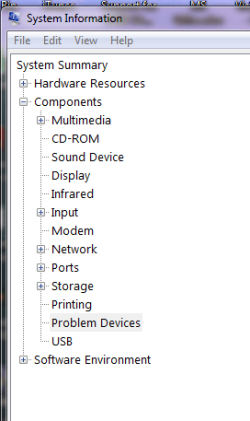
I've concluded there is some issue linking the PS/2 port and the BIOS..........and it needs sorting, please!
I've just put together the following: i5-2500K, Asus P8P67, 4 gb Corsair XMS RAM, Gigabyte ATI 6950 - all costing quite a bit of money and yet the whole sherbang is being let down by a keyboard issue.
The keyboard (a MS Natural Multimedia 1.0) plugged into the PS/2 port works (and has always worked) to allow access to BIOS. But once Windows 7 (Home Premium 64bit) is loaded, the device manager sees no keyboard.
So, this is what is happening. If I reboot and go back into BIOS (I have the latest ASUS BIOS for this board) and change the USB 2.0 setting, say from ENABLE to AUTO, save changes and exit, let Windows load, behold................the keyboard is there in DM and shows as a Standard PS/2 Keyboard (I have had the Intellitype drivers loaded but the DM doesn't seem to recognise the Keyboard by its MS official title, it just stayed as a Standard PS/2 Keyboard). That is how I'm typing this message now.
Now, if I shut down the computer and restart, the keyboard (after Windows is loaded) will cease to exist again until...................yes, you've guessed it, I shut down, go into BIOS, change the USB 2.0 setting (it doesn't seem to matter what to) and hey presto! A recognised and working keyboard!!!
This is a problem thousands are having and we must be talking about a component that costs pennies to add to the MB and probably to fix so come on MS and/or ASUS.... sort it please.
After some further checking, it would appear that a change to ANY setting in BIOS will cause the KB to reappear in DM; it's not specific to a change to USB settings.
I've just put together the following: i5-2500K, Asus P8P67, 4 gb Corsair XMS RAM, Gigabyte ATI 6950 - all costing quite a bit of money and yet the whole sherbang is being let down by a keyboard issue.
The keyboard (a MS Natural Multimedia 1.0) plugged into the PS/2 port works (and has always worked) to allow access to BIOS. But once Windows 7 (Home Premium 64bit) is loaded, the device manager sees no keyboard.
So, this is what is happening. If I reboot and go back into BIOS (I have the latest ASUS BIOS for this board) and change the USB 2.0 setting, say from ENABLE to AUTO, save changes and exit, let Windows load, behold................the keyboard is there in DM and shows as a Standard PS/2 Keyboard (I have had the Intellitype drivers loaded but the DM doesn't seem to recognise the Keyboard by its MS official title, it just stayed as a Standard PS/2 Keyboard). That is how I'm typing this message now.
Now, if I shut down the computer and restart, the keyboard (after Windows is loaded) will cease to exist again until...................yes, you've guessed it, I shut down, go into BIOS, change the USB 2.0 setting (it doesn't seem to matter what to) and hey presto! A recognised and working keyboard!!!
This is a problem thousands are having and we must be talking about a component that costs pennies to add to the MB and probably to fix so come on MS and/or ASUS.... sort it please.
After some further checking, it would appear that a change to ANY setting in BIOS will cause the KB to reappear in DM; it's not specific to a change to USB settings.
My Computer
At a glance
Windows 7 Home Premium 64bitIntel i5-2500KCorsair 4GB (2x2GB) DDR3 1600MHz/PC3-12800 XM...Gigabyte HD 6950 2GB GDDR5 Dual DVI HDMI Dual...
- OS
- Windows 7 Home Premium 64bit
- CPU
- Intel i5-2500K
- Motherboard
- Asus P8P67 LE
- Memory
- Corsair 4GB (2x2GB) DDR3 1600MHz/PC3-12800 XMS3 i5 Memory Ki
- Graphics Card(s)
- Gigabyte HD 6950 2GB GDDR5 Dual DVI HDMI Dual DP Out PCI-E
- Sound Card
- On Board Realtek
- Monitor(s) Displays
- LG Flatron W2242S Analogue
- Hard Drives
- Samsung HD103SJ Spinpoint F3 1TB Hard Drive SATAII 7200rpm 32MB Cache
- PSU
- bequiet PurePower 530W
- Case
- Antec 300