Solved Kiosk mode software?

Digger12

New member
Local time
5:41 AM
Messages
6
Hi Gents,

long story short - My friend owns a bar that lets customers use a shared laptop to play YouTube music.

Laptop got stolen last night and he has asked if I could help out and let him borrow my personal laptop for a night or two.

So is there an easy way I could temporarily enable a kiosk mode that would only let them access YouTube and nothing else?

I know about guest account with parental controls but still feel that this would leave my system to exposed.

Thanks in advance.
 

My Computer

Computer type
PC/Desktop
OS
Win7 Home Premium 64
Personally Digger I would try anything like that even if it were possible. I don't know of any way to allow access to only one website in any case.
 

My Computer

Computer type
PC/Desktop
Computer Manufacturer/Model Number
Own build (new) Desk1 / Asus ROG Win 7 / Desk2 1st build
OS
Desk1 7 Home Prem / Desk2 10 Pro / Main lap Asus ROG 10 Pro 2 laptop Toshiba 7 Pro Asus P2520 7 & 10
CPU
Desk1 i5 3750K / Laptop i7 GTX 860M / Desk2 i5 2500
Motherboard
Desk1 Asus P877-V / Desk2 Gigabyte H67 UD3H / Laptop ?
Memory
Desk1 8GB (1866) / Desk2 16GB (1333) / Laptop 8Gb DDR3
Graphics Card(s)
Desk 1& 2NVidia GTX 650 & Laptops on board Intel
Sound Card
Desk 1 & 2 -XONAR DG Realtek High Def audio Laptop
Monitor(s) Displays
Desk 1 Benq HD 2450 / Desk2 Philips 24" / Laptop 17.5"
Screen Resolution
1920x1080 D1 & D2 & Laptop 1
Hard Drives
Desk1 Samsung 120GB 830 SSD
Asus ROG 256GB 850 Pro SSD
Desk2 Samsung 840 256 SSD
Toshiba 120GB EVO
PSU
Desk 1 Corsair HX 1050/ Laptop ? / Desk 2 Corsair HX 650
Case
Desk 1 Cooler HAF XM ? Toshiba laptop / Desk2 Coolermaster
Cooling
Fans on all Desk1 -2 Desk2 - all Coolermasters 5 Laptop ?
Keyboard
Desk 1 MS Sidewinder X6 Desk 2 MS Sidewinder X 4
Mouse
Desk 1&2 - Gigabyte MS 900 gamer - laptop - Logitec wireless
Internet Speed
ADSL2+
Other Info
One other Desktop (tester) and spare Toshba laptop both with SSD's
Running Kaspersky 2016 ISS on all machines config'd identically
Logitec audio stereo systems on each machine (x3)
Canon MG5250MFC
Router/modem TP-Link running WPA2SK
Personally Digger I would try anything like that even if it were possible. I don't know of any way to allow access to only one website in any case.

Would or wouldn't? In a pinch I would let them access the whole net but I don't want them prying into my stuff or changing anything. I think think it's possible to set up a stand alone machine this way but I want a temporary fix.

Maybe not possible.
 

My Computer

Computer type
PC/Desktop
OS
Win7 Home Premium 64
Take out the hard drive and run the system from a linux live CD? it doesn't solve the youtube only bit but that way no matter what they did it wouldn't harm your stuff.

http://www.wioski.com/ may also be worthy a look
 

My Computer

Computer type
PC/Desktop
OS
Windows 11
Take out the hard drive and run the system from a linux live CD? it doesn't solve the youtube only bit but that way no matter what they did it wouldn't harm your stuff.

http://www.wioski.com/ may also be worthy a look

That my friend is a great idea. I've tried Linux once but very rusty. Any advice on a very easy version for a quick setup?
 

My Computer

Computer type
PC/Desktop
OS
Win7 Home Premium 64
I've not used Linux in years myself but if you google Linux Live CD there are plenty to try.
 

My Computer

Computer type
PC/Desktop
OS
Windows 11
Thought I would post to say it didn't work. Seems like the live CD needs the HDD to mount to. Makes sense. Oh well was worth a try.

Edited to add - I think I'm wrong. Google tells me Linux should be able to run in RAM alone. I think its the cheap DVD's I bought. Cant get any of them to verify after burning. A fresh DL and if this fails I'm giving up. Just thought I could help out my friend until he gets back to town with a new laptop.
 
Last edited:

My Computer

Computer type
PC/Desktop
OS
Win7 Home Premium 64
Kiosk Lockdown Software

Besides the linux live discs, which were already mentioned.
There are several Windows packages that perform kiosk lockdown for the OS / Browser to limit what actions the users can perform.

If it is purely web content like YouTube, KioWare Lite may be a good option for you.
If the users would be interacting with other Windows applications then something like MicroSoft's SteadyState or Dorian Software's Fortress Desktop may work.

You would still need to deal with physical security, as you mentioned the previous laptop being stolen.
 

My Computer

Computer type
PC/Desktop
OS
Windows 7 x64
For the "Youtube-only" thing you may want to try a firewall, put a very strict outgoing rule that only lets TCP traffic to their IP address and drops everything else.
 

My Computer

Computer type
Laptop
Computer Manufacturer/Model Number
Toshiba Sattelite A665-S6092
OS
Windows 7 Ultimate x64
CPU
Intel Core i7-740QM
Memory
8 GB DDR3
Graphics Card(s)
NVIDIA GeForce 330GT
Screen Resolution
1366x768
Hard Drives
Samsung 840 SSD 500GB
1TB USB3 external HD
Cooling
Coolermaster Notepal U3 notebook cooling pad
Internet Speed
3mbps ASDL
Antivirus
ClamWin 0.98.7
Browser
Opera 12.17 x86 (main), Firefox 38 (sec), IE11 (last resort)
You could use a kensington lock if the laptop has one.
 

My Computer

Computer type
PC/Desktop
Computer Manufacturer/Model Number
Dell Vostro 400/Dell XPS 8700(Slightly Customized for me by Dell)/Toshiba Satellite T135
OS
Windows 7 Professional 32-bit/Windows 8 64-bit/Win7 Pro64-bit
CPU
Intel Core 2 Quad Q6600/Intel Core i7 4790/Intel Pentium
Memory
2GB/16GB/4GB
Graphics Card(s)
Intel G33/G31 Express(Vostro)/NVIDIA GeForce GTX 745(XPS)
Monitor(s) Displays
HP 2009m(Vostro)/ViewSonic VX2250wm-LED(XPS)
Screen Resolution
1600x900(Vostro)/1920x1080(XPS)
Hard Drives
Seagate ST3160815AS(Vostro)/Western Digital Blue(Satellite)
External:
Western Digital My Passport 0748
Samsung HM121HC
Keyboard
Dell L100)(Vostro)/Dell KB2133p(XPS)
Mouse
Dell M-UAV-DEL8(XPS)
Internet Speed
100 Mbit/s(Only when IPTV is plugged out)
Antivirus
Avast, Malwarebytes PRO
Browser
Internet Explorer 11
Other Info
Note: Names with slashes between two different parts mean that the left is my old desktop and the right is my old laptop and the middle is my new desktop.(Unless specified)
Ping is horrible for servers overseas in US and Europe.
New laptop:LG Gram(Not available in US) Processor:Intel Core i3 4th Gen Ultra Low Power RAM:4GB Hard Drive:SK Hynix OEM MSATA or M.2 Graphics:Intel HD
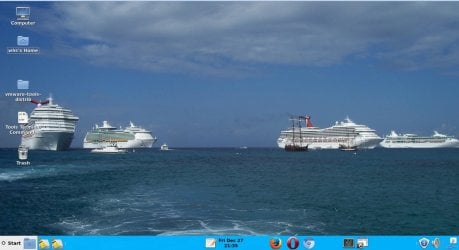
This would be my suggestion. I had made the tutorial for a slightly different purpose, but it would perfectly suit your purpose. And if you follow the tutorials that are linked on the bottom of that page, you can make it look like this. takes me half an hour.
 

Attachments

  • 2013-12-27_2136.jpg
    2013-12-27_2136.jpg
    117.5 KB · Views: 1

My Computer

Computer Manufacturer/Model Number
HP, Dell, Gateway, Toshiba - 4 laptops and 2 desktops
OS
Vista, Windows7, Mint Mate, Zorin, Windows 8
CPU
from 1.6GHz Duo to i7
Monitor(s) Displays
2x HP w2207
Hard Drives
5x HDD, 7x SSD, 12x Externals
Keyboard
with trackball - no mices
Mouse
Trackball mice
Internet Speed
DSL 6000
Back
Top