KVM switch ceases to function

aBoppa

New member
Local time
7:31 PM
Messages
21
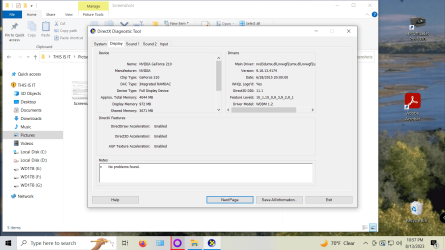
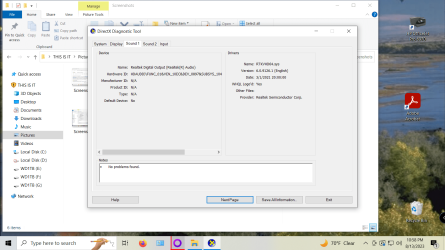
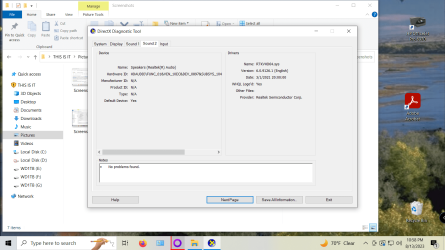
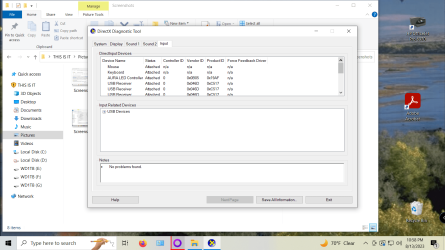
Have had KVM switches for a number of years now & recently I am getting no video out to my monitor. Am using an IOGEAR GCS72U, the first of which quit after almost 3 years (12/2019 thru 11/2022) while the second one only lasted less than a year (12/2022 thru 8/2023). Being a sucker for punishment I purchased a third in 8/2023 and returned it in 9/2023 as it too did not function. If I omit the KVM switch and cable directly from the computer to the monitor it works just fine. Both of my systems (a Windows 7 and a Windows 10) have the same issue and work fine minus the KVM. Since there are no drivers nor software involved the issue must be elsewhere. BUT WHERE!!! Has Microsoft made some sort of change during an update?? To continue without the KVM is going to require me to get down behind the desk and physically swap the cable from one to the other. At 87 years of age I am not looking forward to doing this whenever I want to swap back and forth between the two. Hopefully, someone out there in Forum land has some suggestions on what I might try? THANX!!!!
 

Attachments
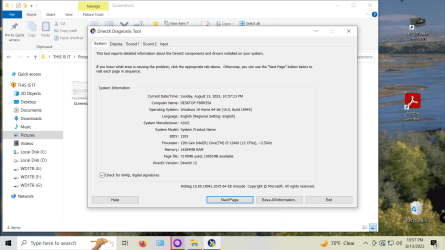
  • Screenshot (35).png
    Screenshot (35).png
    501.2 KB · Views: 2
  • Screenshot (36).png
    Screenshot (36).png
    494.6 KB · Views: 1
  • Screenshot (37).png
    Screenshot (37).png
    496.3 KB · Views: 0
  • Screenshot (38).png
    Screenshot (38).png
    496.5 KB · Views: 1
  • Screenshot (39).png
    Screenshot (39).png
    499.4 KB · Views: 1

My Computer

Computer Manufacturer/Model Number
home made
OS
Windows 7/Windows XP
CPU
Intel Core 2 Duo E7500
Motherboard
MSI 48C Platinum
Memory
4 GB DDR2
Graphics Card(s)
XFX Radeon HD4350
Sound Card
Sound Blaster Live! (incompatible)
Monitor(s) Displays
Starlogic 17"
Hard Drives
Western Digital 320GB & ACOM Data 80GB external.
Keyboard
Logitech wireless
Mouse
Logitech wireless
Internet Speed
Verion FIOs broadband
Is the KVM using a combination of HDMI and a Display port? If so, it probably means the issue is in the monitor because you may need to cycle the input or some other option. Just a guess.

For me with using a live disk of Hiren's Boot CD which uses Windows 10, I have had nothing but issues cycling monitors. Not sure if that's a Display port thing or Windows 10 or my monitor.

In lieu of a hardware KVM solution, I use a program for my KVM needs called Input Director. Input Director - Software KVM to Control Multiple Computers
 

My Computer

Computer type
PC/Desktop
OS
Windows 7 Ultimate x64
In lieu of a hardware KVM solution, I use a program for my KVM needs called Input Director. Input Director - Software KVM to Control Multiple Computers
There's also Barrier, which is open-source and compatible with not only Windows 7 and up, but also Mac OS X/macOS (current GUI requires 10.12 or newer), Linux, and the BSDs.

(It's one of the ways I KVM together my Windows 7 and Linux machines and my biggest issue with it is that I can't also use it with the thin clients I installed Windows XP and Windows 98SE on.)

Just bear in mind that there's a known bug with version 2.4 that breaks TLS key generation if you want it encrypted, and the simplest solution is to install a v2.3 version, get it working (i.e. let it generate the keys), and then upgrade.
 

My Computers

System One System Two

  • Computer type
    PC/Desktop
    Computer Manufacturer/Model Number
    HP Pavilion p7-1203
    OS
    Windows 7 Home Premium Service Pack 1 64-bit
    CPU
    Intel Core i3-2120 3.30GHz
    Motherboard
    (OEM)
    Memory
    8.00 GB
    Graphics Card(s)
    AMD Radeon HD 5870
    Sound Card
    (Realtek onboard)
    Monitor(s) Displays
    HP 2210m
    Screen Resolution
    1920x1080
    Hard Drives
    1TB WD Blue SATA SSD (SanDisk SSD G5 BICS4: 1000.2 GB)
    PSU
    Seasonic M12 II Bronze EVO Edition
    Case
    (OEM)
    Cooling
    (OEM)
    Keyboard
    Rosewill RK-9000I
    Mouse
    Logitech G203 Prodigy
    Internet Speed
    Irrelevant (blocked)
    Antivirus
    None (This gaming machine is blocked from Internet Access)
    Browser
    Firefox 115.0.2 64-bit (Used only with miniserve on LAN)
    Other Info
    Because the motherboard in this hand-me-down can't take more than 8GB of RAM, this machine is a "games console, except not a console" and is KVM-switched together with the triple-head Ryzen I daily drive.

    Also, the CPU cooler fan and chassis fan have been replaced with equivalent Noctua fans.
  • Computer type
    PC/Desktop
I have an 'Air link' 4 port KVM w vga conns. I run hdmi cables from comps to monitors (it works!) Problems began when I got a gigabyte mobo with a 'waddayoucallit' turn off comp and usb stays powered, to charge any 5v thingie that needs charging.
On this mobo, it will not stay turned off, (setting in bios), it keeps enabling it self.
This causes the kvm to not work properly, very aggravating to say the least! I gave up and just switch off power at the psu. Must switch on power every time I use it. I have linux on this giga comp & dont use it a whole lot.
Maybe this is your issue??
 

My Computer

Computer type
Laptop
Computer Manufacturer/Model Number
toshiba 505
OS
Windows 7 Home Premium bit
CPU
amd?
Motherboard
?
Memory
4 gig
Monitor(s) Displays
Samsung S27D360 &S24D300 - Acer K222HQL - Eizo 21" (4x3)
Screen Resolution
1280 x 720 -1600x900 - (eizo 1024x768
Hard Drives
240 ssd
PSU
amd (?)
Mouse
logitech tackball
Antivirus
360 total security
Browser
firefox portable 29.0.1
Back
Top