Laptop Audio Only Works on Startup

JonRB

New member
Local time
5:11 PM
Messages
13
Hello,

I've had this audio card problem for a long time - Something I've always wanted to fix but never really succeeded.

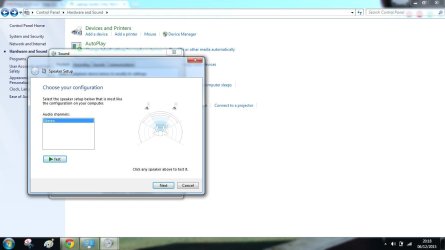
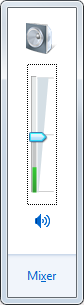
On startup, the windows Startup sound is always played. Following that, no sound is made by the computer (Except occasionally - Such as pressing 'volume up'). The mixer displays correctly and is set to the appropriate sound output.
yjPwl7O.png


I have tried:

  • Checking the physical connections
  • Restoring default service settings
  • Restarting services
  • Changing the default sound cards
  • Disabling/enabling audio enhancements
  • Scanning for malware/viruses
  • Updating/Removing drivers (No option was given for rolling back)
  • Running the windows troubleshooter (lol)


I have downloaded the latest Realtek HD Audio wizard and the first time it ran it failed. Every other time I have run it since, it has given the message "No Driver was supported in this driver package".

In case it wasn't clear from the fact I'm posting about this, I am yet to find a guide that solves my problem - Indeed I am yet to find one that even has the same symptoms as mine.
 

My Computer My Computer

At a glance

Windows 7 Premium (64 Bit) SP1i7-2630QM 2GHz4GB DDR3 @1333MHzNVIDIA GEFORCE GT540M (CUDA 2GB)
Computer Manufacturer/Model Number
Cyberpower Xplorer 9200
OS
Windows 7 Premium (64 Bit) SP1
CPU
i7-2630QM 2GHz
Memory
4GB DDR3 @1333MHz
Graphics Card(s)
NVIDIA GEFORCE GT540M (CUDA 2GB)
Monitor(s) Displays
Default laptop display (Pegatron A15HC 15.6")
Screen Resolution
1920x1080
Hard Drives
Toshiba 500GB 2.5" 5400RPM SATA
Cooling
Asetek Thermal
Keyboard
Built-in laptop keyboard
Mouse
Touchpad/Wireless mouse from the dark ages
Uninstall any sound driver(s) then reboot the PC and let Windows install the generic, basic function, High Definition Audio Driver. Then check the Sound Panel Playback to ensure the "Speakers" are set as the default audio playback device.

See if that gets you sound, as a start.

If that works then you can install the correct sound hardware driver as listed by Cyberpower for your specific model.
 

My Computer My Computer

At a glance

Windows 10 64 bitIntel i7 6700K16GB Corsair DominatorIntel CPU Graphics
Computer type
PC/Desktop
Computer Manufacturer/Model Number
My Own Build
OS
Windows 10 64 bit
CPU
Intel i7 6700K
Motherboard
ASUS ROG Maximus VIII Hero
Memory
16GB Corsair Dominator
Graphics Card(s)
Intel CPU Graphics
Sound Card
RealTek
Monitor(s) Displays
27" Dell S2719dgf
Screen Resolution
2560X1440
Hard Drives
1 TB Samsung 850 EVO SSD for Win 10 Pro
500GB Samsung 850 EVO SSD for Win 10 Insider
2 TB drive for backup
PSU
EVGA Supernova 750G2
Case
BeQuiet Silent Base 600
Cooling
Deepcool Captain 120EX
Keyboard
Microsoft Wireless 2000
Mouse
Microsoft wireless
Internet Speed
100 MB/sec (Cable)
Antivirus
Microsoft Defender and Malwarebytes
Browser
Edge/Firefox
Other Info
Cakewalk (Sonar) by BandLab and Studio One 4.1 Pro recording studio software. MOTU 896Mk3 Hybrid recording interface, Frontier Tranzport wireless control unit, Behringer X-Touch Control Surface.
Five USB connected optical drives for CD Audio production using Nero BurningROM
Uninstall any sound driver(s) then reboot the PC and let Windows install the generic, basic function, High Definition Audio Driver. Then check the Sound Panel Playback to ensure the "Speakers" are set as the default audio playback device.

See if that gets you sound, as a start.

If that works then you can install the correct sound hardware driver as listed by Cyberpower for your specific model.

iryS3H2.png


Hello!

Thank you for your advice. I followed your first instructions - Once re-installation of the drivers completed successfully I opened an MP3 file with Windows Media Player. The song played for the first ~7 seconds before the sound cut out (As it has in the past, when I reinstall drivers).

I have nevertheless downloaded the AC'97 drivers from Realtek (I tried different ones last time to no avail - I checked the nearest thing to specs I have for this computer and it mentioned AC 97) - The installer ran and closed without any message. Cyberpower's support section provides a link to Realtek's website rather than their own download.
 

My Computer My Computer

At a glance

Windows 7 Premium (64 Bit) SP1i7-2630QM 2GHz4GB DDR3 @1333MHzNVIDIA GEFORCE GT540M (CUDA 2GB)
Computer Manufacturer/Model Number
Cyberpower Xplorer 9200
OS
Windows 7 Premium (64 Bit) SP1
CPU
i7-2630QM 2GHz
Memory
4GB DDR3 @1333MHz
Graphics Card(s)
NVIDIA GEFORCE GT540M (CUDA 2GB)
Monitor(s) Displays
Default laptop display (Pegatron A15HC 15.6")
Screen Resolution
1920x1080
Hard Drives
Toshiba 500GB 2.5" 5400RPM SATA
Cooling
Asetek Thermal
Keyboard
Built-in laptop keyboard
Mouse
Touchpad/Wireless mouse from the dark ages
I don't think the AC97 is the correct driver, if you have Realtek. The High Definition Codec driver would be the most appropriate. However, as it does not work properly with the High Definition Drivers, I would use those until the problem is resolved.

Do you have anything plugged into the HDMI port? If you do remove the cable. A cable plugged into the HDMI port and Windows will automatically switch the sound from the Speakers to the HDMI.
 

My Computer My Computer

At a glance

Windows 10 64 bitIntel i7 6700K16GB Corsair DominatorIntel CPU Graphics
Computer type
PC/Desktop
Computer Manufacturer/Model Number
My Own Build
OS
Windows 10 64 bit
CPU
Intel i7 6700K
Motherboard
ASUS ROG Maximus VIII Hero
Memory
16GB Corsair Dominator
Graphics Card(s)
Intel CPU Graphics
Sound Card
RealTek
Monitor(s) Displays
27" Dell S2719dgf
Screen Resolution
2560X1440
Hard Drives
1 TB Samsung 850 EVO SSD for Win 10 Pro
500GB Samsung 850 EVO SSD for Win 10 Insider
2 TB drive for backup
PSU
EVGA Supernova 750G2
Case
BeQuiet Silent Base 600
Cooling
Deepcool Captain 120EX
Keyboard
Microsoft Wireless 2000
Mouse
Microsoft wireless
Internet Speed
100 MB/sec (Cable)
Antivirus
Microsoft Defender and Malwarebytes
Browser
Edge/Firefox
Other Info
Cakewalk (Sonar) by BandLab and Studio One 4.1 Pro recording studio software. MOTU 896Mk3 Hybrid recording interface, Frontier Tranzport wireless control unit, Behringer X-Touch Control Surface.
Five USB connected optical drives for CD Audio production using Nero BurningROM
Nope, nothing is connected to the HDMI port - I've also tried disabling it (And the headphones).
If I try and play music, the green bar graph next to Speakers fills up appropriately.

hI5ypge.png
 

My Computer My Computer

At a glance

Windows 7 Premium (64 Bit) SP1i7-2630QM 2GHz4GB DDR3 @1333MHzNVIDIA GEFORCE GT540M (CUDA 2GB)
Computer Manufacturer/Model Number
Cyberpower Xplorer 9200
OS
Windows 7 Premium (64 Bit) SP1
CPU
i7-2630QM 2GHz
Memory
4GB DDR3 @1333MHz
Graphics Card(s)
NVIDIA GEFORCE GT540M (CUDA 2GB)
Monitor(s) Displays
Default laptop display (Pegatron A15HC 15.6")
Screen Resolution
1920x1080
Hard Drives
Toshiba 500GB 2.5" 5400RPM SATA
Cooling
Asetek Thermal
Keyboard
Built-in laptop keyboard
Mouse
Touchpad/Wireless mouse from the dark ages
You are not going to like what I suggest. A reinstallation. I've seen similar problems and unfortunately a reinstall was required to fix them. This is not to say I will guarantee it will fix yours, just that this may be the option.
 

My Computer My Computer

At a glance

Windows 10 64 bitIntel i7 6700K16GB Corsair DominatorIntel CPU Graphics
Computer type
PC/Desktop
Computer Manufacturer/Model Number
My Own Build
OS
Windows 10 64 bit
CPU
Intel i7 6700K
Motherboard
ASUS ROG Maximus VIII Hero
Memory
16GB Corsair Dominator
Graphics Card(s)
Intel CPU Graphics
Sound Card
RealTek
Monitor(s) Displays
27" Dell S2719dgf
Screen Resolution
2560X1440
Hard Drives
1 TB Samsung 850 EVO SSD for Win 10 Pro
500GB Samsung 850 EVO SSD for Win 10 Insider
2 TB drive for backup
PSU
EVGA Supernova 750G2
Case
BeQuiet Silent Base 600
Cooling
Deepcool Captain 120EX
Keyboard
Microsoft Wireless 2000
Mouse
Microsoft wireless
Internet Speed
100 MB/sec (Cable)
Antivirus
Microsoft Defender and Malwarebytes
Browser
Edge/Firefox
Other Info
Cakewalk (Sonar) by BandLab and Studio One 4.1 Pro recording studio software. MOTU 896Mk3 Hybrid recording interface, Frontier Tranzport wireless control unit, Behringer X-Touch Control Surface.
Five USB connected optical drives for CD Audio production using Nero BurningROM
I assume you mean a reinstallation of Windows?
My laptop did come with an installer CD so I may try that when I get home in a few months, however I would rather it be a last resort. That would probably fix some of the other issues (Windows Update doesn't run, for example - Microsoft support were unhelpful)

For what it's worth, plugging in headphones seems to play audio just fine.
 

My Computer My Computer

At a glance

Windows 7 Premium (64 Bit) SP1i7-2630QM 2GHz4GB DDR3 @1333MHzNVIDIA GEFORCE GT540M (CUDA 2GB)
Computer Manufacturer/Model Number
Cyberpower Xplorer 9200
OS
Windows 7 Premium (64 Bit) SP1
CPU
i7-2630QM 2GHz
Memory
4GB DDR3 @1333MHz
Graphics Card(s)
NVIDIA GEFORCE GT540M (CUDA 2GB)
Monitor(s) Displays
Default laptop display (Pegatron A15HC 15.6")
Screen Resolution
1920x1080
Hard Drives
Toshiba 500GB 2.5" 5400RPM SATA
Cooling
Asetek Thermal
Keyboard
Built-in laptop keyboard
Mouse
Touchpad/Wireless mouse from the dark ages
Oh, so it works OK with headphones. The headphone jack may be the issue. Many headphone jacks have an extra contact that tells the PC when a headphone is connected. If yours has this, it may be the problem. Others, the sound chip detects when a headphone is plugged in and I don't think there is an extra contact on that type.

But, as it all works for a few seconds and then cuts off, it sounds like something to do with the headphone jack.
 

My Computer My Computer

At a glance

Windows 10 64 bitIntel i7 6700K16GB Corsair DominatorIntel CPU Graphics
Computer type
PC/Desktop
Computer Manufacturer/Model Number
My Own Build
OS
Windows 10 64 bit
CPU
Intel i7 6700K
Motherboard
ASUS ROG Maximus VIII Hero
Memory
16GB Corsair Dominator
Graphics Card(s)
Intel CPU Graphics
Sound Card
RealTek
Monitor(s) Displays
27" Dell S2719dgf
Screen Resolution
2560X1440
Hard Drives
1 TB Samsung 850 EVO SSD for Win 10 Pro
500GB Samsung 850 EVO SSD for Win 10 Insider
2 TB drive for backup
PSU
EVGA Supernova 750G2
Case
BeQuiet Silent Base 600
Cooling
Deepcool Captain 120EX
Keyboard
Microsoft Wireless 2000
Mouse
Microsoft wireless
Internet Speed
100 MB/sec (Cable)
Antivirus
Microsoft Defender and Malwarebytes
Browser
Edge/Firefox
Other Info
Cakewalk (Sonar) by BandLab and Studio One 4.1 Pro recording studio software. MOTU 896Mk3 Hybrid recording interface, Frontier Tranzport wireless control unit, Behringer X-Touch Control Surface.
Five USB connected optical drives for CD Audio production using Nero BurningROM
Very sorry for bumping in here, but call me Desperate :banghead:

Same problem as mine, works fine with headphones plugged in, so headphone jack issue. My speakers, when I test them give a very week sound ( with volume on full )speakers test Untitled.jpg
 

My Computer My Computer

At a glance

windows 7 professional 64 bitCPU Genuine Intel (R) CPU [email protected]RAM 3 GBToshiba MK2555 GSX ATA
Computer type
Laptop
Computer Manufacturer/Model Number
HP Presario CQ70
OS
windows 7 professional 64 bit
CPU
CPU Genuine Intel (R) CPU [email protected]
Motherboard
APCI x 64 - based PC
Memory
RAM 3 GB
Graphics Card(s)
Toshiba MK2555 GSX ATA
Sound Card
Conexant High Def Smart Audio 221,
Monitor(s) Displays
monitor Generic PnP.
Screen Resolution
?
Hard Drives
HDAUDIO Soft Data Fax Modern with smart CP
PSU
?
Keyboard
Standard PS/2 keyboard
Mouse
PS/2 Compatible mouse
Antivirus
Hyjackthis and Superanti spyware, Mamb Ccleaner
Browser
Google Chrome
Back
Top