Winapp2.ini - trim
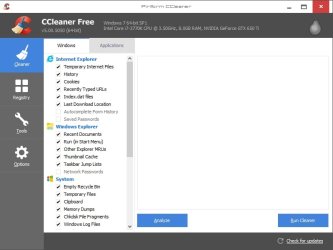
Using that batch file to trim winapp2.ini is somewhat confusing so it's probably better to use the trim function in CCEnhancer if you've got it installed. The other thing that I forgot to mention is that it's best to copy your existing winapp2.ini file before trimming so that you've got a backup. If something goes wrong it's possible to delete the winapp2.ini file and download a new one!
When I downloaded that file something (Windows Explorer?) had a fit.
The content vanished from the windows of various programs (e.g. Winamp & Notepad++).
It got better though.
Update
The setup procedure for trim.bat was a little confusing.
It seems to have improved the performance of CCleaner + CCEnhancer significantly though.
Using that batch file to trim winapp2.ini is somewhat confusing so it's probably better to use the trim function in CCEnhancer if you've got it installed. The other thing that I forgot to mention is that it's best to copy your existing winapp2.ini file before trimming so that you've got a backup. If something goes wrong it's possible to delete the winapp2.ini file and download a new one!
My Computer
- Computer type
- Laptop
- Computer Manufacturer/Model Number
- ASUS
- OS
- Microsoft Windows 7 Home Premium 64-bit 7601 Multiprocessor Free Service Pack 1
- CPU
- AMD C-60 APU with Radeon(tm) HD Graphics
- Motherboard
- ASUSTeK COMPUTER INC. X501U
- Memory
- 4.00 GB
- Graphics Card(s)
- AMD Radeon HD 6290 Graphics
- Sound Card
- (1) AMD High Definition Audio Device (2) Realtek High Defi
- Screen Resolution
- 1366 x 768 x 32 bits (4294967296 colors) @ 60 Hz
- Hard Drives
- Hitachi HTS545050A7E380 SATA Disk Device
- Antivirus
- Comodo CIS & FW, SecureAplus App Whitelisting, Threatfire
- Browser
- Cyberfox 64bit, Opera 64bit, Airfox
- Other Info
- Spy-The-Spy, HitmanPro.Alert, Norton Connect Safe, MJRegWatcher, BitDefender TrafficLight, Voodoo Shield, Zemana AntiMalware