
ThunderThor
New member
oh thanks for keeping updating this software! The latest of mine is 2 years ago.
My Computer
- Computer type
- PC/Desktop
- Computer Manufacturer/Model Number
- Dell
- OS
- Windows 7 Professional 64 bit


Remember to check your CC settings when you install the latest version.oh thanks for keeping updating this software! The latest of mine is 2 years ago.


New CCleaner 5.38.6357 version released. See first post for more details.
 ). Tried to get rid of the Avast folder in C drive. Oh! I need to be an administrator. Invoked my higher powers but no, not enough. Again some incompatible antivirus overriding my administrative prowess.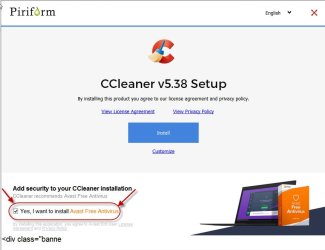


In any case avast gone finally after driving me nuts


OnTheRopes. CC has run in the background, after the computer started. If you don't want to do that you need to open CC & select Options & go through the list of Settings. There you will see a lot of alternatives you can select to suit yourself.
It depends on what was accessed during the time your wife was using it & I am certainly not suggesting anything untoward, but perhaps it deleted Temp Internet Files or Offline Web Pages. It's easy for these files to exceed 44 GB. So it's not something to get too alarmed about.

Thanks, the alert just popped up again telling me I could save 49+GB of space.The CCleaner Alert dialog pops up when you can save more than 500 MB of disk space by deleting junk files. 44GB is a lot of junk if true! You can run the CCleaner analyze only and see what all it wants to delete. I have never let mine run to see the alert. The alert can be disabled if you find there is not 44GB of junk to be removed.
A Guy


