Darkcyprus
New member
I have to have the headphones plugged into the audio jack BEFORE I start the laptop up just so that it sees them, if I for whatever reason disconnect the headphones while the laptop is on, it will switch to speakers and will refuse to detect the headphones again.
This is what I see:
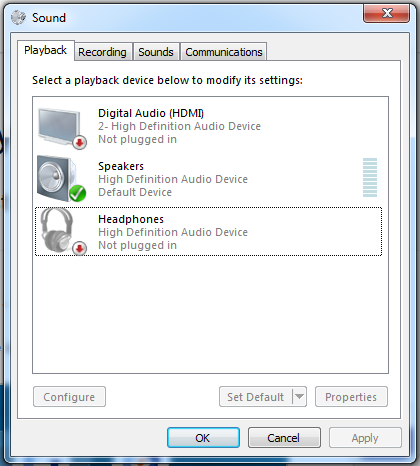
The only way to get the laptop to detect them again is by restarting while the jack is plugged.
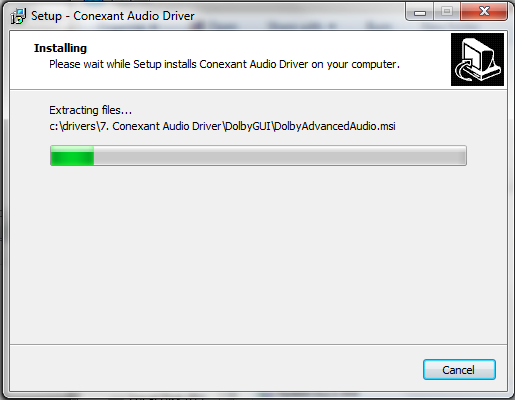
I've tried deleting the audio drivers, but Windows did NOT reinstall them upon restart, so I had to install them again via backup.
This is what I see:
The only way to get the laptop to detect them again is by restarting while the jack is plugged.
I've tried deleting the audio drivers, but Windows did NOT reinstall them upon restart, so I had to install them again via backup.
My Computer
At a glance
Windows 7 Ultimate x64Intel(R) Core(TM) i5-4200M CPU @ 2.50GHz6.00 GBIntel HD Graphics 4600 / Radeon R5 M230
- Computer type
- Laptop
- Computer Manufacturer/Model Number
- Lenovo G510
- OS
- Windows 7 Ultimate x64
- CPU
- Intel(R) Core(TM) i5-4200M CPU @ 2.50GHz
- Motherboard
- Unknown (For now!)
- Memory
- 6.00 GB
- Graphics Card(s)
- Intel HD Graphics 4600 / Radeon R5 M230
- Sound Card
- Conexant
- Screen Resolution
- 1366x768
- Hard Drives
- (One drive, two partitions) |ST500LT0 12-1DG142 SCSI Disk Device
| C:\ - 50GB
| D:\ - 415GB
| External (Samsung) - 500GB
- Internet Speed
- 1Mb/s :(
- Antivirus
- Avast
- Browser
- Chrome / Firefox / Vivaldi