ih82bl84f1
New member
- Local time
- 12:25 AM
- Messages
- 5
Good very hello!
I am new to theming and have been editing msstyle with restorator.
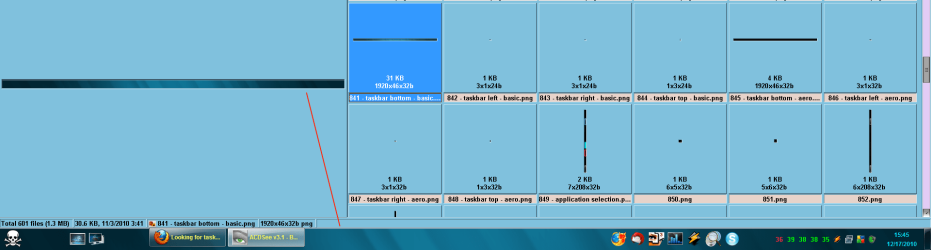
I have a style here I have been practicing on and am stumped right now. I have been able to change the taskbar for non-aero part of theme and would like to be able to apply the same red graduated png file for when the theme is aero enabled.
When the taskbar buttons are "always combined, hide labels" just the left side at start button has the red png but when I combine the buttons, the task bar in the center changes to transparent. I would like very kindly to know what png I need to edit so the center will also have the red png applied to it with no transparency applied when aero is enabled.
Any help would be greatly appreciated! )
)
I am new to theming and have been editing msstyle with restorator.
I have a style here I have been practicing on and am stumped right now. I have been able to change the taskbar for non-aero part of theme and would like to be able to apply the same red graduated png file for when the theme is aero enabled.
When the taskbar buttons are "always combined, hide labels" just the left side at start button has the red png but when I combine the buttons, the task bar in the center changes to transparent. I would like very kindly to know what png I need to edit so the center will also have the red png applied to it with no transparency applied when aero is enabled.
Any help would be greatly appreciated!
)
Code:
[URL="http://uploading.com/files/4cb9b771/Custom%2Bmsstyle.zip/"]Download Custom msstyle.zip for free on uploading.com[/URL]Attachments


My Computer
- Computer Manufacturer/Model Number
- Acer Aspire 5920
- OS
- Windows 7 Ultimate x64
- CPU
- Intel Core 2 Duo T5450
- Memory
- 3 gb
- Graphics Card(s)
- Mobile Intel 965 Express Chipset
- Monitor(s) Displays
- Built in LCD
- Screen Resolution
- 1289 x 800
- Hard Drives
- Sata 160 gb