Solved MBR fix?

Alexey2912

New member
Member
VIP
Local time
3:18 AM
Messages
1,351
Location
Honolulu
Hi,

I found that some boot dll is missing, that isn't allowing to upload the Macrium image.

How does one fix boot/ restore/fix MBR issues?

1. W7 DVD> Command prompt

2. What commands than?

Thanks.
 

My Computers

System One System Two

  • Computer type
    Laptop
    Computer Manufacturer/Model Number
    Dell
    OS
    W7 Pro 32bit
    CPU
    Intel(R) Core(TM)2 CPU T7200 @ 2.00GHz
    Motherboard
    Dell Inc. 0CF456
    Memory
    4.00 GB
    Graphics Card(s)
    NVIDIA GTX 7980 512 MB
    Sound Card
    (1) HD Pro Webcam C910 (2) Bluetooth Stereo Audio (3) Si
    Hard Drives
    SSD
    Browser
    Brave
  • Computer type
    PC/Desktop
    System Manufacturer/Model Number
    Dell XPS Special Edition 8940
    OS
    W10 Pro
    CPU
    core i7 11th gen, 11700, 2.5-4.9 GHZ
    Memory
    32 GBB, 2 X16 GB @2933 MHz.
    Graphics Card(s)
    NVIDIA GeForce RTX 3070 8GB GDDR6
    Monitor(s) Displays
    Dell UltraSharp 32 4K monitor.
    Hard Drives
    1. 1TB M.2 PCIe NVMe SSD.

    2. 1TB 7200 rpm 3.5" SATA Hard Drive.
    PSU
    500W.
    Case
    Mineral White Bezel Chassis.
it displays......

bootrec.exe - System error.

wer.dll missing


How to fix this issue?

Thanks.
 

My Computers

System One System Two

  • Computer type
    Laptop
    Computer Manufacturer/Model Number
    Dell
    OS
    W7 Pro 32bit
    CPU
    Intel(R) Core(TM)2 CPU T7200 @ 2.00GHz
    Motherboard
    Dell Inc. 0CF456
    Memory
    4.00 GB
    Graphics Card(s)
    NVIDIA GTX 7980 512 MB
    Sound Card
    (1) HD Pro Webcam C910 (2) Bluetooth Stereo Audio (3) Si
    Hard Drives
    SSD
    Browser
    Brave
  • Computer type
    PC/Desktop
    System Manufacturer/Model Number
    Dell XPS Special Edition 8940
    OS
    W10 Pro
    CPU
    core i7 11th gen, 11700, 2.5-4.9 GHZ
    Memory
    32 GBB, 2 X16 GB @2933 MHz.
    Graphics Card(s)
    NVIDIA GeForce RTX 3070 8GB GDDR6
    Monitor(s) Displays
    Dell UltraSharp 32 4K monitor.
    Hard Drives
    1. 1TB M.2 PCIe NVMe SSD.

    2. 1TB 7200 rpm 3.5" SATA Hard Drive.
    PSU
    500W.
    Case
    Mineral White Bezel Chassis.
Please boot your computer with Windows Setup Media and from Windows Recovery Environment start the Command Prompt.

Please type below command into Command Prompt and press Enter key.

The following command scans integrity of all protected Windows system files and repairs files with problems when possible.

Code:
Sfc  /Scannow   /OFFBOOTDIR=D:\   /OFFWINDIR=D:\Windows


Please replace partition letter D: with Windows installed partition letter. When computer boots into Windows Recovery Environment (WinRE) environment the drive letter assign to Windows partition may not be C: drive letter because Windows 7, 8 , 8.1 and 10 creates a separate system partition when it's installed from scratch. The system partition contains boot files WinRE assigns the system partition the C: drive letter and the Windows installed partition will be assign any other drive letter usually D: drive letter is assign to Windows installed partition. The Bcdedit /enum | find "osdevice" command can be use to find out the drive letter of the Windows installed partition the output of the Bcdedit command is similar to this osdevice partition=D:. The drive letter after partition= is the drive letter of the Windows partition.
 

My Computer

Computer type
PC/Desktop
Computer Manufacturer/Model Number
Custom Build
OS
Windows 10 Pro x64
CPU
Intel Core i5 6600
Motherboard
Gigabyte Technology Z170M-D3H-CF (U3E1)
Memory
Corsair Vengeance LPX 16GB 2666MHz DDR4
Graphics Card(s)
AMD Radeon R9 380 Series
Hard Drives
SSD
HDD
Antivirus
Eset Smart Security
Browser
Mozila Firefox
Thanks for the very in depth reply, appreciate it and shall give it a try.

I got my 3 years old clean install W7 Pro image restored, should it still be required?

How does one know that wer.dll or there is a boot system error?

Thanks again!
 

My Computers

System One System Two

  • Computer type
    Laptop
    Computer Manufacturer/Model Number
    Dell
    OS
    W7 Pro 32bit
    CPU
    Intel(R) Core(TM)2 CPU T7200 @ 2.00GHz
    Motherboard
    Dell Inc. 0CF456
    Memory
    4.00 GB
    Graphics Card(s)
    NVIDIA GTX 7980 512 MB
    Sound Card
    (1) HD Pro Webcam C910 (2) Bluetooth Stereo Audio (3) Si
    Hard Drives
    SSD
    Browser
    Brave
  • Computer type
    PC/Desktop
    System Manufacturer/Model Number
    Dell XPS Special Edition 8940
    OS
    W10 Pro
    CPU
    core i7 11th gen, 11700, 2.5-4.9 GHZ
    Memory
    32 GBB, 2 X16 GB @2933 MHz.
    Graphics Card(s)
    NVIDIA GeForce RTX 3070 8GB GDDR6
    Monitor(s) Displays
    Dell UltraSharp 32 4K monitor.
    Hard Drives
    1. 1TB M.2 PCIe NVMe SSD.

    2. 1TB 7200 rpm 3.5" SATA Hard Drive.
    PSU
    500W.
    Case
    Mineral White Bezel Chassis.
Wer.dll file, also known as Windows Error Reporting DLL. It is an essential component, which ensures that Windows programs operate properly.


If you open the log file, you’ll be shown details of all the tests performed by Startup Repair, with any errors discovered detailed. We can use this information to help diagnose and get to the root cause of the problem.


To open log file from the Windows Recovery Environment, click and open the Command Prompt. When the Command Prompt is open, type Notepad and press Enter key to open the Notepad application. The Startup Repair log file is located at:


Code:
C:\Windows\System32\Logfiles\Srt\SrtTrail.txt


You will need to navigate to the drive on which you have Windows installed (usually the C: drive) to see the SrtTrail.txt log file.
 

My Computer

Computer type
PC/Desktop
Computer Manufacturer/Model Number
Custom Build
OS
Windows 10 Pro x64
CPU
Intel Core i5 6600
Motherboard
Gigabyte Technology Z170M-D3H-CF (U3E1)
Memory
Corsair Vengeance LPX 16GB 2666MHz DDR4
Graphics Card(s)
AMD Radeon R9 380 Series
Hard Drives
SSD
HDD
Antivirus
Eset Smart Security
Browser
Mozila Firefox
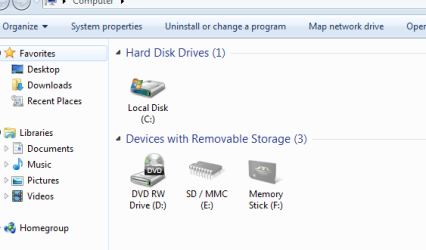
Woh this stuff is serious, sound stuff and I have to be careful..........
 

Attachments

  • MC.PNG
    MC.PNG
    12.3 KB · Views: 16

My Computers

System One System Two

  • Computer type
    Laptop
    Computer Manufacturer/Model Number
    Dell
    OS
    W7 Pro 32bit
    CPU
    Intel(R) Core(TM)2 CPU T7200 @ 2.00GHz
    Motherboard
    Dell Inc. 0CF456
    Memory
    4.00 GB
    Graphics Card(s)
    NVIDIA GTX 7980 512 MB
    Sound Card
    (1) HD Pro Webcam C910 (2) Bluetooth Stereo Audio (3) Si
    Hard Drives
    SSD
    Browser
    Brave
  • Computer type
    PC/Desktop
    System Manufacturer/Model Number
    Dell XPS Special Edition 8940
    OS
    W10 Pro
    CPU
    core i7 11th gen, 11700, 2.5-4.9 GHZ
    Memory
    32 GBB, 2 X16 GB @2933 MHz.
    Graphics Card(s)
    NVIDIA GeForce RTX 3070 8GB GDDR6
    Monitor(s) Displays
    Dell UltraSharp 32 4K monitor.
    Hard Drives
    1. 1TB M.2 PCIe NVMe SSD.

    2. 1TB 7200 rpm 3.5" SATA Hard Drive.
    PSU
    500W.
    Case
    Mineral White Bezel Chassis.
Back
Top