MediaBrowser

So Lets get some feed Back on Media Browser


  • Total voters
    137
Looks cool as a static image :p

I only ever use IE though :p
 

My Computer

Computer Manufacturer/Model Number
Compaq Desktop
OS
Windows 7 Ultimate x64
CPU
AMD Sempron Dual Core
Memory
3GB
Graphics Card(s)
NVIDIA GeForce 6150SE nForce 430
Screen Resolution
1024x768
Hard Drives
150GB Sata
Moved from last Page

mbtv.png
Use FireFox To View This and the Image will Change

I am playing with a new picture format called animated png's and thinking of redoing the cover page with something like this
But the down side is it wont move in Internet Explorer only FireFox And Safari and newer web Browsers.
so I am still up in the air if I want to put people through the trouble of not being able to enjoy it from IE so I thought I would leave it up to you all.

I could do the same thing with gif files but loose a lot of the picture quality in the proses.
But then it could be seen in any old web browser.

So please tell me what you think? Is it a good idea or not?

For it= 3 1/2

Against it= 0

I think this goes out more to the Internet Explorer people than the FireFox people. As we FireFox'rs Can see that this is Clearly the best and coolest way to set things up.
But what I really want to know is the people only using IE, would you be willing to set up FF to be able to view what I think could possibly be the best looking forum page That anyone has seen. I could even provide the FF link to assist things along.

It's something I really want to do, but want to know how you IE people would respond to being asked to install FireFox to be able to view my page at its full potential.
 
Last edited:

My Computer

Computer Manufacturer/Model Number
Custom Built Rig BY ME "My Baby"
OS
7 Ultimate x64
CPU
AMD Athlon 64X2 4600+ 2.51Ghz
Motherboard
ASUS M2N-E SLI
Memory
6GB DDR2 900 Kingston
Graphics Card(s)
2x BFG Nvidia 9600 GT-OC
Sound Card
SoundBlaster XF-I
Monitor(s) Displays
19"acer, 22"acer, 19"acer, 48" HITACHI HDTV
Screen Resolution
1400x900, 1680x1050, 1400x900, 1920x1080
Hard Drives
Seagate 500GB Sata
Seagate 500GB Sata
Seagate 500GB Sata
Seagate 500GB Sata
Seagate 320 Sata (Primary)
Western Digital 500GB IDE
Western Digital 300GB IDE
Maxter 720 Sata (USB)
PSU
BFG 800 Watt SLI Power Supply
Case
Game Master
Cooling
Thermotake
Keyboard
Logitech (Bluetooth)
Mouse
Logitech (Bluetooth)
Internet Speed
Turbo Cable
Other Info
ATI 650HD TV Tuner X2,
Samsung (Light scribe) DVD-R,
Sony (Dual Layer) DVD-R
Any and All Comments are welcome so please tell me whats the best coerce of action here.
 
Last edited:

My Computer

Computer Manufacturer/Model Number
Custom Built Rig BY ME "My Baby"
OS
7 Ultimate x64
CPU
AMD Athlon 64X2 4600+ 2.51Ghz
Motherboard
ASUS M2N-E SLI
Memory
6GB DDR2 900 Kingston
Graphics Card(s)
2x BFG Nvidia 9600 GT-OC
Sound Card
SoundBlaster XF-I
Monitor(s) Displays
19"acer, 22"acer, 19"acer, 48" HITACHI HDTV
Screen Resolution
1400x900, 1680x1050, 1400x900, 1920x1080
Hard Drives
Seagate 500GB Sata
Seagate 500GB Sata
Seagate 500GB Sata
Seagate 500GB Sata
Seagate 320 Sata (Primary)
Western Digital 500GB IDE
Western Digital 300GB IDE
Maxter 720 Sata (USB)
PSU
BFG 800 Watt SLI Power Supply
Case
Game Master
Cooling
Thermotake
Keyboard
Logitech (Bluetooth)
Mouse
Logitech (Bluetooth)
Internet Speed
Turbo Cable
Other Info
ATI 650HD TV Tuner X2,
Samsung (Light scribe) DVD-R,
Sony (Dual Layer) DVD-R
ok.... kinda seen this coming... my first thought was... "am i going to be able to get used to the 'funtionality' of that 'theme'".

would it be too much trouble to ask you to say do a 2 min demo of how it navigates around, especially thru the tv series and how show how it acts/displays and responds. The main thing that is a downer for now is the main screen menu. I just now got to liking the coverflow. But then again, you are pushing the innovation limits, which is a good thing. I'd be willing to give'er a test drive. Wasnt a big fan of the diamond and how it displayed/acted.

my 2 cents
 

My Computer

Computer Manufacturer/Model Number
CUSTOM
OS
XP/win7 x86 build 7127
CPU
Athlon64 X2 DUAL 4200+ 2.21ghz
Motherboard
ASUS K8 PRO SLI
Memory
2GB Dual Chan DDR2 Corsair
Graphics Card(s)
Nvidia 6800GT
Sound Card
nvidia
Monitor(s) Displays
19' LCD
Screen Resolution
1280x1024
Hard Drives
WD 250, 2x500, 2x1TB IDE/USB
WD 250 SATA (system)
SEAGATE 120 Sata
PSU
coolermaster 450
Case
SUPERFLOWER
Cooling
1 HDD bay fan, 5x80mm Case Fans, AEROGATE II Fan/Temp
Keyboard
MS wireless
Mouse
MS Wireless
Internet Speed
fassssssssst
I think I could pull that off but witch theme were you referring to the Vanilla?
 

My Computer

Computer Manufacturer/Model Number
Custom Built Rig BY ME "My Baby"
OS
7 Ultimate x64
CPU
AMD Athlon 64X2 4600+ 2.51Ghz
Motherboard
ASUS M2N-E SLI
Memory
6GB DDR2 900 Kingston
Graphics Card(s)
2x BFG Nvidia 9600 GT-OC
Sound Card
SoundBlaster XF-I
Monitor(s) Displays
19"acer, 22"acer, 19"acer, 48" HITACHI HDTV
Screen Resolution
1400x900, 1680x1050, 1400x900, 1920x1080
Hard Drives
Seagate 500GB Sata
Seagate 500GB Sata
Seagate 500GB Sata
Seagate 500GB Sata
Seagate 320 Sata (Primary)
Western Digital 500GB IDE
Western Digital 300GB IDE
Maxter 720 Sata (USB)
PSU
BFG 800 Watt SLI Power Supply
Case
Game Master
Cooling
Thermotake
Keyboard
Logitech (Bluetooth)
Mouse
Logitech (Bluetooth)
Internet Speed
Turbo Cable
Other Info
ATI 650HD TV Tuner X2,
Samsung (Light scribe) DVD-R,
Sony (Dual Layer) DVD-R
I think I could pull that off but witch theme were you referring to the Vanilla?

no, diamond, thumbstrip view and detailed view. I didnt like how the synopsis box sat over the background (thumbstrip) and the cover/folder.jpg and text on synopsis ran together (detailed view). If the synopsis could be on the bottom, below the thumbstrip, or to have the ability to resize the synopsis box, possibly move around, that would be an eye improvement imho.
 

My Computer

Computer Manufacturer/Model Number
CUSTOM
OS
XP/win7 x86 build 7127
CPU
Athlon64 X2 DUAL 4200+ 2.21ghz
Motherboard
ASUS K8 PRO SLI
Memory
2GB Dual Chan DDR2 Corsair
Graphics Card(s)
Nvidia 6800GT
Sound Card
nvidia
Monitor(s) Displays
19' LCD
Screen Resolution
1280x1024
Hard Drives
WD 250, 2x500, 2x1TB IDE/USB
WD 250 SATA (system)
SEAGATE 120 Sata
PSU
coolermaster 450
Case
SUPERFLOWER
Cooling
1 HDD bay fan, 5x80mm Case Fans, AEROGATE II Fan/Temp
Keyboard
MS wireless
Mouse
MS Wireless
Internet Speed
fassssssssst
OK You have me confused. Your asking me to do a demo of something you already stated that you don't like how it looks so whats the point? LOL
Kind of defeats the point don't ya think?

I mean I will but dont go asking me to do that and say you dont like it in the same breath. LOL

Just my 2 cents
 

My Computer

Computer Manufacturer/Model Number
Custom Built Rig BY ME "My Baby"
OS
7 Ultimate x64
CPU
AMD Athlon 64X2 4600+ 2.51Ghz
Motherboard
ASUS M2N-E SLI
Memory
6GB DDR2 900 Kingston
Graphics Card(s)
2x BFG Nvidia 9600 GT-OC
Sound Card
SoundBlaster XF-I
Monitor(s) Displays
19"acer, 22"acer, 19"acer, 48" HITACHI HDTV
Screen Resolution
1400x900, 1680x1050, 1400x900, 1920x1080
Hard Drives
Seagate 500GB Sata
Seagate 500GB Sata
Seagate 500GB Sata
Seagate 500GB Sata
Seagate 320 Sata (Primary)
Western Digital 500GB IDE
Western Digital 300GB IDE
Maxter 720 Sata (USB)
PSU
BFG 800 Watt SLI Power Supply
Case
Game Master
Cooling
Thermotake
Keyboard
Logitech (Bluetooth)
Mouse
Logitech (Bluetooth)
Internet Speed
Turbo Cable
Other Info
ATI 650HD TV Tuner X2,
Samsung (Light scribe) DVD-R,
Sony (Dual Layer) DVD-R
no no, my apologies. I had gotten them confused. And hadnt played with root page yet while i had vanilla applied. That makes it much better :) And i do like the position of the synopsis box for vanilla. I just didnt like it without the root page beforehand tbh.
 

My Computer

Computer Manufacturer/Model Number
CUSTOM
OS
XP/win7 x86 build 7127
CPU
Athlon64 X2 DUAL 4200+ 2.21ghz
Motherboard
ASUS K8 PRO SLI
Memory
2GB Dual Chan DDR2 Corsair
Graphics Card(s)
Nvidia 6800GT
Sound Card
nvidia
Monitor(s) Displays
19' LCD
Screen Resolution
1280x1024
Hard Drives
WD 250, 2x500, 2x1TB IDE/USB
WD 250 SATA (system)
SEAGATE 120 Sata
PSU
coolermaster 450
Case
SUPERFLOWER
Cooling
1 HDD bay fan, 5x80mm Case Fans, AEROGATE II Fan/Temp
Keyboard
MS wireless
Mouse
MS Wireless
Internet Speed
fassssssssst
Here ya go Digger.
Its not the best because of two things.
One I have never tried to do a demo before. and Two the record tool I used has Crappy Video Quality.

Push Play Button in the middle
 
Last edited:

My Computer

Computer Manufacturer/Model Number
Custom Built Rig BY ME "My Baby"
OS
7 Ultimate x64
CPU
AMD Athlon 64X2 4600+ 2.51Ghz
Motherboard
ASUS M2N-E SLI
Memory
6GB DDR2 900 Kingston
Graphics Card(s)
2x BFG Nvidia 9600 GT-OC
Sound Card
SoundBlaster XF-I
Monitor(s) Displays
19"acer, 22"acer, 19"acer, 48" HITACHI HDTV
Screen Resolution
1400x900, 1680x1050, 1400x900, 1920x1080
Hard Drives
Seagate 500GB Sata
Seagate 500GB Sata
Seagate 500GB Sata
Seagate 500GB Sata
Seagate 320 Sata (Primary)
Western Digital 500GB IDE
Western Digital 300GB IDE
Maxter 720 Sata (USB)
PSU
BFG 800 Watt SLI Power Supply
Case
Game Master
Cooling
Thermotake
Keyboard
Logitech (Bluetooth)
Mouse
Logitech (Bluetooth)
Internet Speed
Turbo Cable
Other Info
ATI 650HD TV Tuner X2,
Samsung (Light scribe) DVD-R,
Sony (Dual Layer) DVD-R
job well done DS. nice demo of the nice added features. I've been playing with it all afternoon-evening. Still toggling which view seems the best. I noticed on the extender the bottom portion of the screen is cutoff. To explain, like where the rating runtime genre labels are. I have the dma2100, for anyone else reading. I have double checked the aspect on tv just in case, was correct. I dont recall seeing the "welcome to media browser" at startup either on tv, bout the same area. I can see a shimmer, very top cropped part of the rating runtime genre, like 2mm sliver. Enough to know that something is there. I will try and take some photos and pm them to you by tomorrow probably. vid camcorder battery is dead atm.

its looking good :)

never used camtasia or snagIT before? useful gems ;)


edit: finally cracked into the 4 digits.... you got my 1000th post, hehe
 

My Computer

Computer Manufacturer/Model Number
CUSTOM
OS
XP/win7 x86 build 7127
CPU
Athlon64 X2 DUAL 4200+ 2.21ghz
Motherboard
ASUS K8 PRO SLI
Memory
2GB Dual Chan DDR2 Corsair
Graphics Card(s)
Nvidia 6800GT
Sound Card
nvidia
Monitor(s) Displays
19' LCD
Screen Resolution
1280x1024
Hard Drives
WD 250, 2x500, 2x1TB IDE/USB
WD 250 SATA (system)
SEAGATE 120 Sata
PSU
coolermaster 450
Case
SUPERFLOWER
Cooling
1 HDD bay fan, 5x80mm Case Fans, AEROGATE II Fan/Temp
Keyboard
MS wireless
Mouse
MS Wireless
Internet Speed
fassssssssst
Not till now but I'm looking into it now thanks. Will prob post another or two later
 

My Computer

Computer Manufacturer/Model Number
Custom Built Rig BY ME "My Baby"
OS
7 Ultimate x64
CPU
AMD Athlon 64X2 4600+ 2.51Ghz
Motherboard
ASUS M2N-E SLI
Memory
6GB DDR2 900 Kingston
Graphics Card(s)
2x BFG Nvidia 9600 GT-OC
Sound Card
SoundBlaster XF-I
Monitor(s) Displays
19"acer, 22"acer, 19"acer, 48" HITACHI HDTV
Screen Resolution
1400x900, 1680x1050, 1400x900, 1920x1080
Hard Drives
Seagate 500GB Sata
Seagate 500GB Sata
Seagate 500GB Sata
Seagate 500GB Sata
Seagate 320 Sata (Primary)
Western Digital 500GB IDE
Western Digital 300GB IDE
Maxter 720 Sata (USB)
PSU
BFG 800 Watt SLI Power Supply
Case
Game Master
Cooling
Thermotake
Keyboard
Logitech (Bluetooth)
Mouse
Logitech (Bluetooth)
Internet Speed
Turbo Cable
Other Info
ATI 650HD TV Tuner X2,
Samsung (Light scribe) DVD-R,
Sony (Dual Layer) DVD-R
hmmm... ok, now i'm a bit confused DS... it looks as tho the "moving picture" was done on the vanilla theme, while the demo video was done while on diamond. Am i correct ? I just really confused myself, or forgot to exhale... lol. I've been playing with both back and forth so i didnt originally catch on to that difference.
 

My Computer

Computer Manufacturer/Model Number
CUSTOM
OS
XP/win7 x86 build 7127
CPU
Athlon64 X2 DUAL 4200+ 2.21ghz
Motherboard
ASUS K8 PRO SLI
Memory
2GB Dual Chan DDR2 Corsair
Graphics Card(s)
Nvidia 6800GT
Sound Card
nvidia
Monitor(s) Displays
19' LCD
Screen Resolution
1280x1024
Hard Drives
WD 250, 2x500, 2x1TB IDE/USB
WD 250 SATA (system)
SEAGATE 120 Sata
PSU
coolermaster 450
Case
SUPERFLOWER
Cooling
1 HDD bay fan, 5x80mm Case Fans, AEROGATE II Fan/Temp
Keyboard
MS wireless
Mouse
MS Wireless
Internet Speed
fassssssssst
Yes the Picture is in the Vanilla Theme and the Video is Diamond.

I am playing with that very cool program you mentioned and I think I will be posting some more very cool new videos real soon.
 

My Computer

Computer Manufacturer/Model Number
Custom Built Rig BY ME "My Baby"
OS
7 Ultimate x64
CPU
AMD Athlon 64X2 4600+ 2.51Ghz
Motherboard
ASUS M2N-E SLI
Memory
6GB DDR2 900 Kingston
Graphics Card(s)
2x BFG Nvidia 9600 GT-OC
Sound Card
SoundBlaster XF-I
Monitor(s) Displays
19"acer, 22"acer, 19"acer, 48" HITACHI HDTV
Screen Resolution
1400x900, 1680x1050, 1400x900, 1920x1080
Hard Drives
Seagate 500GB Sata
Seagate 500GB Sata
Seagate 500GB Sata
Seagate 500GB Sata
Seagate 320 Sata (Primary)
Western Digital 500GB IDE
Western Digital 300GB IDE
Maxter 720 Sata (USB)
PSU
BFG 800 Watt SLI Power Supply
Case
Game Master
Cooling
Thermotake
Keyboard
Logitech (Bluetooth)
Mouse
Logitech (Bluetooth)
Internet Speed
Turbo Cable
Other Info
ATI 650HD TV Tuner X2,
Samsung (Light scribe) DVD-R,
Sony (Dual Layer) DVD-R
Ruff Draft!!
 

My Computer

Computer Manufacturer/Model Number
Custom Built Rig BY ME "My Baby"
OS
7 Ultimate x64
CPU
AMD Athlon 64X2 4600+ 2.51Ghz
Motherboard
ASUS M2N-E SLI
Memory
6GB DDR2 900 Kingston
Graphics Card(s)
2x BFG Nvidia 9600 GT-OC
Sound Card
SoundBlaster XF-I
Monitor(s) Displays
19"acer, 22"acer, 19"acer, 48" HITACHI HDTV
Screen Resolution
1400x900, 1680x1050, 1400x900, 1920x1080
Hard Drives
Seagate 500GB Sata
Seagate 500GB Sata
Seagate 500GB Sata
Seagate 500GB Sata
Seagate 320 Sata (Primary)
Western Digital 500GB IDE
Western Digital 300GB IDE
Maxter 720 Sata (USB)
PSU
BFG 800 Watt SLI Power Supply
Case
Game Master
Cooling
Thermotake
Keyboard
Logitech (Bluetooth)
Mouse
Logitech (Bluetooth)
Internet Speed
Turbo Cable
Other Info
ATI 650HD TV Tuner X2,
Samsung (Light scribe) DVD-R,
Sony (Dual Layer) DVD-R
personally, i like features from each... if both could be combined.

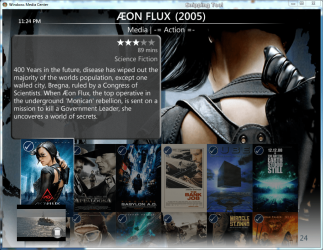
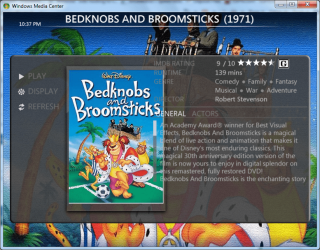
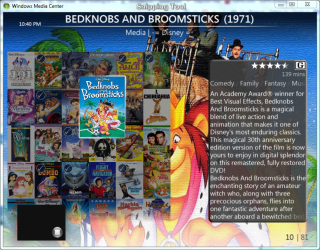
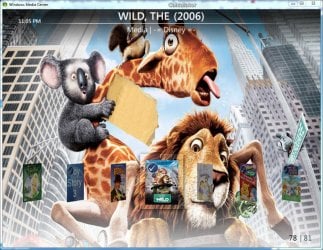
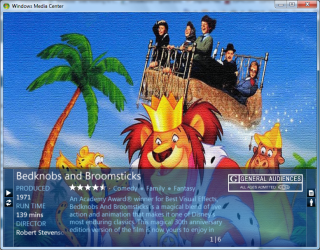
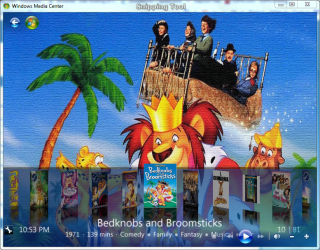
Diamond - I like just about everything but where the synopsis box is for the thumbstrip and detailed views (pic1 and 2), thumb view is fine (pic3). I like the display of coverflow the overall best view for while viewing in a \parent folder (pic4 diamond coverflow), not the actual movie folder. For that i use detail, but like the detail view in vanilla the best (pic5), as where the synopsis box is and how it leaves the background non obstructed.

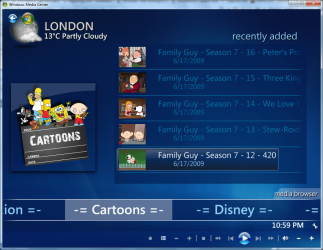
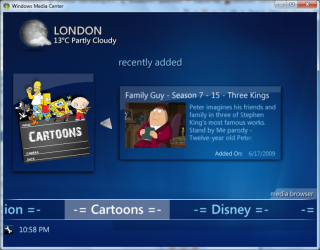
root page, i like diamond (pic6) over vanilla(pic7), for one simple fact. The showing of more than one 'recently added' title in that parent folder. Vanilla shows just one. Tho i think i've figured out why the difference. Vanilla shows the one WITH snynopsis while Diamond uses the synopsis room to display more recent titles. Also, this goes for both themes on root page, if a movie, it will go to its synopsis page with option to play, if tvep, when clicked it goes to play. With Vanilla you already see the synopsis of the tvep, so its not a matter, but not available for Diamond since that room is taken up.

I hadnt figured out how to navigate on pc under the vanilla details view on pc. I kinda like vanilla coverflow (playing with alpha blend) and trying to get used to the thumbstrip view when having multiple titles in parent folder. I am partial towards the coverflow view, with the slight edge to diamond coverflow overall.

just some late night thoughts again. let me know what ya think. lol :D


pics...
diamond thumbstrip view
diamond-thumstrip.PNG
diamond detail view
1.PNG
diamond thumb view
1a.PNG
Diamond coverflow view
diamond-coverflow.jpg
vanilla synopsis
van-synopsis.PNG
diamond root
daimond-front.PNG
vanilla root
van-root.PNG
vanilla coverflow view
van-coverflow.PNG
 

My Computer

Computer Manufacturer/Model Number
CUSTOM
OS
XP/win7 x86 build 7127
CPU
Athlon64 X2 DUAL 4200+ 2.21ghz
Motherboard
ASUS K8 PRO SLI
Memory
2GB Dual Chan DDR2 Corsair
Graphics Card(s)
Nvidia 6800GT
Sound Card
nvidia
Monitor(s) Displays
19' LCD
Screen Resolution
1280x1024
Hard Drives
WD 250, 2x500, 2x1TB IDE/USB
WD 250 SATA (system)
SEAGATE 120 Sata
PSU
coolermaster 450
Case
SUPERFLOWER
Cooling
1 HDD bay fan, 5x80mm Case Fans, AEROGATE II Fan/Temp
Keyboard
MS wireless
Mouse
MS Wireless
Internet Speed
fassssssssst
In other words, for vanilla, if i could have the alpha blend down to 0 for coverflow view, and then turned up in the synopsis/detail to be able to read it in some cases.... thats the middle i'm trying to find for myself so far. In most cases i think i prefer the vanilla synopsis box over diamonds, vanilla is sleeker, but diamond's is easier to read the text.

thats why i've been tinkering with the alpha blend and so much back and forth confusion :p


edit: also, another thought, if you could change how the alpha blend box is on vanilla to somehow look 3D'ish, with the folder.jpg/movies look like they are sitting upright on a "table" or a horizontal plane with a slight uptick in the degree/angle of the "alpha blend area". Thus having the background.jpg meet at the angled edge... almost like if you setup a bunch of dvds on a glass or mirror table sitting upright and looked at it from a slight angle instead of a head-on direct angle. I have no idea if this is possible, just throwing darts.
 

My Computer

Computer Manufacturer/Model Number
CUSTOM
OS
XP/win7 x86 build 7127
CPU
Athlon64 X2 DUAL 4200+ 2.21ghz
Motherboard
ASUS K8 PRO SLI
Memory
2GB Dual Chan DDR2 Corsair
Graphics Card(s)
Nvidia 6800GT
Sound Card
nvidia
Monitor(s) Displays
19' LCD
Screen Resolution
1280x1024
Hard Drives
WD 250, 2x500, 2x1TB IDE/USB
WD 250 SATA (system)
SEAGATE 120 Sata
PSU
coolermaster 450
Case
SUPERFLOWER
Cooling
1 HDD bay fan, 5x80mm Case Fans, AEROGATE II Fan/Temp
Keyboard
MS wireless
Mouse
MS Wireless
Internet Speed
fassssssssst
Media Browser 2.1 is now released

Click to upgrade

I will be updating my post to include the new things in mb and I have been test running the new MB for a few weeks now so if you need any help as always please just ask.
 

My Computer

Computer Manufacturer/Model Number
Custom Built Rig BY ME "My Baby"
OS
7 Ultimate x64
CPU
AMD Athlon 64X2 4600+ 2.51Ghz
Motherboard
ASUS M2N-E SLI
Memory
6GB DDR2 900 Kingston
Graphics Card(s)
2x BFG Nvidia 9600 GT-OC
Sound Card
SoundBlaster XF-I
Monitor(s) Displays
19"acer, 22"acer, 19"acer, 48" HITACHI HDTV
Screen Resolution
1400x900, 1680x1050, 1400x900, 1920x1080
Hard Drives
Seagate 500GB Sata
Seagate 500GB Sata
Seagate 500GB Sata
Seagate 500GB Sata
Seagate 320 Sata (Primary)
Western Digital 500GB IDE
Western Digital 300GB IDE
Maxter 720 Sata (USB)
PSU
BFG 800 Watt SLI Power Supply
Case
Game Master
Cooling
Thermotake
Keyboard
Logitech (Bluetooth)
Mouse
Logitech (Bluetooth)
Internet Speed
Turbo Cable
Other Info
ATI 650HD TV Tuner X2,
Samsung (Light scribe) DVD-R,
Sony (Dual Layer) DVD-R
Thanks for the update, been waiting eagerly for that one.
 

My Computer

Computer Manufacturer/Model Number
Home Brew
OS
Windows 7 Ultimate Vista Ultimate x64
CPU
Core 2 Duo E8500 3.16Ghz @ 3.8Ghz
Motherboard
eVGA 750i FTW
Memory
2x2Gigs Patriot PC2-6400 LL
Graphics Card(s)
Inno3D GeForce GTX260 216 SP
Monitor(s) Displays
ASUS VW222U 22" 2ms Response time
Screen Resolution
1680x1050
Hard Drives
SATA 150GB
SATA II 250GB
USB IDE 750GB Ext.
PSU
HYTEC 600W & Thermaltake 650W Toughpower Power Exp
Case
Thermaltake Armor LCS (Liquid Cooling System)
Cooling
Liquid Cooling System
Keyboard
Logitech G15 Gaming Keyboard
Mouse
Logitech G9 Gaming Mouse
Cheers dude :D
 

My Computer

Computer Manufacturer/Model Number
Compaq Desktop
OS
Windows 7 Ultimate x64
CPU
AMD Sempron Dual Core
Memory
3GB
Graphics Card(s)
NVIDIA GeForce 6150SE nForce 430
Screen Resolution
1024x768
Hard Drives
150GB Sata
Back
Top