Hello!
I bought a new motherboard recently because my old one broke down.
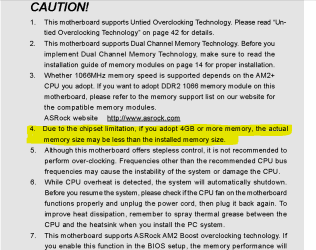
I'm running Windows 7 Home Premium 64-bit, and with my old motherboard I was able to use all 4 GB's of RAM. When I switched to the new motherboard I could only use 3,25 GB RAM. I went in to Bios and enabled the Memory hole remapping -setting, but then the graphic card driver won't work, and it seems like the graphic card uses both its own memory (512 mb) and shared memory. If I go back in to Bios and disable Memory hole remapping I can only use 3,25 GB again, but the graphic card driver works instead. Is there any way to use all 4 Gb's of ram and get the graphic card driver to work again?
I bought a new motherboard recently because my old one broke down.
I'm running Windows 7 Home Premium 64-bit, and with my old motherboard I was able to use all 4 GB's of RAM. When I switched to the new motherboard I could only use 3,25 GB RAM. I went in to Bios and enabled the Memory hole remapping -setting, but then the graphic card driver won't work, and it seems like the graphic card uses both its own memory (512 mb) and shared memory. If I go back in to Bios and disable Memory hole remapping I can only use 3,25 GB again, but the graphic card driver works instead. Is there any way to use all 4 Gb's of ram and get the graphic card driver to work again?
My Computer
- OS
- Windows 7 Home Premium 64bit
- CPU
- AMD Phenom X4 9950 Black Edition
- Motherboard
- ASRock ALiveXFire-eSATA2
- Memory
- 4.0GB Dual-Channel DDR2 @ 399MHz (6-6-6-18)
- Graphics Card(s)
- 512MB GeForce 9500 GT (nVidia)
- Sound Card
- High Definition Audio Device
- Monitor(s) Displays
- BenQ G900W @ 1440x900 + HP L1502 @ 1024x768
- Screen Resolution
- 1440x900 and 1024x768
- Hard Drives
- 250GB Seagate ST3250310AS ATA Device
500GB Iomega External HDD
- PSU
- CoolerMaster Extreme Power Plus 400W
- Case
- ACE Ecco 420
- Keyboard
- Logitech Deluxe 250
- Mouse
- Logitech
- Internet Speed
- 5/1