- Please follow this tutorial and post the results:
http://www.sevenforums.com/tutorials/274797-disk-management-post-screen-capture-image.html
- Please try the following:
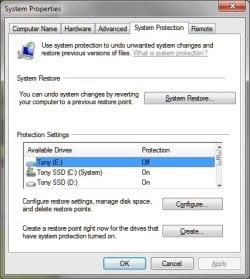
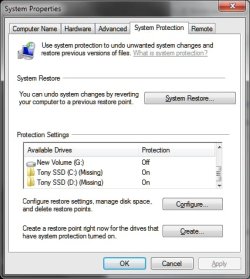
Please select the (C) (Missing) Drive and select the button to configure the settings for this drive in the System Protection tab.
Select the Radio Button to turn off system restore for this (spurious) drive.
The (C) (Missing) item on the list of drives will then disappear.
Now select the correct Local Disk (C) (System) disk in the list. Hit the Configure Button.
Now change the settings, as you wish. Press OK.
Source:
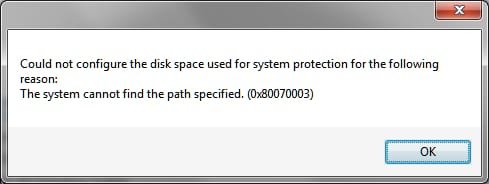
Windows 7: System Restore Disk Space Configuration, missing line, local disk c
3.) Try
http://www.sevenforums.com/tutorials/1538-sfc-scannow-command-system-file-checker.html
Use option 2, what are the results?