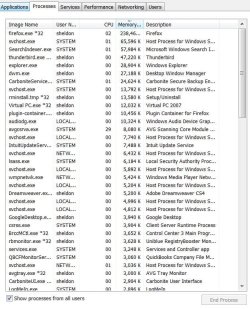
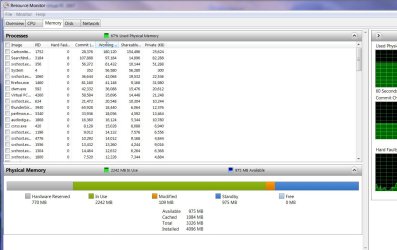
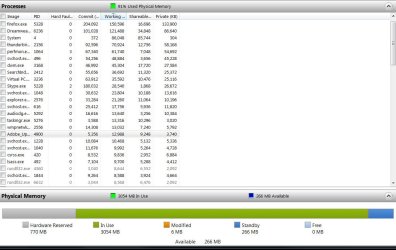
It's a little tough to explain and show what the OS does behind the scenes. You just have to understand that process list doesn't show all memory allocated in the system. There's a disconnect between the process list of what memory is being used and what is actually being allocated across the entire system for use
This link does a very good job of explaining some of this:
Investigate memory usage with Windows 7 Resource Monitor | Microsoft Windows | TechRepublic.com
This is the real take-home point of the article:
"
The question of Free memory
Now that you have a good idea of how the memory manager in Windows 7 works on a global level, let’s take a few minutes to discuss a common misconception with Windows 7’s memory management scheme. As you can see in Figure C, Free memory is the second smallest list in the graph. The misconception is to look at that small value and think that Windows 7 is a memory hog and that a system cannot run effectively when there is hardly any Free memory.
But just the opposite is true, in the case of Windows 7’s memory management scheme, Free memory is wasted memory. The more memory that Windows 7 keeps in play, the better. By keeping memory full and juggling pages between the various lists along with using its Standby priority system, Windows 7 improves efficiency and does its best to keep memory pages from hitting the page file where Hard Faults and sluggish performance are more likely to occur."
However, understanding how it all works is only the first step, and you still may have a runaway process that is leaking memory (it never frees any of the memory it doesn't need anymore so it just perpetually takes up memory on the system that becomes useless to anything else).