Aarbron
New member
- Local time
- 6:34 AM
- Messages
- 9
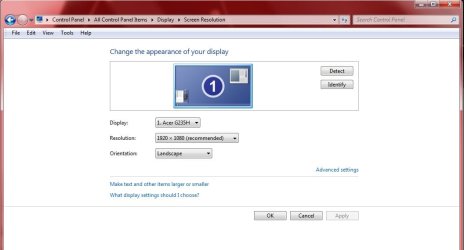
hi from greece fellas! recently i obtained a 32 inch LG tv,the model is LG32LH2000.when i plugged it in the pc the resolution was still 1920x1080 but when i reboot the computer or press "scan" in the resolution properties window,the resolution changes to 1360x768 by force and then i cant set it back to 1920x1080.in the resolution properties window it says that 1360x768 is the recommended one,all the rest are lower.i also have no idea about cables,the one i use is the classic one with the 2 little screws to the sides.1360x768 is bad,the screen looks crooked,the only solution that i found is to plug in the old screen,press "scan" and then it automatically changes the resolution back to 1920x1080 and in the end i plug in the new tv again but without pressing "scan".the problem is i cant keep the old monitor,i must find a solution for the new one.any help would be much appreciated.thank you for your time friends! 
My Computer
- Computer type
- PC/Desktop
- Computer Manufacturer/Model Number
- Intel
- OS
- Windows 7 Ultimate x64
- CPU
- Intel(R) Core(TM) i7-3770 @3,40GHz
- Motherboard
- Asus
- Memory
- 16GB
- Graphics Card(s)
- AMD Radeon HD 7800 series
- Hard Drives
- 878GB
- Antivirus
- Microsoft Security Essentials
- Browser
- Chrome