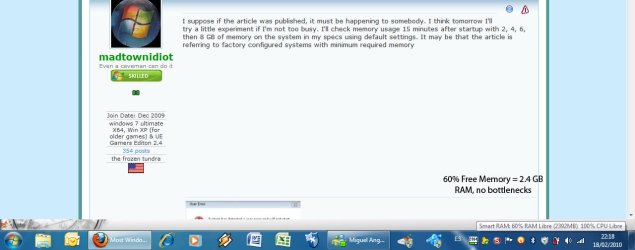
Most Windows 7 PCs max out memory.

dgwin7,

BTW *never never let any apps or anti-virus apps running in background while you are play games, any games don't need anti-virus app at all also avoid bloated.
Do you go so far as to include programs that start on boot and are parked in the notification area?
 

My Computer

Computer Manufacturer/Model Number
DIY
OS
W7x64 Pro, SuSe 12.1/** W7 x64 Pro, XP MCE
CPU
Phenom II 1090T w/Noctua NH-D14 /**4400+ X2 w/CM Hyper TX 3
Motherboard
ASRock 890FX Deluxe 4/**A8N-SLI
Memory
2 x 2GB Patriot PGS34g1600LLKA/**4x1GB Corsair VS
Graphics Card(s)
EVGA GTX460 SC/**EVGA 8800GTS
Sound Card
Asus Xonar D2X/**Xonar D1
Monitor(s) Displays
Acer X233H, Dell E152FPc /**LG M237-WD
Screen Resolution
1920x1080 & 1024x768/**1980x1080
Hard Drives
WDC 2TB, 1.5TB, 1TB, 500GB,Seagate 500GB , Maxtor 80GB /**500GB Seagate & WDC 1TB Black
PSU
CM RS600 w/ APC BX1000G/**Antec 500 TP w/ APC BX1000
Case
HAF922/**Antec 1040IIB
Cooling
3x200mm, 1x140 and 1x120mm/**5x80mm fans
Keyboard
Logitech Media USB/**Saitek Eclipse
Mouse
Cordless Trackman Wheel/**Ditto
Internet Speed
3.3Mbps
Other Info
SB 560 5.1 w/ Sennheiser RS140/**Creative T20 speakers, Dvico FusionHDTV7 Gold RT, Cisco E3000, HP 5510V AIO, Linksys E3000, Belkin F5U237 hub and **F5D8055 adapter
(** = 2nd rig)
BTW *never never let any apps or anti-virus apps running in background while you are play games, any games don't need anti-virus app at all also avoid bloated.

Just my 2 cents.

dg

A valid point as long as you disconnect your machine from the outside world before you disable your protection
 

My Computers

System One System Two

  • Computer type
    PC/Desktop
    Computer Manufacturer/Model Number
    ChillBlast - Custom to my design
    OS
    Windows 11 Pro x64 [Latest Release and Release Preview]
    CPU
    Ryzen 9 5950X, 3.8 - 5.2 MHz
    Motherboard
    Asus Prime X570-Pro
    Memory
    64GB [2 x 32GB] DDR4 3200MHz
    Graphics Card(s)
    4GB NVIDIA GEFORCE GTX 1650 Ti
    Sound Card
    On-board SPDIF to 5.1 System + HDMI [5.1 system]
    Monitor(s) Displays
    32" UHD 32 Bit HDR Monitor + 43" UHD 4K 32Bit HDR TV
    Screen Resolution
    2 x 3840 x 2160 @60Hz
    Hard Drives
    1TB M2 SSD OS, 500GB Fast Access SSD, 2 x 8TB Data + Various Externals from 1TB to 4TB, 10TB NAS
    PSU
    NZXT C750 80 PLUS Gold 750W Modular PSU
    Case
    Workstation Case [Matt Black]
    Cooling
    NZXT Kraken X63 280mm CPU Cooler +2x Quiet Case fans
    Keyboard
    Logitech Wireless MX Keys & K400 + others
    Mouse
    Logitech Wireless MX Master 3S
    Internet Speed
    920 MB Down 50 MB Up
    Antivirus
    BitDefender Total Security Pro
    Browser
    Chrome (always run latest Non-Beta)
    Other Info
    Also run ...
    Laptop - Quad 8GB - Windows 10 Pro x64
    Nexus 7 Android tablet x2
    Samsung 10.2" tablet
    Blackview TAB 8 4G Android Tablet c/w Keyboard
    Wacom Intuos Pro Medium Pen Pad
    Wacom Intuos Pro Small Pen Pad
    Wacom Expresskeys Remote
    Loopdeck+ Graphics Controller
    Shuttle Pro v2 Control
  • Computer type
    Laptop
    System Manufacturer/Model Number
    Dell XPS 17 10750H
    OS
    Windows 11 Pro x64 Latest RP
    CPU
    Intel I7 10750H 5.0GHz
    Motherboard
    Dell XPS
    Memory
    32GB [2x16GB] DDR4 2933 MHz
    Graphics Card(s)
    nVidia GTX1650Ti 4 GB GDDR6
    Sound Card
    Stock [Realtek] 4 Speaker
    Monitor(s) Displays
    17" IPS UHD+ Infinity Edge Touchscreen
    Screen Resolution
    3840 x 2400
    Hard Drives
    2TB M2 NVMe, 4TB External + various 500GB & 1TB External NVMe (also have access to spinner HDD from
    PSU
    Stock
    Case
    Stock XPS Aluminium & Carbon Fibre
    Cooling
    Stock - Active Fan Control
    Keyboard
    Backlit + Various Logitech
    Mouse
    Stock Track Pad + Logitech MX Trackball
    Internet Speed
    72 MB Down 18MB Up
    Browser
    Chrome
    Other Info
    Also run ...
    Laptop - Quad 8GB - Windows 10 Pro x64
    Nexus 7 Android tablet x2
    10.2" tablet
    Sony Z3 Android Smartphone
    Wacom Intuos Pro Medium Pen Pad
    Wacom Intuos Pro Small Pen Pad
    Wacom Expresskeys Remote
    Loopdeck+ Graphics Controller
    Shuttle Pro v2 Control Pad
    10TB NAS
BTW *never never let any apps or anti-virus apps running in background while you are play games, any games don't need anti-virus app at all also avoid bloated.

Just my 2 cents.

dg

A valid point as long as you disconnect your machine from the outside world before you disable your protection

LOL
 

My Computer

OS
Windows 7 64bit Ultimate
CPU
Intel i5 2500K 3.30 ghz overclocked to 4.8 ghz
Motherboard
Asus P8T867 EXT bios 2103 rev 1.03
Memory
G.SKILL DDR3 12GB PC3 1600 at 800mhz 8-9-8-24-1t
Graphics Card(s)
Zotac GeForce GTX 560 1GB non ti driver 290.53 beta
Sound Card
on-board realtek
Monitor(s) Displays
Asusr 23" LED
Screen Resolution
1980x1080 max
PSU
BFG-1000 watts
I have an old machine with with 2.5 Gb RAM. I use Areo, have two gadgets running along with an AV and firewall program, run Outlook, and run Firefox with tabs minimum continuously running. I have never seen my RAM useage over 60%. It is usually between 34% and 42%.
 

My Computer

Computer Manufacturer/Model Number
Home built
OS
Windows 7 Ultimate 32 bit
CPU
Intel(R) Pentium(R) 4 CPU 3.00GHz
Motherboard
ASUS P4P800-VM Motherboard Chipset: Intel 865G + ICH5
Memory
2.50 GB RAM
Graphics Card(s)
NVIDIA GeForce 7600 GS
Sound Card
SoundMax Integrated Digital Audio (Chip)
Monitor(s) Displays
ViewSonic VX 1962 wm
Screen Resolution
1680 X 1050
Hard Drives
Seagate Barracuda 7200.10 80 GB
ST380215A ATA Device 18.6 GB
Western Digital "My Book" external hard drive 750 GB
Cooling
Fan based
Keyboard
Microsoft Comfort Curve Keyboard 2000 v10 USB
Mouse
Logitec optic USB
Internet Speed
3.01 Mb/s download 0.64 Mb/s upload
BTW *never never let any apps or anti-virus apps running in background while you are play games, any games don't need anti-virus app at all also avoid bloated.

Just my 2 cents.

dg

A valid point as long as you disconnect your machine from the outside world before you disable your protection

And you know too often the online gamers simply forget that one!

As far as the main topic here I found a good rebuttal followup blog about the COMPUTERWORLD article.

February 18th, 2010

86% of Windows 7 PCs maxing out memory ... really?

Posted by Adrian Kingsley-Hughes @ 8:12 am

I’ve had so many emails hit my inbox overnight about a story over on ComputerWorld citing data collected by Devil Mountain Software’s community-based XPnet claiming that some 86% of Windows 7 machines being monitored are regularly consuming 90-95% of the system RAM that I’m forced from silence to comment.

OK, let me begin by telling you why I wasn’t going to cover this story. Well, I’ll be honest with you, it’s because XPnet’s data isn’t a data source that’s on my trusted list. Collecting and correlating data is a tricky business, and there are too many mysteries surrounding how XPnet data is collected and what data is collected for me to get a clear picture of what’s going on. Those are my thought and feelings on the issue, but I encourage you to come to your own conclusions.

OK, but with that out of the way, let’s take a look at the claim.

86% of Windows 7 machines in the XPnet pool are regularly consuming 90%-95% of their available RAM

The rest of the reluctant writer's comments can be seen at: 86% of Windows 7 PCs maxing out memory ... really? | Hardware 2.0 | ZDNet.com
 

My Computers

System One System Two

  • Computer type
    PC/Desktop
    Computer Manufacturer/Model Number
    Custom builds = 2
    OS
    W7 Ultimate x64/W10 Pro x64/W11 Pro Triple Boot - Main PC W7 Remote PC Micro ATX W7 Pro x64/W11 Pro
    CPU
    AMD Phenom II X4 975 Deneb 3.6ghz - 965 2nd remote pc
    Motherboard
    Gigabyte GA-790XTA-UD4-Gigabyte GA-880GM-D2H remote pc
    Memory
    Kingston Hyper X DDR3 1600 1.5v 16gb - Hyper X Fury 8gb 2nd
    Graphics Card(s)
    MSI HD Radeon 5750 1gb - MSI HD Radeon 6450 on mini tower
    Sound Card
    Creative Labs X-Fi Xtreme Audio P - Realtek onooard 2nd case
    Monitor(s) Displays
    ASUS VW199T-P 19" HP 2082a Main-HP 2082a 20" remote pc
    Screen Resolution
    Asus 1440x900 - HP 1600x900
    Hard Drives
    WD Black 1TB HD per OS W7, W10, and pending W11 presently on 500gb OS Drive - Pending Triple 1TB HDs for Spanned Storage/backup volume
    Single 2TB external USB enclosure, single 1TB System 7 Host/Boot drive, Pending 8TB external HD for system image b
    PSU
    Corsair 750TX - primary / Corsair CX600 - second
    Case
    Antec 900-2 - SSD compatible / NZXT Vulcan mini tower
    Cooling
    Zalman CNPS9900A
    Keyboard
    AZIO L70 Backlit Letters Gaming - ONN Cordless/USB
    Mouse
    MSI DS200 Programmable, Logitech Cordless
    Internet Speed
    30mbps upgrade - primary hard wired - mini tower usb WiFi
    Antivirus
    GFI VIPRE Internet Security 2014 on W7 2016 beta on W10,
    Browser
    Cyberfox, WaterFox 64bit FF variants, FireFox x64, Pale Moon
    Other Info
    Accomdata fan cooled usb 2.0 PIDE/Sata II, III external enclosure.
    Sambient usb/eSata PATA/Sata II, III external enclosure.
  • Computer type
    PC/Desktop
    System Manufacturer/Model Number
    CUSTOM ASSEMBLY
    OS
    W7 Pro x64/W11 Pro
    CPU
    AMD Deneb 3.6ghz - 965
    Motherboard
    Gigabyte GA-880GM-D2H remote pc
    Memory
    Kingston Hyper X Fury 8gb
    Graphics Card(s)
    MSI HD Radeon 6450 DVI Output
    Sound Card
    Realtek onooard Creative or Other separate PENDING
    Monitor(s) Displays
    VIZIO 32" LCD TV Separate LCD Pending
    Screen Resolution
    1600x1080
    Hard Drives
    WD 500GB OS Host/Boot WD Green 1TB Storage/Backup
    PSU
    Corsair 600W - THERMALTAKE 600W spare case
    Case
    NZXT Vulcan mini tower
    Cooling
    Twin 120mm Top Fans - 240mm Side Cover
    Keyboard
    ONN Cordless/USB Logitech Cordless
    Mouse
    ONN USB/Cordless - Logitech Cordless
    Internet Speed
    DSL 5G
    Browser
    MS Edge, FireFox, WaterFox x64, FireFox Nightly
    Other Info
    OS Testing-Remote Access to Main TeamViewer
gotta be total rhubarb..!!:huh:
 

My Computer

Computer type
PC/Desktop
Computer Manufacturer/Model Number
benchtec, built to personal specs
OS
Windows10 Pro - 64Bit vs.10547
CPU
i7-965 Extreme Edition (8 Cores) at 3.3GHz (no OC)
Motherboard
BloodRageX58 (Socket1366)
Memory
12G Corsair Dominator DDR3 - tripled
Graphics Card(s)
2xAMD SapphireNITRO R9 380(4G) crossfire
Sound Card
Sonar(SB)X-Fi onboard
Monitor(s) Displays
SyncMaster P2050 20"
Screen Resolution
1600x900 (widescreen)
Hard Drives
480G\OCZSolid3SSD, 64G\OCZVertex3SSD,60G\OCZVertex2SSD, 1TB\spinpointF1SATAHDD
PSU
1200w Power Station Gold
Case
ANTEC 900/2 all blue lights, etc..
Cooling
Noctua SE1366 NH-U12P - a tight fit, but a monster cooler!!
Keyboard
Logitech G19 (wired)
Mouse
Logitech G9 Laser (wired)
Internet Speed
150mb unlimited
Browser
IE11(RP)
Other Info
Xbox One, Nokia735 Windows10 mobile, LG HD/DVD/Blu-Ray r/w, CyberlinkPowerDVD15, LogitechZ5500-SS(5.1), LogitechG35Phones-SS(7.1),MSOffice 2007,CorelDrawX7,Painter2016, Wacom Intuos Pro-SE
That is something I do not understand. When I walk thru the computer stores, most Win7 systems have 4GBs and more - and they all have 64bit. No way to find a 32bit system which we were looking for because a friend needed that to run a bundle of very expensive programs for her business from 32bit Vista. My win7 systems usually run around 1GB of RAM usage. So where is the problem.
i dont see why your friends programs wont run in 64 bit. which programs are they using. 64 bit windows emulates a 32 bit environment very well and the rare instances of these problems are becoming practically unheard of.
 

My Computer

Computer Manufacturer/Model Number
Custom
OS
Windows 7 Ultimate Signature Edition
CPU
Intel Core i7 Extreme 3.33GHz
Motherboard
EVGA X-58 SLI Classified
Memory
12GB DDR3
Graphics Card(s)
2x EVGA 285 2GB in SLI
Sound Card
Creative Labs X-Fi ExtremeGamer
Monitor(s) Displays
30" Viewsonic
Hard Drives
2x1TB Western Digital 7200RPM in RAID 0/1TB WD My Book External HDD
PSU
Thermaltake 1000w supporting quad SLI
Case
Thermaltake Armor Full Tower
Cooling
Thermaltake V1 CPU+DIY Liquid cooling
I don't believe it

hmmm well , here's a image of my memory usage (just surfing the net) :geek:

Regards
MiguelAngelXP
 

Attachments

  • Article.jpg
    Article.jpg
    293.6 KB · Views: 43

My Computer

Computer Manufacturer/Model Number
Sony VAIO VGN-CS270T
OS
Windows 7 Ultimate x64
CPU
Centrino Core Duo P8600 2,4 Ghz
Memory
4 Gb
hmmm well , here's a image of my memory usage (just surfing the net) :geek:

Regards
MiguelAngelXP
it looks to me like avast is busy maybe that will explain some of it. try looking for memory leaks in your system otherwise.
 

My Computer

Computer Manufacturer/Model Number
Custom
OS
Windows 7 Ultimate Signature Edition
CPU
Intel Core i7 Extreme 3.33GHz
Motherboard
EVGA X-58 SLI Classified
Memory
12GB DDR3
Graphics Card(s)
2x EVGA 285 2GB in SLI
Sound Card
Creative Labs X-Fi ExtremeGamer
Monitor(s) Displays
30" Viewsonic
Hard Drives
2x1TB Western Digital 7200RPM in RAID 0/1TB WD My Book External HDD
PSU
Thermaltake 1000w supporting quad SLI
Case
Thermaltake Armor Full Tower
Cooling
Thermaltake V1 CPU+DIY Liquid cooling
I'm using about 37% of my 2 GB on my netbook. XPnet fails hard.
 

My Computer

OS
Windows 7 Professional x64 SP1
CPU
Intel Core i5-2500K
Motherboard
Gigabyte P67X-UD3-B3
Memory
8 GB Corsair Vengeance Blue DDR3-1600
Graphics Card(s)
Sapphire Radeon HD 6870 1 GB GDDR5
Monitor(s) Displays
Samsung SyncMaster T220HD
Screen Resolution
1680x1050
Hard Drives
120 GB Corsair Force SSD + 320 GB Seagate Barracuda SATA2 + 2 TB My Book Elite
PSU
Corsair 650W
Internet Speed
50 Mbps
I have an old PC with 1GB of RAM with XP and Win 7 both 32bit installed and Win 7 always crashes due to lack of RAM.

That can't be right, i've installed W7 on a 512mb RAM laptop, and it has NEVER crashed due to low memory.

And back to topic, i've got 8GB RAM installed, and only had it get to 7.8GB cause i was installing a game, and i had 2 Virtual Machines running.
 

My Computer

Computer Manufacturer/Model Number
Custom Build
OS
W7 RTM Ultimate x64
CPU
Intel Q8400 @ 2.66GHZ
Motherboard
Gigabyte GA-EG45M-UD2H
Memory
4GB DDR2-800
Graphics Card(s)
Gainward GTS 450 GLH 1GB Edition
Sound Card
Integrated 8 Channel
Monitor(s) Displays
AOC 23.6 Inch Widescreen LCD
Screen Resolution
1920x1080
Hard Drives
Seagate 500GB Internal
Western Digital 1TB Internal

Hitachi 1TB External
PSU
Apevia Java Power 500W
Case
Cooler Master HAF 922 Black
Cooling
Stock Intel CPU Fan
Keyboard
HP SK-2960 Multimedia Keyboard
Mouse
Logitech M350 Wireless Gaming Mouse
Internet Speed
1.5MB
Hi there

I'm not sure which version of Windows you are running but I've even got W7 X-32 PROFESSIONAL to run on an old dell with 640 MB RAM and it ran better than the XP system previously existing on it.

Something isn't right with your setup -- unless your video RAM has "eaten" most of your real RAM.

On some of these earlier computers you can "switch off" Video RAM shadowing in the BIOS - this used to allocate part of the RAM in the old BIOS to the actual RAM in the computer as BIOS RAM used to be slower than the motherboard RAM.

Shadowing meant that the OS would access memory RAM rather than the BIOS RAM for video -- of course this means less for the OS but with the earlier OS'es this wasn't particularly a significant problem.

Cheers
jimbo
 

My Computer

Computer type
PC/Desktop
Computer Manufacturer/Model Number
Custom built, several laptops HP/ASUS
OS
Linux CENTOS 7 / various Windows OS'es and servers
CPU
Intel i7 Intel i5
Memory
8GB, 16GB
Graphics Card(s)
On Motherboard
Sound Card
Realtek HD audio
Monitor(s) Displays
Apple Cinema display, Samsung LCD
Screen Resolution
1920 X 1080
Hard Drives
4 X 1TB SATA
Mouse
Toshiba wireless laser
Internet Speed
> 20MB up
That is something I do not understand. When I walk thru the computer stores, most Win7 systems have 4GBs and more - and they all have 64bit. No way to find a 32bit system which we were looking for because a friend needed that to run a bundle of very expensive programs for her business from 32bit Vista. My win7 systems usually run around 1GB of RAM usage. So where is the problem.
i dont see why your friends programs wont run in 64 bit. which programs are they using. 64 bit windows emulates a 32 bit environment very well and the rare instances of these problems are becoming practically unheard of.

there are plently of apps(even newer ones) that will not run under 64 bit. 64 bit windows emmulates 32 bit to a certain point and only to a certain point.
 

My Computer

OS
Windows 8 aka windows next
Question: Why users max out on ram?

Answer: Games

:)
 

My Computer

Computer Manufacturer/Model Number
Self assembled
OS
W7 64b - Leopard 10.6.2 - Ubuntu 10.10 (MBP Snow Leopard 10.6.3)
CPU
Intel E6600
Motherboard
Asus P5W DeluxeHome
Memory
4GB
Graphics Card(s)
nVidia 8800GTX
Sound Card
Onboard
Monitor(s) Displays
Samsung 24"
Screen Resolution
1920*1200
Hard Drives
3*250GB
PSU
Antec
Case
Antec
Cooling
3*Fan
Keyboard
Logitec
Mouse
Logitec
Internet Speed
25Mb
there are plently of apps(even newer ones) that will not run under 64 bit. 64 bit windows emmulates 32 bit to a certain point and only to a certain point.

Any examples of apps which are 32-bit that aren't running properly? Everything that I have ever thrown at my 64-bit Windows 7 systems at home and at work have worked properly. 16-bit apps don't work...but that is to be expected.
 

My Computer

Computer Manufacturer/Model Number
Self-Built in July 2009
OS
Windows 7 Ultimate x64
CPU
Intel Q9550 2.83Ghz OC'd to 3.40Ghz
Motherboard
Gigabyte GA-EP45-UD3R rev. 1.1, F12 BIOS
Memory
8GB G.Skill PI DDR2-800, 4-4-4-12 timings
Graphics Card(s)
EVGA 1280MB Nvidia GeForce GTX570
Sound Card
Realtek ALC899A 8 channel onboard audio
Monitor(s) Displays
23" Acer x233H
Screen Resolution
1920x1080
Hard Drives
Intel X25-M 80GB Gen 2 SSD
Western Digital 1TB Caviar Black, 32MB cache. WD1001FALS
PSU
Corsair 620HX modular
Case
Antec P182
Cooling
stock
Keyboard
ABS M1 Mechanical
Mouse
Logitech G9 Laser Mouse
Internet Speed
15/2 cable modem
Other Info
Windows and Linux enthusiast. Logitech G35 Headset.
OK I just read the zdnet article and see that 2.6GB is avail acording to task manager, and only 100mb is fee. So I have a question, if I disable superfetch would my avail now become the same as free? granted I could test this myself but not sure what impact that would have on my system.

So I should have 2.6GB free and avail if I understand this correctly.
 

My Computer

Computer Manufacturer/Model Number
Alienware M17x R3
OS
Windows 7 Ultimate x64
CPU
Intel Core i7 2670QM 2.2GHz 3.3GHz Turbo Mode
Memory
12GB Dual Channel DDR3 at 1333MHz
Graphics Card(s)
2GB GDDR5 AMD Radeon 6990M
Sound Card
Audio Powered by Klipsch
Monitor(s) Displays
17.3-inch WideFHD 1920 x 1080 60Hz WLED
Screen Resolution
1920x1080
Hard Drives
120GB SSD slot 1
1TB HDD slot 2
Case
alienware laptop case
Cooling
Dual heatsink and fans
Keyboard
Alienware multi color keyboard
Mouse
logitech G300 gaming mouse
Other Info
Intel® Centrino Advanced-N 6230 2x2 agn+ Bluetooth

finally got it!!!
You could disable superfetch and it should do that. However, it's the same as free when it's cached. The OS will use it when it needs it. Not sure why you want it to show "free" so badly.
 

My Computer

Computer Manufacturer/Model Number
Self-Built in July 2009
OS
Windows 7 Ultimate x64
CPU
Intel Q9550 2.83Ghz OC'd to 3.40Ghz
Motherboard
Gigabyte GA-EP45-UD3R rev. 1.1, F12 BIOS
Memory
8GB G.Skill PI DDR2-800, 4-4-4-12 timings
Graphics Card(s)
EVGA 1280MB Nvidia GeForce GTX570
Sound Card
Realtek ALC899A 8 channel onboard audio
Monitor(s) Displays
23" Acer x233H
Screen Resolution
1920x1080
Hard Drives
Intel X25-M 80GB Gen 2 SSD
Western Digital 1TB Caviar Black, 32MB cache. WD1001FALS
PSU
Corsair 620HX modular
Case
Antec P182
Cooling
stock
Keyboard
ABS M1 Mechanical
Mouse
Logitech G9 Laser Mouse
Internet Speed
15/2 cable modem
Other Info
Windows and Linux enthusiast. Logitech G35 Headset.
update. Well I disable the superfetch service and rebooted. the Avail was 2.7GB and free was 2.4GB. I restarted superfetch and its not using my ram at the current time so the avail is currently 2.8gb and free is 2.4 but my used has dropped from 1.2gb to 958mb and the only thing I disabled from before the 2 restarts was punkbuster which according to task manager was only using 2mb anyway.

now i wonder what was using almost 250mb of my ram that is not running now.

oh I don't want it just have the curiosity of a few million cats LOL I love experimenting on my computers even when they are my main machines. Things like this are fun for me. I should have a second machine for this type of thing but then I wouldn't have the thrill factor of possible having to use my backup.
 

My Computer

Computer Manufacturer/Model Number
Alienware M17x R3
OS
Windows 7 Ultimate x64
CPU
Intel Core i7 2670QM 2.2GHz 3.3GHz Turbo Mode
Memory
12GB Dual Channel DDR3 at 1333MHz
Graphics Card(s)
2GB GDDR5 AMD Radeon 6990M
Sound Card
Audio Powered by Klipsch
Monitor(s) Displays
17.3-inch WideFHD 1920 x 1080 60Hz WLED
Screen Resolution
1920x1080
Hard Drives
120GB SSD slot 1
1TB HDD slot 2
Case
alienware laptop case
Cooling
Dual heatsink and fans
Keyboard
Alienware multi color keyboard
Mouse
logitech G300 gaming mouse
Other Info
Intel® Centrino Advanced-N 6230 2x2 agn+ Bluetooth

finally got it!!!
there are plently of apps(even newer ones) that will not run under 64 bit. 64 bit windows emmulates 32 bit to a certain point and only to a certain point.

Any examples of apps which are 32-bit that aren't running properly? Everything that I have ever thrown at my 64-bit Windows 7 systems at home and at work have worked properly. 16-bit apps don't work...but that is to be expected.

For starters the free REVO does not run - you need to buy the 64bit version. Then AppLauncher and Weatherbug gadgets do not run in the tweaked sidebar. I also have a (paid) video capture program and a video editing program that do not run. I am sure there are more examples. My friends applications do not run either but I did not explore the why and what.
 

My Computer

Computer Manufacturer/Model Number
HP, Dell, Gateway, Toshiba - 4 laptops and 2 desktops
OS
Vista, Windows7, Mint Mate, Zorin, Windows 8
CPU
from 1.6GHz Duo to i7
Monitor(s) Displays
2x HP w2207
Hard Drives
5x HDD, 7x SSD, 12x Externals
Keyboard
with trackball - no mices
Mouse
Trackball mice
Internet Speed
DSL 6000
Back
Top