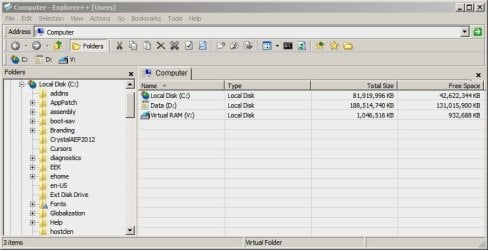
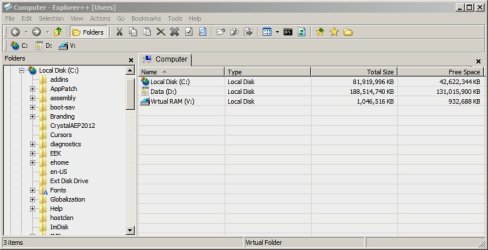
Please tell me how to remove the address bar using Classic Shell. This thread is about removing or moving the address bar. Everybody knows about Classic Sjhell already.
My Computer
At a glance
Windows 7
- Computer type
- PC/Desktop
- OS
- Windows 7

Please tell me how to remove the address bar using Classic Shell. This thread is about removing or moving the address bar. Everybody knows about Classic Sjhell already.
I think the closest we can get there is to find a working version of IE5-IE6 for Win7. Since some people packaged Outlook Express for Win7 and 8, this does not seem impossible.Actually this is neat. My goal is to get Windows 7's explorer.exe interface to look and act as much like XP's as possible (like a movable address bar, an option for 32x32 icons, ect.) I just think XP's explorer is more customizable. That's why I want to hide the address bar in the first place. But since this takes longer to load (and it seems kind of buggy) I want to do this with Windows 7's explorer. I might create a new thread just about that.
I tried it already. It does not work. At least at 64-bit Windows 7. Once you change any settings (such as uncheck the toolbar appearance), it crashes.You can get IE6, insecure as it is of course. Should work with 7.
Utilu IE Collection - Utilu.com
A Guy
Anyways, I don't really want to use IE6 as it is very, very insecure (I'm pretty sure it is the world's most insecure browser actually).

Please tell me how to remove the address bar using Classic Shell. This thread is about removing or moving the address bar. Everybody knows about Classic Sjhell already.

There are many irrelevant to this topic things still left in the world, there is no reason to come up with them here.It was only a suggestion for Butters to look at, thank you for the feedback Anixx. I will leave you to your own devices. Good luck.
Yes, I believe a Seven Guru does not know about Classic Shell.I don't know about Classic Shell

Wait, but the classic theme doesn't use msstyles, so what do you mean? To clarify, what I'm trying to do is hide the address bar in explorer with the Windows Classic theme.