There is a rather roundabout way of moving those programs to another directory in a separate drive without reinstalling them.. but it'll require some commandline usage with the command mklink which involves junctioning.
I often do this myself with certain space consuming folders in the C drive that have been unceremoniously dumped there by a program often designed to save settings and files in the hidden ProgramData folder.
The procedure is as follows.
For this example, we will consider a
hypothetical program called
Microsoft Bob which is installed in a folder called
C:\Programs\BOB.
1. Copy the folder and all it's contents into your destination drive and directory (say D:\Programs\BOB). It has to be a 1:1 copy, all hidden files included.
2. Next open an
elevated command prompt (Start|cmd|right click on cmd.exe|run as administrator|)
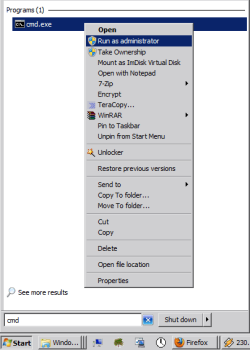
3. With the command prompt open, you need to DELETE (yes delete) the folder called BOB in the original location you installed it from (just BOB). (Don't worry I'll explain why later, you have that backup in D:\ remember?)
4. Go back to the command prompt and type in
mklink /j "C:\Programs\BOB" "D:\Programs\BOB" and press enter.
(the first folder the one you want to create the virtual folder to fool windows at, the the second one is where you want the virtual folder to point to, i.e. the real location of the files in the folder)

6. If all goes well, in the folder
Programs on your C drive you would actually see the folder
BOB appear magically now with a shortcut on it, try clicking on it and you'll find all the contents you copied to the
D:\Programs\BOB.
This "folder" is now a junction of the contents you copied to
D:\Programs\BOB and consumes no space whatsoever !
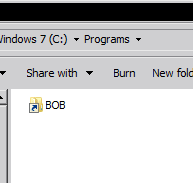
7. Try running the program like usual, you'll find that everything should work, the
system thinks that the program
Microsoft BOB is still in the C: drive!
Hope that helps you out!
EDIT:- If you're worried about anything breaking, please try what i've written above using a dummy folder and files 1st



 DarkFilip may also want to look at the two programs mentioned in this thread: