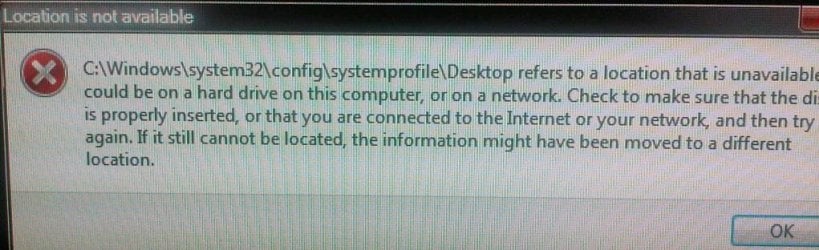
I would like to restore my default users accounts to C:\users..... but dont want to lock my self out in the process. How should I proceeed?
Background:
INITIAL SETUP - When I first started using Windows7, I had the default set up with:
MODIFIED SETUP. Using the tutorial here , I repartitioned my drive asd revised my set up to :
INTERIM (CURRENT) SETUP - In prep for my end-state, I currently now have this:
I recall, in the past, being challenged when I was faced with error messages telling me there was no valid account to sign into. I was foreed at that time to boot into Safe Mode, get to regedit etc to get myself out of the problem.
Thanks.
Background:
INITIAL SETUP - When I first started using Windows7, I had the default set up with:
- Program files on C:\Program Files
- User files on C:\Users
This worked, but was problematic/inconvenient re backups.- User files on C:\Users
MODIFIED SETUP. Using the tutorial here , I repartitioned my drive asd revised my set up to :
- Program files on C:\Program Files
--------------------------------------
- User files on D:\Users
This worked for a while, but it took some time for me to realize that this is not really what I wanted, as the \Users location is really a mix of User Account files and true User Data. My desired endstate is shown below.--------------------------------------
- User files on D:\Users
INTERIM (CURRENT) SETUP - In prep for my end-state, I currently now have this:
- Program files on C:\Program Files
--------------------------------------
- User files on D:\Users
- User Data files on D:\UserData
END STATE, - My last and final step, not yet done, is to get to this:--------------------------------------
- User files on D:\Users
- User Data files on D:\UserData
- Program files on C:\Program Files
- User files on C:\Users
--------------------------------------
- User Data files on D:\UserData
If I follow the steps outlined in this tutorial , to move from D:\Users to C\Users, are there any cautions I need to be aware of in terms of avoiding pitfalls that would prevent me from loggin back into my machine? - User files on C:\Users
--------------------------------------
- User Data files on D:\UserData
I recall, in the past, being challenged when I was faced with error messages telling me there was no valid account to sign into. I was foreed at that time to boot into Safe Mode, get to regedit etc to get myself out of the problem.
Thanks.
My Computer
- Computer type
- PC/Desktop
- Computer Manufacturer/Model Number
- DELL XPS 8500 // DELL XPS Studio 9100 // DELL Dim 9200
- OS
- DELL Win 7 Home Premium 64 Bit
- CPU
- Intel Core i7-930 (8MB L2, 2.8GHz) // ntel Core 2 Quad Q6600
- Motherboard
- ?? // Dell A02 BIOS // ??
- Memory
- 16GB // 18GB DDR3 SDRAM 1333Mhhz 6 DIMMS (3x2, 3x4) //4 GB
- Graphics Card(s)
- AMD HD7570 // AMD Radeon HD6750 // ATI Radeon HD5670 1 GB GD
- Sound Card
- ?? // THX TruStudio PC //?
- Monitor(s) Displays
- Dual Dell 2405 WFP-HC24 //SAmsung 27" // Triple 19" LCD
- Screen Resolution
- 1900 x 1200
- Hard Drives
- Main :WD Caviar Black 1 TB SATA WD1002FAEX
Backup :WD Caviar Black 1 TB SATA WD1002FAEX
- PSU
- ?? // Ultra 900W // ??