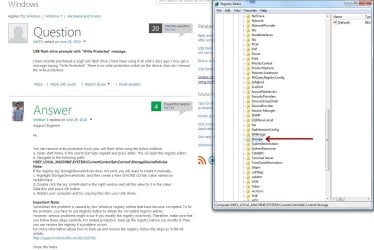
Hello Im confused with this guys answer here, it seems to be the solution to the problem im having.
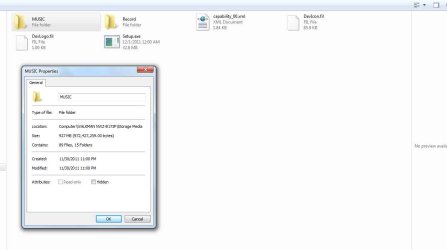
Ive insert my sony mp3 player and when I went to delete a folder i got this message:MP3 Write Protection
Ive understood the instructions upto step c)c. Highlight StorageDevicePolicies, and then create a New DWORD (32-bit) Value named as WriteProtect.
does he mean just make a new folder , rename it to StorageDevicePolicies? can somone please explain or do a short video tutorial how to do this, I cant seem to find any video tutorials on how to go about,and Im afraid
incase I ruin the pc function if i make a mistake
USB flash drive prompts with "Write Protected" message. - Microsoft Community
thank you.
Ive insert my sony mp3 player and when I went to delete a folder i got this message:MP3 Write Protection
Ive understood the instructions upto step c)c. Highlight StorageDevicePolicies, and then create a New DWORD (32-bit) Value named as WriteProtect.
does he mean just make a new folder , rename it to StorageDevicePolicies? can somone please explain or do a short video tutorial how to do this, I cant seem to find any video tutorials on how to go about,and Im afraid
incase I ruin the pc function if i make a mistake
USB flash drive prompts with "Write Protected" message. - Microsoft Community
thank you.
My Computer
- Computer type
- PC/Desktop
- Computer Manufacturer/Model Number
- Custom build
- OS
- windows 7 home premium 64bit
- CPU
- AMD Phenom(tm) II X4 955 Processor
- Motherboard
- ASRock M3A790GXH/128M
- Memory
- 8.00 GB
- Graphics Card(s)
- NVIDIA GeForce GTX 650 Ti
- Sound Card
- (1) High Definition Audio Device (2) USB Audio Device (3
- Antivirus
- Avast Free
- Browser
- Chrome