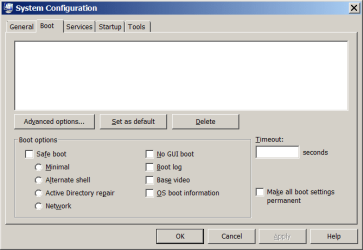
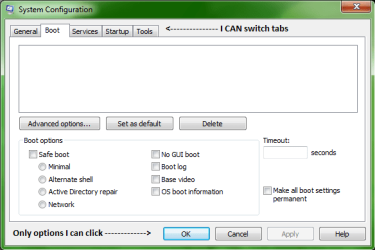
I am trying to do I tweak to allow both of my Cores to Boot the computer, but in the msconfig for the Boot tab, I can't click ANYTHING, I can click exit, cancel, and help, but I can;t go into advanced settings under Boot or check any boxes in the Boot tab. Why is this and how can I fix it? [Attached is an image of my msconfig screen depicting the details of this]
I have tried: Startup Repair, sfc/ scannow, disk defrag, and chkdsk
I have tried: Startup Repair, sfc/ scannow, disk defrag, and chkdsk
Attachments
My Computer
- Computer Manufacturer/Model Number
- HP-G71-340US
- OS
- Windows 7 Home Premium 64bit
- CPU
- Intel(R) Core(TM)2 Duo CPU T6600 @ 2.20GHz
- Motherboard
- Hewlett-Packard 306B 21.14
- Memory
- 8192 MBytes
- Graphics Card(s)
- Mobile Intel(R) 4 Series Express Chipset Family 1807 MBytes
- Sound Card
- IDT High Definition Audio CODEC
- Monitor(s) Displays
- Internal Laptop Mobile Intel(R) 4 Series Express Chipset
- Screen Resolution
- 1600x900
- Hard Drives
- Disk 0- WDC WD3200BEVT-60A23T0 320.0GB
Disk 1- USB Flash Memory Device 1948.0GB
Disk 2- WDC WD10EARS-00MVWB0 : WD My Book 1130 USB Device
- PSU
- HP AC Power Supply Unit
- Cooling
- Average: 42ºC (CPU); 29ºC (ACPI); 38ºC (Internal Hard Drive)
- Keyboard
- Micosoft Natural PS/2 Keyboard 101/102-Key with HP QLB
- Mouse
- Synaptics PS/2 Port TouchPad; Microsoft Wireless Mouse 5000