Hi,
I've tried summarize the question in the title and here the details.
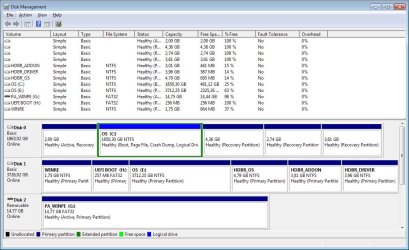
I've installed a new Samsung 990 as PCIe M2 Nvme on Win7 64 and managed to install it and make it fully recognizable by the system using the drivers on winraid forum... but now I have the problem of running WIN7 from it!
I’d like to be able to run my actual Win7 from the new fast ssd so this is what I did:
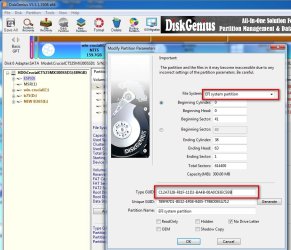
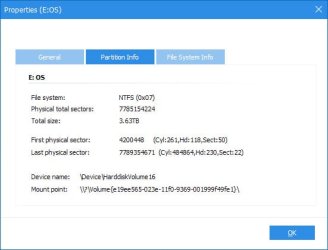
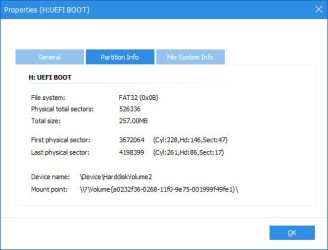
It seems that most of the guides and cases are for installing a new OS in the PCIe Nvme Disk but in my case the system is cloned from an existing Sata III SSD.If I have to create that partition, something like AOMEI Partition Assistant can be a good option? and I won’t lose the data/OS in the ssd? I saw some guide and it seems safe but…
Thanks a lot if someone have some suggestion on how to proceed!
I've tried summarize the question in the title and here the details.
I've installed a new Samsung 990 as PCIe M2 Nvme on Win7 64 and managed to install it and make it fully recognizable by the system using the drivers on winraid forum... but now I have the problem of running WIN7 from it!
I’d like to be able to run my actual Win7 from the new fast ssd so this is what I did:
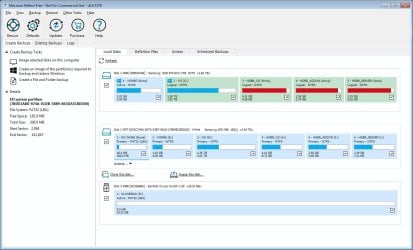
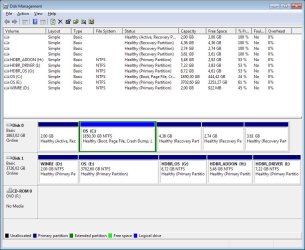
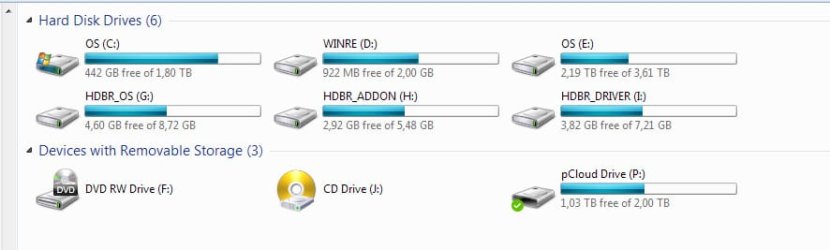
- I cloned the OS to the new disk using Macrium and in the end of operation it converts disk from MBR to GPT to have the whole 4TB available. (cloned 2 times thinking something was wrong but no, all seems OK with cloning…) After that I can see the disk listed in Device Manager as Nvme and I also have the correct Samsung Storage controller listed. The disk is nowfully usable as storage! but...
- to try boot from it I’ve downloaded Clover-5161-X64.iso and create a bootable USB with Rufus, then placed the NvmExpressDxe.efi in the correct folders as explained in many guides
- restarted the system and modify the BIOS to boot from USB and then after booting I can see the Clover interface but under Windows logo it is written “Boot Windows from Legacy HD1” and many others HD2,3,4,5,6… but - No Windows EFI ! and when trying to boot it fails of course and I just got the blinking underscore and nothing happens.
It seems that most of the guides and cases are for installing a new OS in the PCIe Nvme Disk but in my case the system is cloned from an existing Sata III SSD.If I have to create that partition, something like AOMEI Partition Assistant can be a good option? and I won’t lose the data/OS in the ssd? I saw some guide and it seems safe but…
Thanks a lot if someone have some suggestion on how to proceed!
My Computers
-
At a glance
Windows 7 64XEON E3-1225- Computer type
- PC/Desktop
- Computer Manufacturer/Model Number
- Fujitsu
- OS
- Windows 7 64
- CPU
- XEON E3-1225
-
- Computer type
- PC/Desktop

 ) try to run bcdboot ... to be able to boot the new disk with CLOVER... do you think is correct?