
Solved msdia80.dll directly on my other hard drive?

Danielzxzx

New member
Member
VIP
Local time
5:55 PM
Messages
233
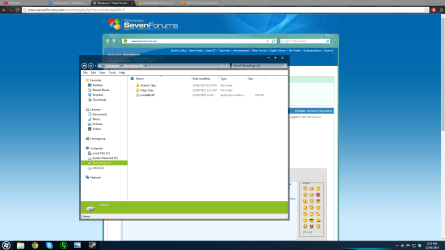
So today I opened up my other internal hard drive where I store game recordings I record and I discovered a random dll file that was accessed today called msdia80.dll. The file is directly on this hard drive as soon as I open it.

I looked this file up and found that is wasn't a good idea to delete it but that was if the file was located on the main drive. Mine is on a different drive. Is it safe to delete this file?

Uploaded screenshot as attachment.
 

Attachments
  • weird file.png
    weird file.png
    124 KB · Views: 16

My Computer My Computer

At a glance

Windows 7
OS
Windows 7
This file is normally installed by Microsoft Visual C++. The correct path should be C:\Program Files (x86)\Common Files\microsoft shared\VC . If you can confirm that file exists in the correct path as well, you could safely delete the file on your 2nd drive.

If the file does not exist in the correct path, you could move the file to C:\Program Files (x86)\Common Files\microsoft shared\VC and register it

Start> In search box type cmd> Right click on cmd.exe in results above and choose Run as administrator> When command prompt opens type

regsvr32 C:\Program Files (x86)\Common Files\microsoft shared\VC\msdia80.dll

Enter


A Guy
 

My Computer My Computer

At a glance

Windows 10 Home x64INTEL Core i5-750 Quad-Core 3.37GHzHyperX Fury Black Series 8GB (2 x 4GB) 1866MhzEVGA GeForce GTX 750 Superclocked 1GB 128-Bit...
Computer type
PC/Desktop
OS
Windows 10 Home x64
CPU
INTEL Core i5-750 Quad-Core 3.37GHz
Motherboard
ASUS P7P55D
Memory
HyperX Fury Black Series 8GB (2 x 4GB) 1866Mhz
Graphics Card(s)
EVGA GeForce GTX 750 Superclocked 1GB 128-Bit GDDR5
Monitor(s) Displays
LG 32MA68HY 32" IPS
Screen Resolution
1920 x 1080
Hard Drives
Samsung 840 Evo 120GB, SEAGATE 500GB Barracuda® 7200.12, SATA 3 Gb/s, 7200 RPM, 16MB cache
PSU
ANTEC TruePower New TP-550, 80 PLUS, 550W
Case
ANTEC Three Hundred Illusion
Cooling
COOLER MASTER Hyper 212 Plus, 4 x 120mm 1 x 140mm Noctua's
Internet Speed
85 + Mbps
Antivirus
Avast
Browser
Vivaldi
Thanks! The file was already there so I deleted the other one.
 

My Computer My Computer

At a glance

Windows 7
OS
Windows 7
:thumbsup:

A Guy
 

My Computer My Computer

At a glance

Windows 10 Home x64INTEL Core i5-750 Quad-Core 3.37GHzHyperX Fury Black Series 8GB (2 x 4GB) 1866MhzEVGA GeForce GTX 750 Superclocked 1GB 128-Bit...
Computer type
PC/Desktop
OS
Windows 10 Home x64
CPU
INTEL Core i5-750 Quad-Core 3.37GHz
Motherboard
ASUS P7P55D
Memory
HyperX Fury Black Series 8GB (2 x 4GB) 1866Mhz
Graphics Card(s)
EVGA GeForce GTX 750 Superclocked 1GB 128-Bit GDDR5
Monitor(s) Displays
LG 32MA68HY 32" IPS
Screen Resolution
1920 x 1080
Hard Drives
Samsung 840 Evo 120GB, SEAGATE 500GB Barracuda® 7200.12, SATA 3 Gb/s, 7200 RPM, 16MB cache
PSU
ANTEC TruePower New TP-550, 80 PLUS, 550W
Case
ANTEC Three Hundred Illusion
Cooling
COOLER MASTER Hyper 212 Plus, 4 x 120mm 1 x 140mm Noctua's
Internet Speed
85 + Mbps
Antivirus
Avast
Browser
Vivaldi
This file is normally installed by Microsoft Visual C++. The correct path should be C:\Program Files (x86)\Common Files\microsoft shared\VC . If you can confirm that file exists in the correct path as well, you could safely delete the file on your 2nd drive.

If the file does not exist in the correct path, you could move the file to C:\Program Files (x86)\Common Files\microsoft shared\VC and register it

Start> In search box type cmd> Right click on cmd.exe in results above and choose Run as administrator> When command prompt opens type

regsvr32 C:\Program Files (x86)\Common Files\microsoft shared\VC\msdia80.dll

Enter


A Guy

Just in case anyone else finds this in a search wanting to move the stray dll file the regsvr32 command needs to be encased in quotation marks or it treats the space after Program as the end of the string.

regsvr32 "C:\Program Files (x86)\Common Files\microsoft shared\VC\msdia80.dll"
 

My Computer My Computer

At a glance

Win 7 x64 HP + 8.1471016 gbAMD R9 m265X
Computer type
Laptop
Computer Manufacturer/Model Number
Toshiba Qosmio X70-B-102
OS
Win 7 x64 HP + 8.1
CPU
4710
Motherboard
Intel HM86 chipset
Memory
16 gb
Graphics Card(s)
AMD R9 m265X
Back
Top