Hi,
1. Well done!

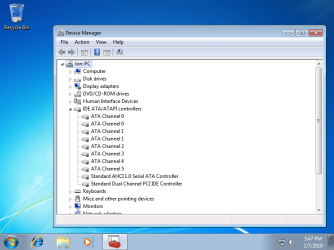
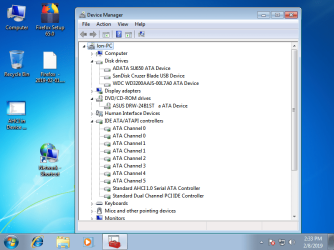
But it sounds you are still using some disk(s) with IDE storage controller ?
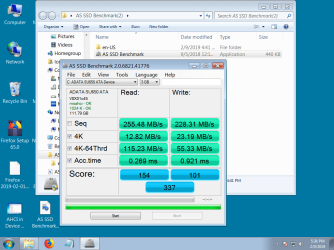
Do you use multiple internal hard disks ? Are all internal Hard disks using on board
SATA II only ? ( You can use 6 SATA II + 2 IDE Devices. SATA II should be more efficient! )
Can you provide requested snap of Disk Management :
VIEW > TOP > DISK LIST
2. Actually, This is primarily governed by BIOS setting. When you select the mode IDE/AHCI/RAID in BIOS, It starts looking for that particular driver/support in the OS/Installation. Now there are two scenarios :
(i) If you go for a fresh installation after making the change in the BIOS, the driver is automatically installed.
( The AHCI driver needed by you, is already there in the Win7 ISO. So, you do not/did not need to integrate anything in the ISO for that.The AHCI driver you are using in the newly installed Win7 OS, is a basic support driver which comes with Win7 out of the box. )
(ii) If one wants to just switch to AHCI from RAID/IDE without a reinstall, the work out is here :
AHCI : Enable in Windows 7 / Vista
( To be very clear : You have migrated from IDE to AHCI & not RAID to AHCI )
3. Support Page : One should always go to the correct/exact support page.
For batch production, the drivers/devices are also designed/manufactured in batch. A single driver supports several devices & many models share the same devices.
But one may fall between the differences between two models or devices. There may be drivers which are not common/similar.
4. The driver you were struggling with, is basically a RAID driver & not an AHCI one. It is named 'AMD AHCI Compatible RAID Driver'.
(I don't know whether the big driver zip include any pure AHCI driver as i did not download it.)
5. I was offered 'AMD Catalyst Install Manager' during AMD Graphics driver installation but i simply opted out of it. But I am not sure whether it has some other purposes as well ? I am also not sure whether the Utility can be included with other drivers as well ? I never had any problems.
6. I am interested about the 'ATI Catalyst Install Manager'.
(i) Did you succeed to install it ? Does it show in Installed Programs ?
(ii) As said by sir
wither 2, It seems to be like a Installer Program/Manager.
(iii) I fear it will interfere in some other AMD drivers' installations as well.
(iv) I assume that one can update the driver directly from Device Manager without Catalyst Install Manager. But it's more of a practical thing!
But if all works fine, you need not update that driver.
Thanks & Regards. ...
((((
SIMPLY GUESS WORK!
ATI Catalyst Install Manager should be required to install AMD related drivers/stuff, offered at the Support Page. It seems the AMD driver(s) on MSI site does/do not come with the proper installer support & ATI Catalyst Install Manager does it for them. It is a bad work from MSI.
I think installing drivers directly from Device Manager should not need it.
I also think that getting required drivers installers directly from AMD site should solve the problem.
I did not download the big driver zip. So, i can't tell about it )))